Need help?
Do you have a question about the New Balance 7.0r and is the answer not in the manual?
Failure to follow safety instructions may result in injury or death. Keep children away. Max user weight 300 lbs.
Do not plug AC adapter into wall until electronics monitor is completely assembled.
Make sure adjustment pin is locked in place before beginning exercises.
Pinch point. Keep hands clear of the track when adjusting seat.
Risk of electrical shock. Unit for indoor, dry location use only.
Details the dimensions, product weight, and maximum user weight of the recumbent bike.
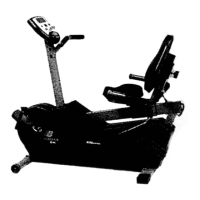
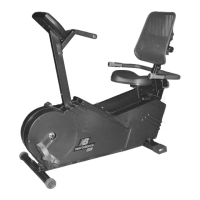
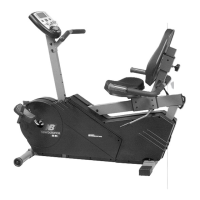
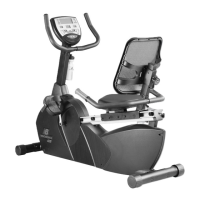
Diagram labeling all major components of the New Balance 7.0r recumbent bike.
Highlights benefits of the bike for toning, health maintenance, and energy.
Provides contact information for customer support and website.
Lists required details like name, address, purchase date, and model number for ordering parts.
Illustrates and labels all parts, tools, and fasteners included in the assembly process.
Instructions for attaching the front and rear foot tubes to the main frame assembly.
Steps for assembling the seat carriage slider, back rest, and seat cushion.
Guide to assembling the handlebar tube, cover, and connecting wires.
Instructions for attaching the seat carriage to the seat carriage tube.
Details on attaching the left and right foot pedals to their respective cranks.
Steps for attaching the front handlebar to the handlebar tube.
Instructions for installing the computer unit and batteries.
Procedure for attaching the water bottle holder to the handlebar tube.
Instruction to plug the AC adapter into the unit and then the wall.
Guidance on setting up the bike on a level surface with adequate space.
Advice on maintaining proper posture, knee bend, and pedaling motion.
Important notes on unit recommendation for children, balance, and surface.
Explanation of how to use both sides of the pedals with shoes or bare feet.
Steps to use the pulse sensors on the handlebars for heart rate monitoring.
Disclaimer on the accuracy of pulse sensor readings for medical conditions.
Overview of the computer's features for tracking progress and motivating workouts.
Explanation of Quick Start, Time, Speed, Distance, Calories, and Age functions.
Details on how the computer displays Speed, Distance, and approximate Calories.
Information on age-programmable settings and pulse sensor usage for heart rate.
Explanation of the ENTER and START buttons' functions.
How to use UP/DOWN buttons to adjust program, time, distance, calories, and age.
Description of the visual display for 13 different workout programs.
Step-by-step guide for selecting programs, time, calories, and age.
Instructions for heart rate controlled programs that adjust resistance.
How to design and store custom workout courses.
Visual representation of the 13 different workout programs and their intensity levels.
Procedure to adjust the screen contrast using the ENTER and UP/DOWN buttons.
Recommendations for consulting a physician before starting exercise, especially for certain age groups or conditions.
Guidance on setting target heart rate zones based on age and fitness level.
Recommendations for warm-up, cool-down, and workout frequency for overall fitness.
Specific durations and frequencies for warm-up, muscular strength, endurance, cardio, and flexibility.
Guidance on the recommended duration and frequency for aerobic workouts to improve fitness.
Discussion on optimal times for exercise, considering personal preference and avoiding post-meal strenuous activity.
Explains the importance of heart rate for measuring exercise intensity and cardiovascular benefits.
Details on calculating target heart rate zones (60-85% of max heart rate) based on age.
Instructions on using the bike's sensors to estimate heart rate during workouts.
Defines cardiorespiratory endurance, muscular strength, muscular endurance, flexibility, and body composition.
Discusses factors like goals, fitness level, age, and convenience for creating a workout schedule.
Advice on maintaining motivation, setting goals, logging progress, and staying consistent.
Graphical representation showing target heart rate zones based on age for cardiovascular fitness.
A week-by-week plan for increasing workout intensity and duration.
Instructions for performing stretches slowly and smoothly for flexibility and muscle relief.
Detailed steps for performing a quadriceps stretch.
Instructions for performing a calf and Achilles tendon stretch.
Detailed steps for performing an overhead and triceps stretch.
Instructions for performing a back stretch by bending forward from the waist.
Steps for performing a hamstring stretch by leaning forward from the hips.
Instructions for stretching the hips, abdominals, and lower back while lying down.
Guide for performing an inner thigh stretch while seated.
Steps for performing an arm pullback stretch targeting the chest and shoulders.
Advice on cleaning, unplugging, and maintaining the unit for smooth operation.
Instructions for safely moving and storing the recumbent bike.
Guidance on using charts to monitor progress, suggesting regular measurements every two weeks.
Illustration showing the specific body measurement sites for tracking progress.
Provides additional blank charts for logging workout progress over extended periods.
Blank charts for recording weekly workout dates, number of workouts, and total workout time.
Provides more blank charts for tracking additional weekly exercise data.
States the product warranty and dedication to quality.
Provides contact details and prompts to record serial number and purchase date for warranty.
 General
| Brand | New Balance |
|---|---|
| Model | 7.0r |
| Category | Exercise Bike |
| Language | English |

 To Next Page