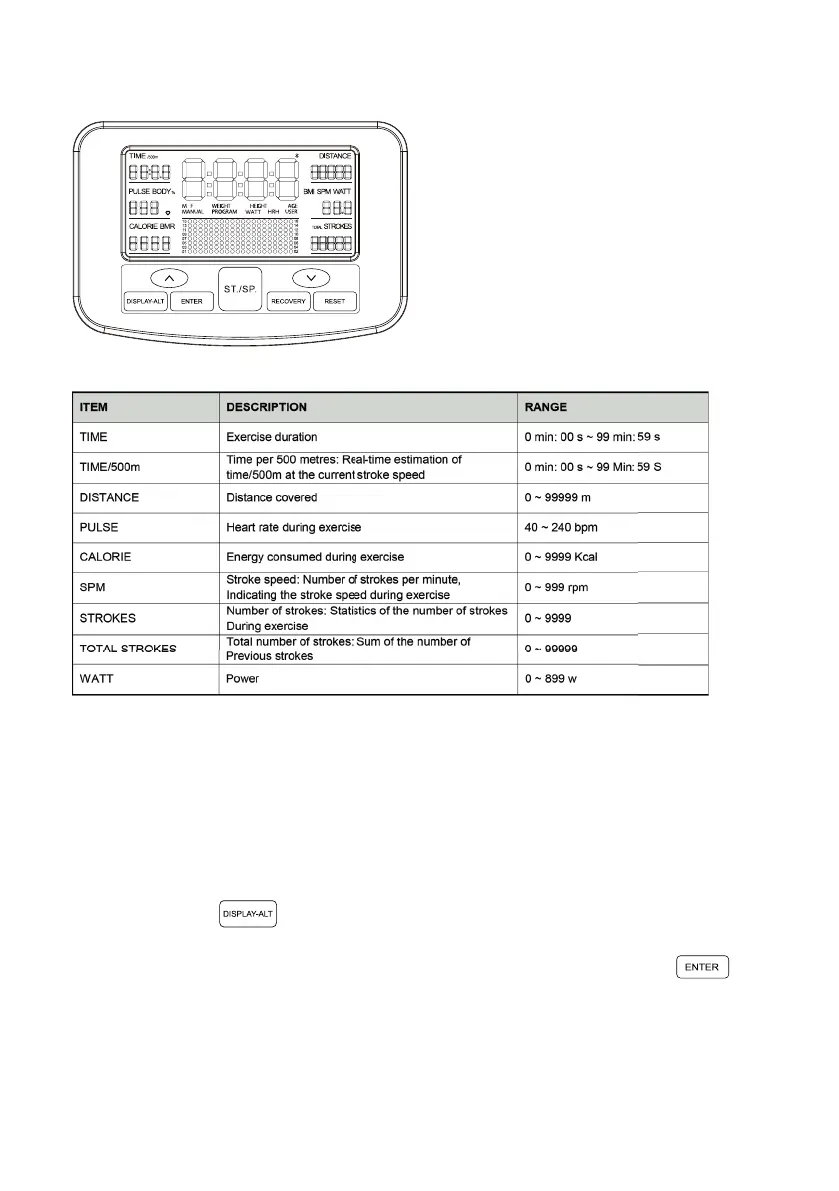
DESCRIPTION OF INSTRUMENT WINDOW
Display mode of main window during exercise:
1. Scanning mode: Display in the following order successively every 6 seconds:
TIME → TIME/500m → DISTANCE → PULSE → SPM → WATT → CALORIE →
STROKES → TOTAL STROKES
2. Use the button to select and fix a certain function, and then display it on
the main window.
Display mode of left/right small window during exercise: Use the button to
switch the display between “TIME → TIME/500M”, “SPM → WATT”, and
“STROKES → TOTAL STROKES”.
Display 16 levels of resistance


 To Next Page