Need help?
Do you have a question about the New Image FITT ROW and is the answer not in the manual?
Information on downloading and using the fitness app for workouts and tracking.
Engaging with the community for exclusive workout videos, tips, and nutritional advice.
Detailed instructions for assembling the front stabiliser tube to the main frame using provided parts.
Instructions for attaching the runner rail and limiters to the rowing machine.
Guide for fixing the rear stability leg to the main guide rail using specified hardware.
Steps to attach the runner rail and decoration covers to the main frame using specific screws and washers.
Instructions for attaching the pedal bracket and foot holders to the main frame with screws and bolts.
Final steps to connect the display, tablet holder, and power adapter for the rowing machine.
Instructions on how to safely lift and move the rowing machine using its transportation wheels.
How to adjust the computer display angle for optimal viewing during exercise.
Guidance on how to store the rowing machine upright to save space when not in use.
Explains the meaning and operational range of each metric displayed on the console.
Details how to navigate and select display modes for workout data on the main and small windows.
Overview of the different operational modes like Manual, Programs, Body Fat, HRC, etc.
Explains the purpose and operation of each button on the console for controlling the machine.
How to use the manual workout mode, including starting, setting, and adjusting resistance.
Instructions for selecting and operating pre-set workout programs from 2 to 12.
Steps to conduct the body fat, BMI, and BMR test using the heart rate monitor.
A chart to interpret Body Mass Index (BMI) based on gender, age, and weight categories.
Interpretation guidelines for body fat percentage based on gender and categories.
How to use the Watt program, which automatically adjusts resistance to maintain a constant wattage output.
Operating instructions for HRC programs that control resistance based on target heart rate percentages.
How to set up and use Programme 18 which adjusts resistance based on a specific target heart rate.
Guide on how to create and use custom user programs for personalized workouts.
How the recovery test works, its display (F1-F6), and recommendations for accurate results.
Essential safety instructions to follow before and during the use of the rowing equipment.
Warnings about keeping body parts and clothing away from moving parts to prevent injury.
Guidelines on who should consult a doctor, appropriate attire, warm-up, max user weight, and safe mounting.
Details on home use suitability, accessory use, warnings about accuracy, and feeling faint.
Instructions for cleaning, storing the equipment, using a mat, and regular safety checks.
How to get help, including customer service phone numbers, email, and website.
Highlights the app's capabilities for tracking fitness and accessing workout videos from anywhere.
Links and QR codes to download the New Image Fitness App from the App Store and Google Play.
 General
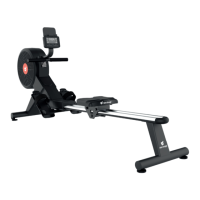
| Type | Rowing Machine |
|---|---|
| Resistance Type | Magnetic |
| Display | LCD |
| Foldable | Yes |
| Maximum User Weight | 120 kg |
| Warranty | 1 Year |

 To Next Page