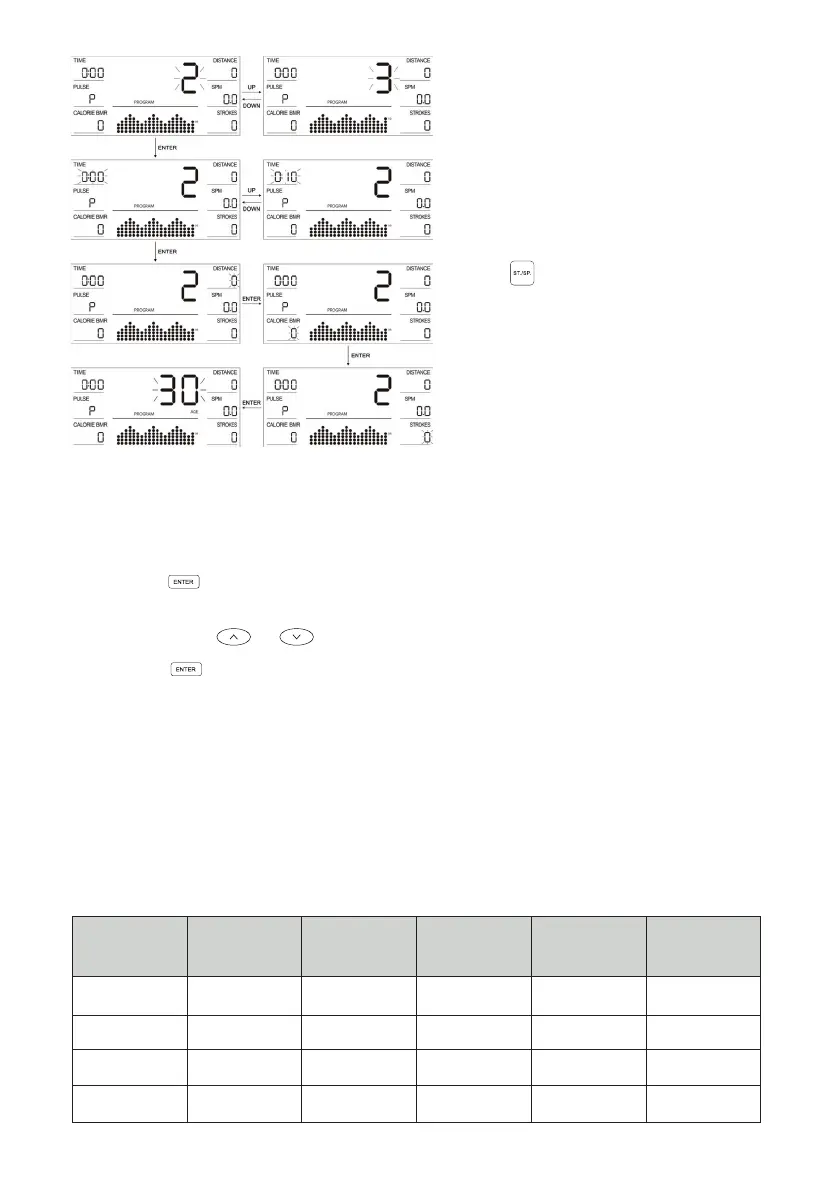
7. When any item (TIME, DISTANCE,
CALORIE and STROKES) is
set, this will be displayed as a
downward count during exercise.
Once the count reaches zero, the
exercise will automatically stop
with a sound prompt of a double
beep.
8. During exercise, you can press
the to stop the function of the
device.
BODYFAT (PROGRAMME 13)
REQUIRES NEW IMAGE HEART RATE MONITOR TO OPERATE
1. Press the button to enter the setting mode.
2. In the settings mode, the setting order is as follows: GENDER > HEIGHT > WEIGHT
> AGE. Use the or buttons to toggle through adjustments.
3. Press the to start the test: After 8 seconds, it will display the following data.
• BMI (Body Mass index)
• FAT % (Body fat percentage)
• BMR (Basal metabolic rate)
4. Before the test, ensure to have the New Image Heart Rate turned on and
connected. For further information how to connect, see page 18.
5. The test should be conducted with a resting heart rate.
6. BMI (Body mass index)
GENDER/
AGE
THIN OPTIMAL
OPTIMAL TO
OVERWEIGHT
OVERWEIGHT
OBESE
Male ≤ 30 < 14 14 ~ 20 20.1 ~ 25 25.1 ~ 35 > 35
Male > 30 < 17 17 ~ 23 23.1 ~ 28 28.1 ~ 38 > 38
Female ≤ 30 < 17 17 ~ 24 24.1 ~ 30 30.1 ~ 40 > 40
Female > 30 < 20 20 ~ 27 27.1 ~ 33 33.1 ~ 43 > 43


 To Next Page