10
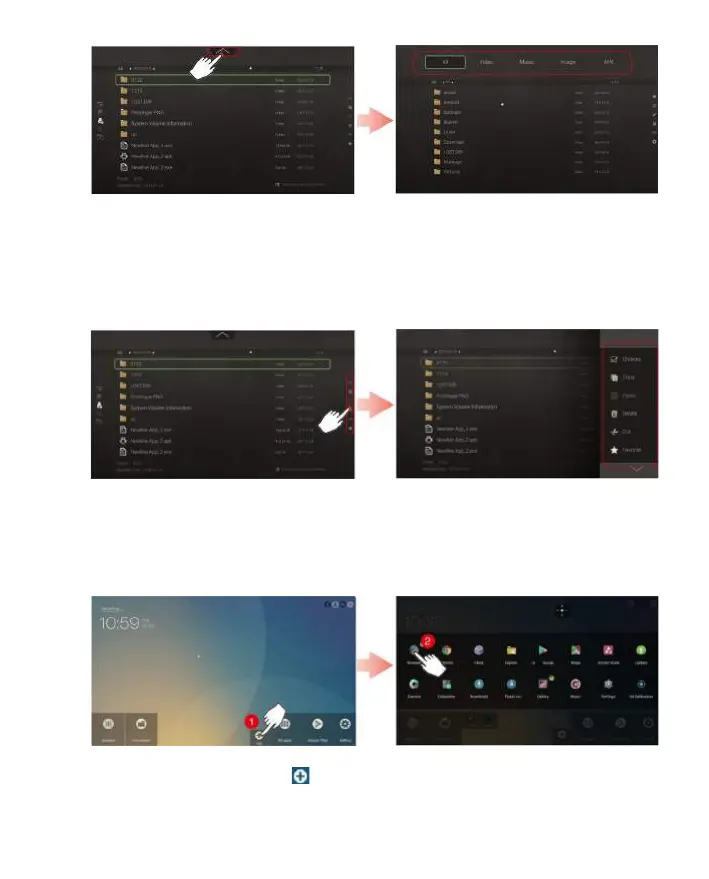
Click right side of the screen and Menu bar will be shown as in the gure below. The menu
bar contains basic functions for le operation, including multi-select, copy, paste, delete, cut,
favorite, refresh, rename, new, view, and setting.
Menu Bar
Users can add up to 11 shortcuts of their favorite applications to the home page by the
following steps.
Step 1. On the home page, click and open the setting page.
Step 2. Click and add check mark to favorite applications to add shortcuts.
◆
Shortcut


 To Next Page