13
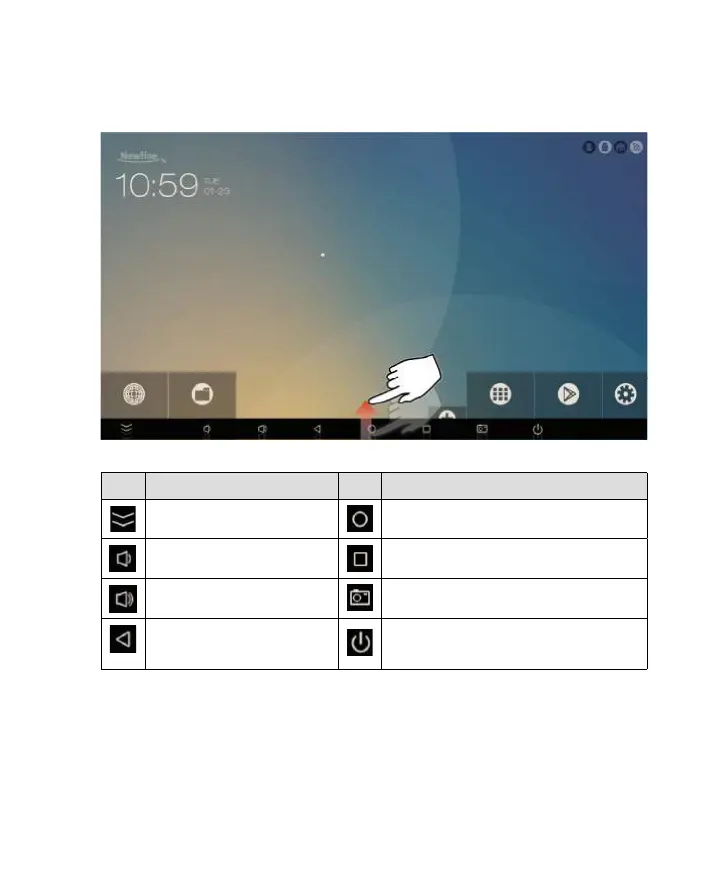
Icon Function Icon Function
Hide the toolbar. Return to the Home screen.
Decrease the sound volume. Manage currently running applications.
Increase the sound volume. Take a screenshot.
Return to the last menu/exit.
Press: Go into the standby mode.
Press and hold: Reboot the Android box.


 To Next Page