8
ICARUS SERIES
EN
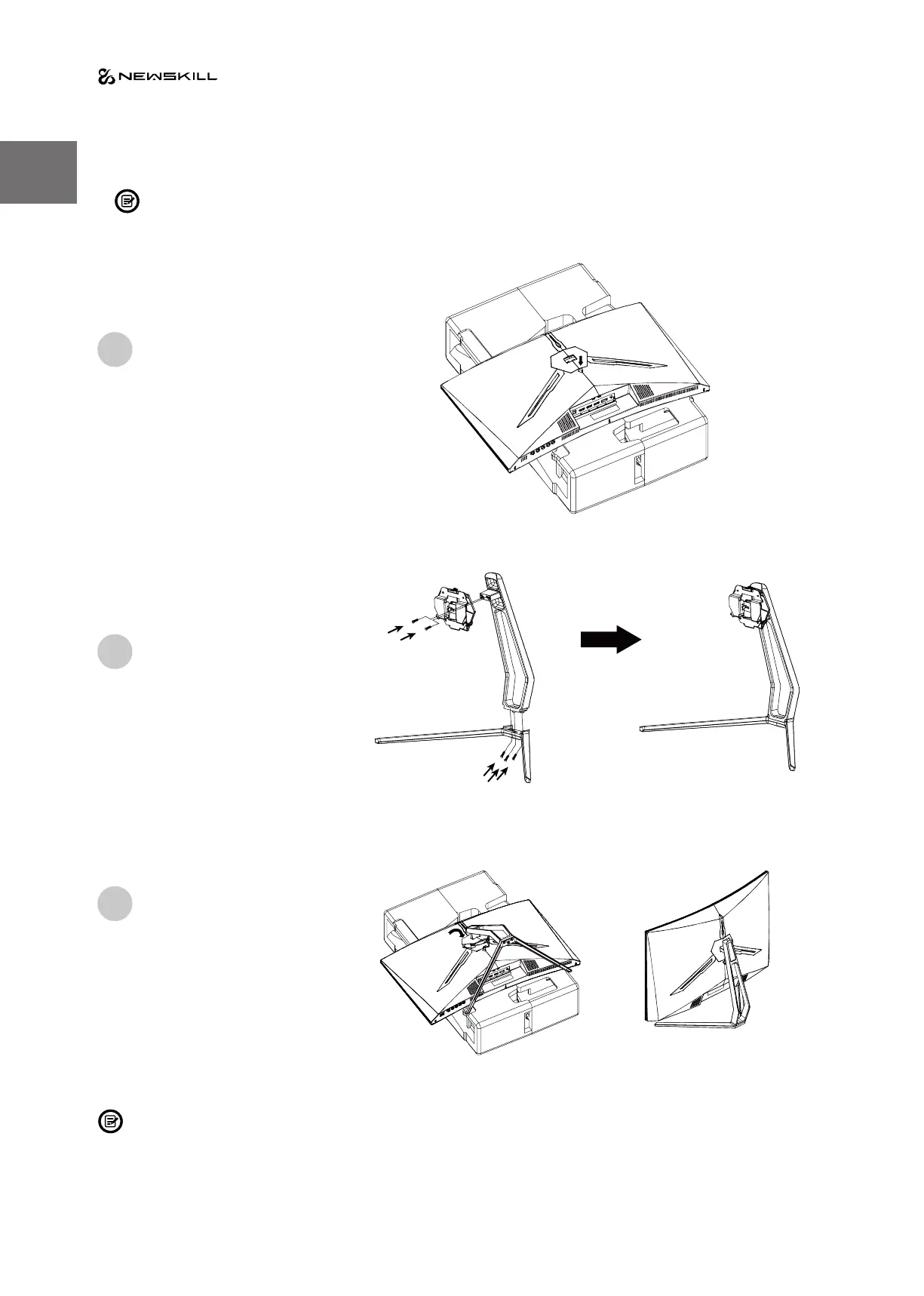
3. Stand Installation
Keep the foam underneath the monitor before attaching the stand.
First open the carton, take out the foam
and align it on the desktop, remove the PE
bag, and place the body on the foam. press
the lock down vertically with your hand to
remove the hinge assembly.
Lock the shaft assembly and the
bracket with 2 PM4*10mm screws,
and then lock the 3 PM4*10mm
screws to the base.
As above, vertically push the lock
catch. Put stands assembly parts
into slot of back cover accordingly
and make them mechanically
placed. Hold the middle of stand
and make sure the monitor won’t
drop out.
Make sure the monitor is laid on a flat surface before removing the stand.
1
2
3


 To Next Page