10
See also Appendix A: Key/Fill Connections for key/fill connection details.
A Delay setting is provided for both audio and video sources, allowing precise A/V synchronization where
a/v source timing differs.
CLIPS AND IP SOURCES
As mentioned in the previous section, an IP
(network) source – such as a PTZ camera with NDI
network video output – can be directly selected.
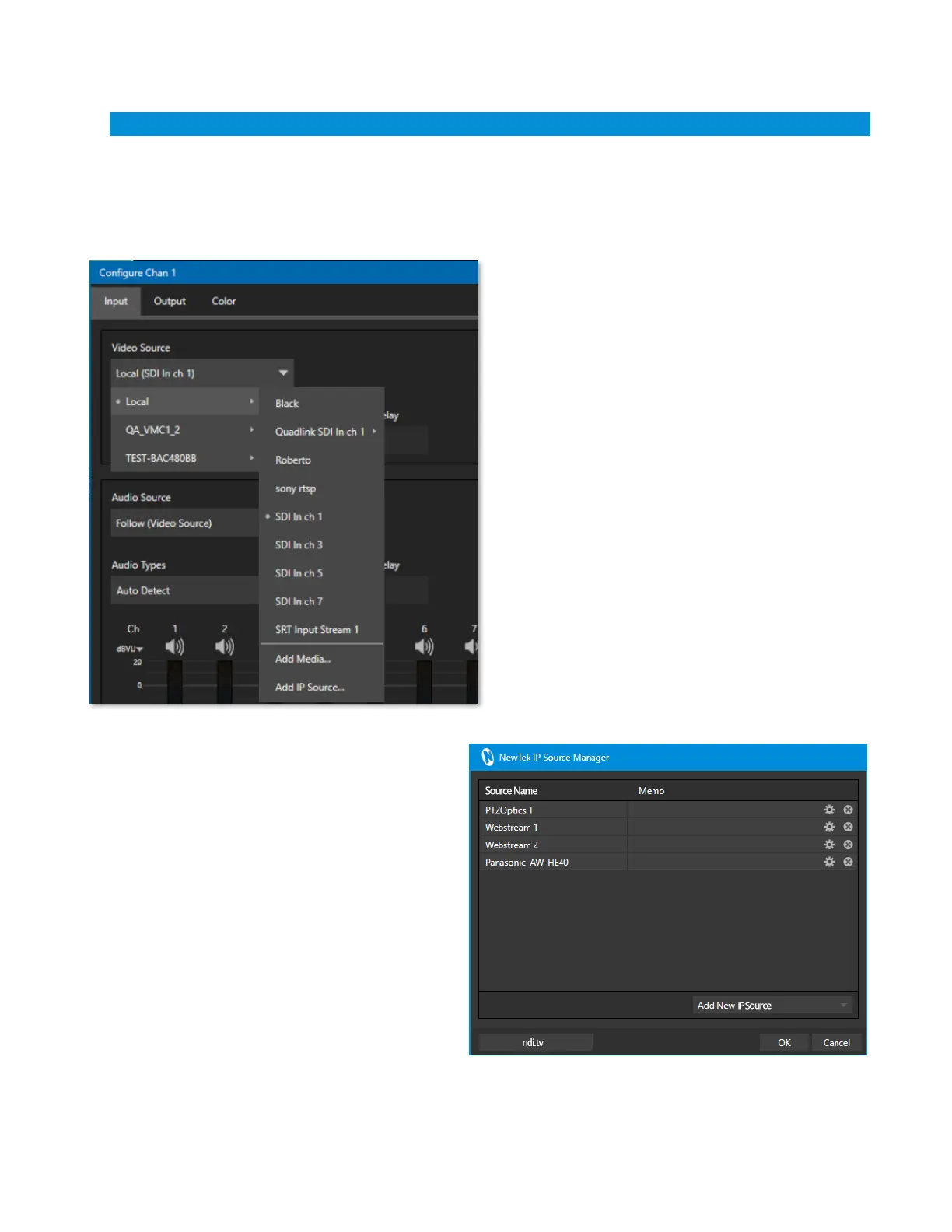
The Video Source drop down menu contains an
Add Media item to let you select a video file, and
Add IP Source menu item (Figure 5).
Clicking the Add IP Source entry opens the IP Source
Manager. Adding entries to the list of sources
shown in this panel causes corresponding entries
for new sources to appear in the Local group shown
in the Video Source menu of the Configure Channel
panel (Figure 6).


 To Next Page