Q2: Why can’t I manually zoom in further?
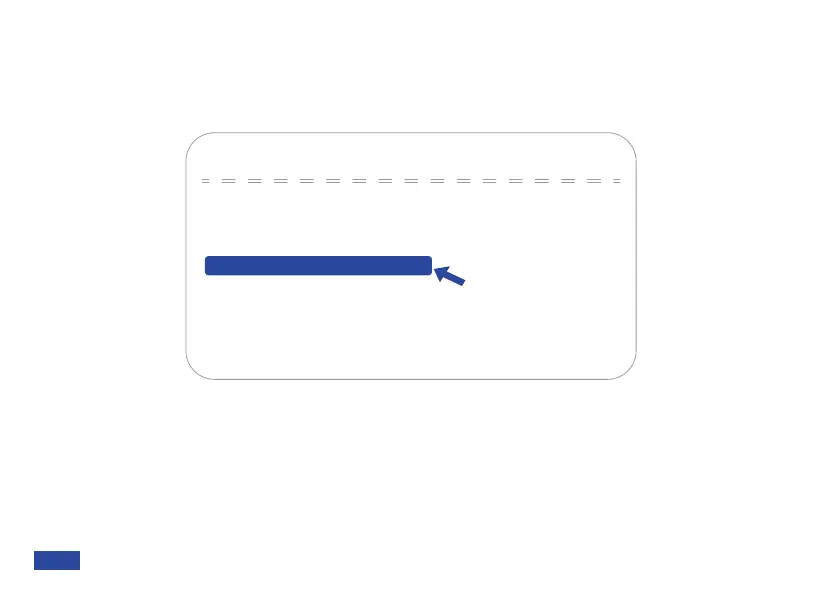
A: The ePTZ level is set to 5x by default. You may raise this limit to 10x in the OSD menu by
navigating to Setup > ePTZ Level, then use the left or right arrows to change the value between
1x-5x and 1x-10x.
Q3: Why can’t I zoom out further?
A: The ePTZ has probably reached its limit. Normally this happens when you enable the auto
framing or auto tracking function. The auto framed camera view is the minimum limit of the
ePTZ level, so you can’t zoom out over the minimum limit of the auto framed ePTZ level. You
can disable the auto framing and / or auto tracking function to manually adjust the ePTZ.
Setup
→Mic Audio
Image Style
Flip OSD Menu
Meeting Mode
NO
1X-5XePTZ Level
USB Mode BULK
[Menu ≡]Return
[↑↓]Select [← →]Change Value
US 01EN 31


 To Next Page