MENU DESCRIPTION
(7) Measured impedance
The measured impedance of the channel selected in zone 6 is displayed here. The display is
one of the following:
1) If the NXAMP is unable to measure the impedance of the speaker (for example channel
is muted or no speaker connected, or no pilot tone at the selected frequency), “Z= ??
Ω” will be displayed (like on the picture above).
2) If the impedance of the connected load is between 0 and 100 Ohm at the
measurement frequency, the actual value of the impedance will be displayed, for
example “Z=17.3 Ω”.
3) If the impedance of the connected load is above 100 Ohm, “Z>100 Ω” will be
displayed.
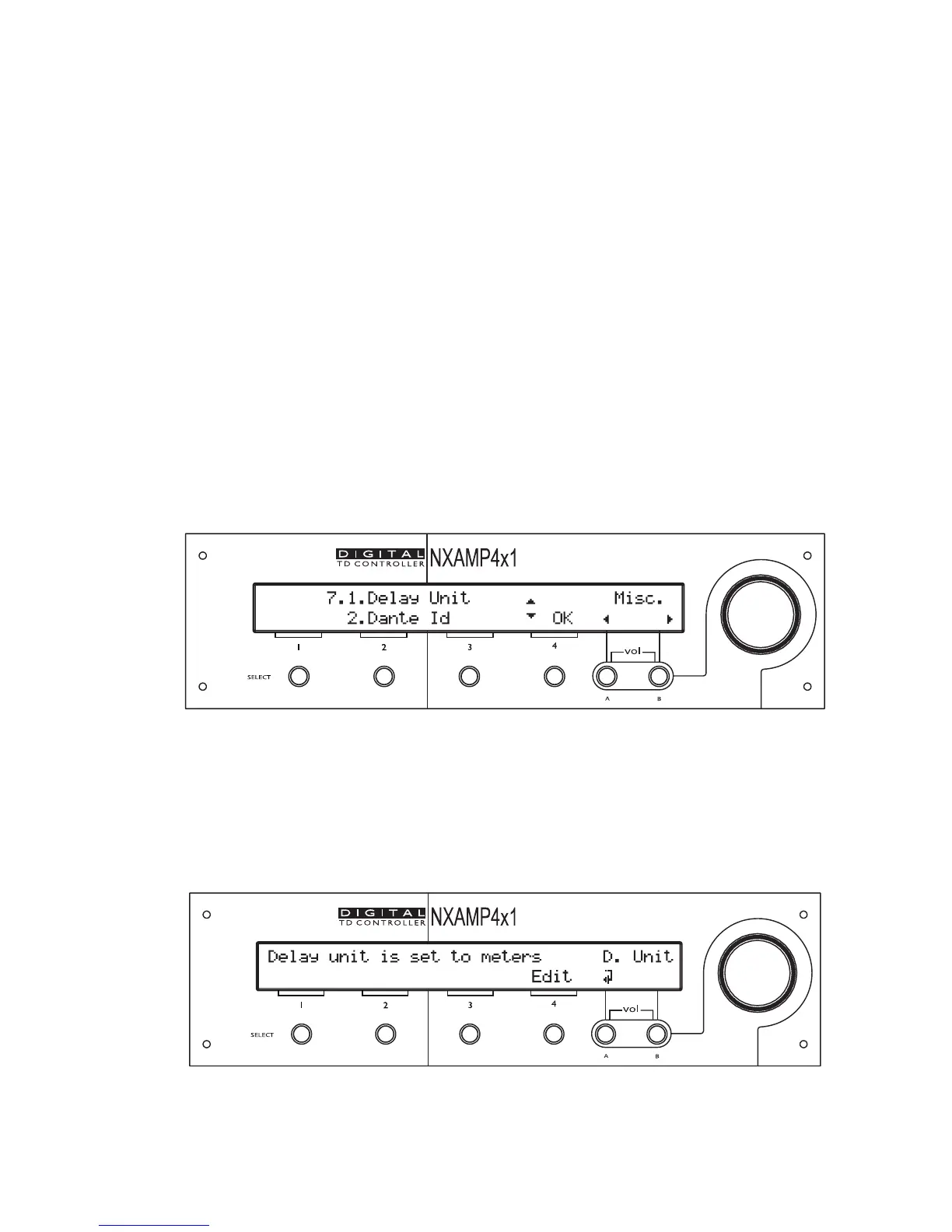
Miscellaneous
This menu will allow tweaking different small options available in the NXAMP Powered
TDcontroller. In LOAD3_15, it allows to change the delay unit and to set up the Dante™ ID
when a NXDT104 card is fitted. Bellow is a picture of this menu.
The sub-menu located on the top of the screen will blink. Depressing ‘Select’ of channel 4
will enter this sub-menu (“OK” is displayed on the screen align with “select” 4 button).
Delay Unit
This sub menu allows changing the way the delay is displayed on the front panel of the
NXAMP.
PAGE 72 OF 140


 To Next Page