June 2020
Shark SD110/SD120 | 5
Emergency Stop
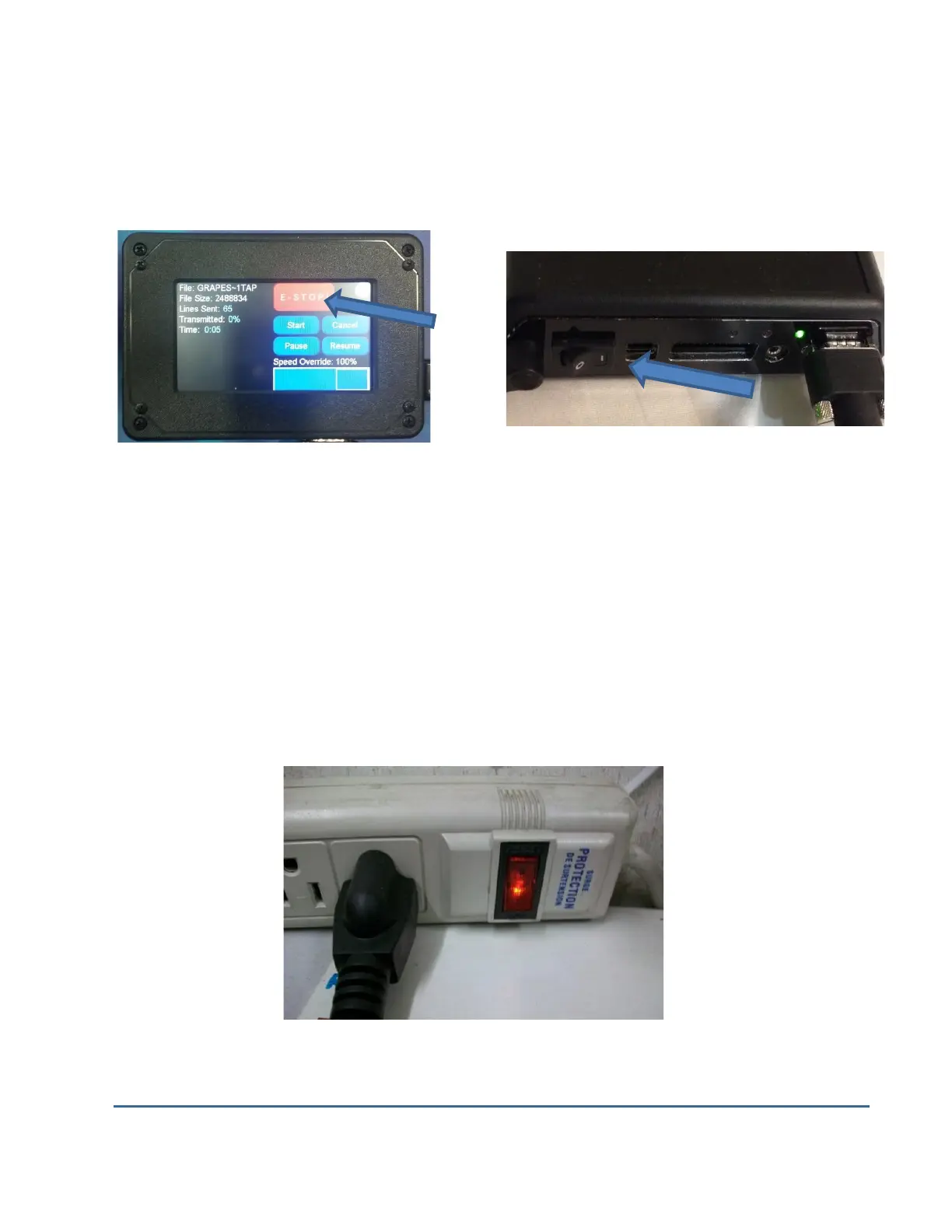
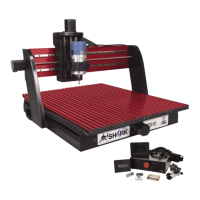
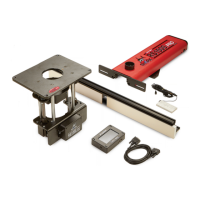
There are 3 ways you can immediately stop your Shark SD110 or SD120. Shark SD110 or SD120
users should use a surge suppress power strip with an on/off switch.
Pause or Stop on the Shark SD110/SD120 Power Button on Controller Interface
The first is the E-STOP! button on the LCD Pendant when the unit is running
The second is the on/off switch on the Shark SD110 or SD120 Controller.
Hitting either will immediately stop the Shark SD110/SD120 movement. This will also stop the
router if it is plugged into the Controller Interface. (only available on XL models)
Third is turning off the power strip; the power strip’s on/off switch serves the same purpose as
the E-Stop button on the Shark SD110/SD120 Controller Interface. For this reason, it is
recommended that you use power strips with an on/off switch.
Power Strip On/Off Switch


 To Next Page