EasyManua.ls Logo

Nextech 8011410 - User Manual

Nextech 8011410
12 pages
Print Icon
To Next Page IconTo Next Page
Loading...
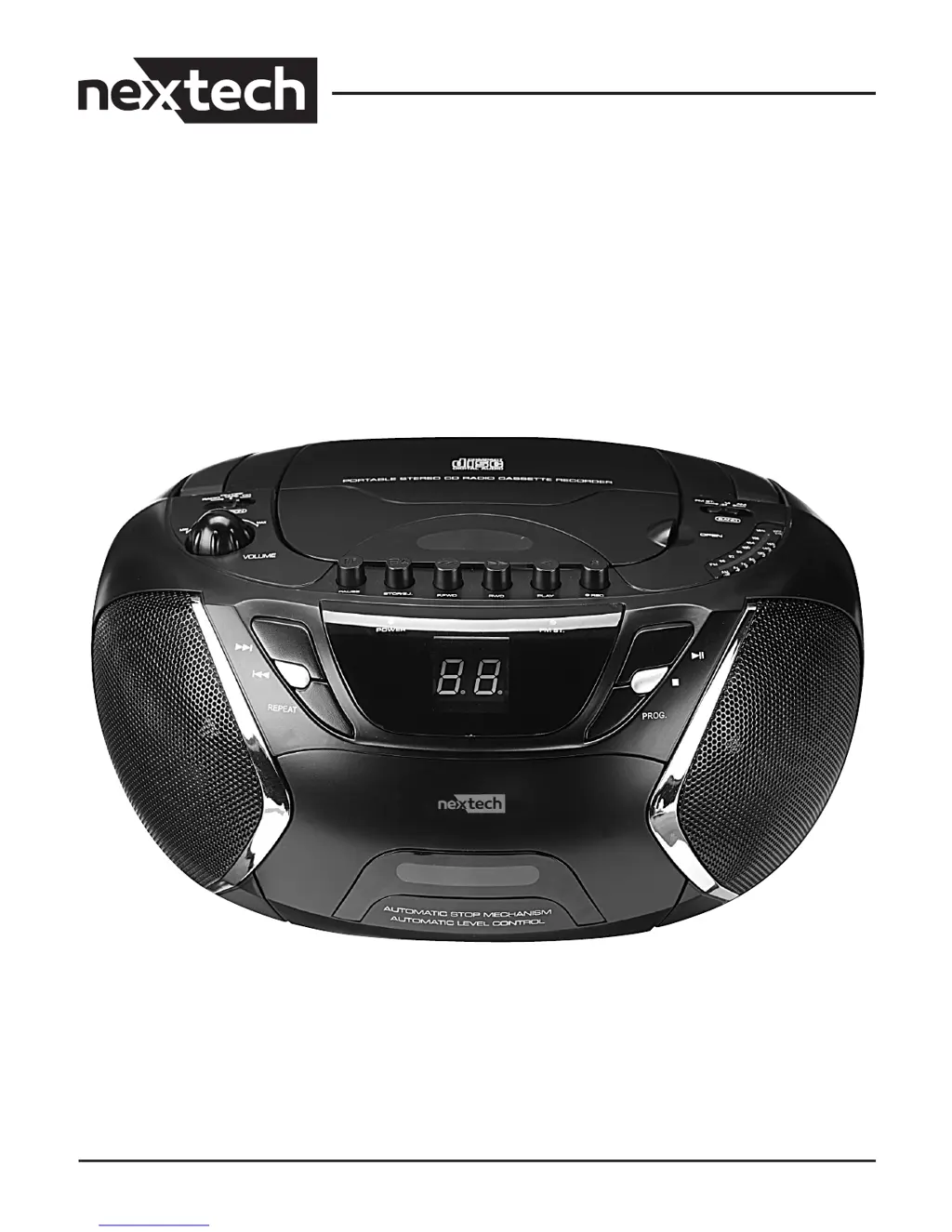
Instruction Manual CD Cassette Boombox
8011410

Questions and Answers

  • N
    Nicole ArroyoJul 31, 2025
    How to troubleshoot no sound or power on Nextech 8011410?
    • D
      David RiggsAug 1, 2025
      If your Nextech Portable Stereo System has no sound or power, first, check the volume and adjust it if necessary. Then, ensure the AC power cord is securely connected. Finally, make sure the batteries are correctly inserted and are not dead; replace them if needed.
  • W
    William GreerAug 5, 2025
    Why does my Nextech 8011410 CD skip tracks?
    • D
      David MaldonadoAug 5, 2025
      If the CD skips tracks on your Nextech Portable Stereo System, the CD might be damaged or dirty, so try replacing or cleaning it. Also, ensure that the program mode is off, as this can also cause skipping.
  • M
    Michael CabreraAug 9, 2025
    What to do if Nextech 8011410 Portable Stereo System shows no disc indication?
    • F
      Faith RiosAug 9, 2025
      If your Nextech Portable Stereo System shows no disc indication, first, ensure that a CD, CD-R, or CD-RW is inserted. If a disc is inserted, it may be badly scratched or dirty, so try replacing or cleaning it. If the laser lens is steamed up, wait until it has adjusted to room temperature. Finally, if you are using a CD-R, ensure it is finalized and not blank.
  • K
    karenrodriguezAug 13, 2025
    Why CD playback does not work on Nextech 8011410?
    • T
      Travis RogersAug 14, 2025
      If CD playback does not work on your Nextech Portable Stereo System, the CD might be badly scratched or dirty; try replacing or cleaning the CD. Also, if the laser lens is steamed up, wait until it adjusts to room temperature.
  • A
    Aaron AdamsAug 17, 2025
    What to do if Nextech 8011410 display does not function properly?
    • R
      Randy HansenAug 17, 2025
      If the display on your Nextech Portable Stereo System doesn't function properly or if it is not reacting to any of the controls, the issue might be electrostatic discharge. To resolve this, switch off and unplug the unit, then reconnect it after a few seconds.
  • H
    Holly MillsAug 22, 2025
    How to improve poor cassette sound quality on Nextech Portable Stereo System?
    • E
      Elizabeth BrownAug 22, 2025
      To fix poor cassette sound quality on your Nextech Portable Stereo System, clean the deck parts, as dust and dirt may be the cause. Also, only use NORMAL (IEC I) cassette types for recording, as METAL or CHROME cassettes are incompatible.
  • D
    Drew DonaldsonAug 27, 2025
    What to do if recording does not work on Nextech Portable Stereo System?
    • E
      Elijah MartinezAug 27, 2025
      If recording does not work on your Nextech Portable Stereo System, the cassette tab(s) may be broken. To fix this, apply a piece of adhesive tape over the missing tab space.

Summary

Safety Instructions

General Safety Guidelines

Covers 15 essential operating and safety instructions for user guidance.

Electrical Hazard Warning

Warning about electric shock risk, not opening the unit, and requiring qualified service.

Product Warnings

Product Operation Warnings

Warnings regarding heat, moisture, batteries, and earphone volume levels.

Battery Safety and Handling

Instructions for safe battery insertion, usage, disposal, polarity, and mixing.

Laser Safety Notice

Caution regarding hazardous laser radiation if the interlock is defeated.

FCC Compliance and Radio Interference

Powering the Boombox

AC Power Connection

How to power the unit using an AC adapter and wall outlet.

Battery Power Installation

Guidance for inserting, using C-size batteries, and long-term storage.

Boombox Control Layout

Radio Functionality

Basic Radio Operation

Steps to select mode, band, tune stations, and adjust volume.

Improving Radio Reception

Tips to improve FM/AM reception by adjusting antenna and unit position.

Cassette Tape Functions

Tape Playback, Recording, and Controls

Instructions for playing, recording from radio/CD, and general tape controls.

Cassette Deck Maintenance

Procedure for cleaning tape heads, pinch rollers, and capstan for performance.

CD Player Functions

CD Playback, Programming, and Repeat

Guide to playing CDs, programming track order, and using repeat functions.

Additional Features and Care

Headphone Jack Connection

Details on connecting headphones and adjusting volume.

Unit Maintenance and CD Handling

Advice on cleaning the unit, handling CDs, and preventing environmental damage.

Troubleshooting Common Issues

Specifications and Warranty

Product Technical Specs

Details features: programmable CD, cassette, tuning, headphone jack, power, distortion.

Product Warranty Details

Outlines product warranty terms, limitations, and support contact information.

Nextech 8011410 Specifications

General IconGeneral
BrandNextech
Model8011410
CategoryPortable Stereo System
LanguageEnglish