9
Headphone Jack
Connects to a 3.5 mm headphones (not included).
Use the volume control to adjust the sound level of the headphones.
Precautions & General Maintenance
• Place the unit on a hard at surface so the system does not
tilt.
• Do not expose the unit, batteries or CDs to humidity, rain,
sand or excessive heat caused by heating equipment or direct
sunlight.
• Do not cover the unit. Adequate ventilation with a minimum
gap of 15cm (6 inches) between the ventilation holes and
surrounding surfaces is necessary to prevent heat build-up.
• The mechanical parts of the set contain self-lubricating
bearings and must not be oiled or lubricated.
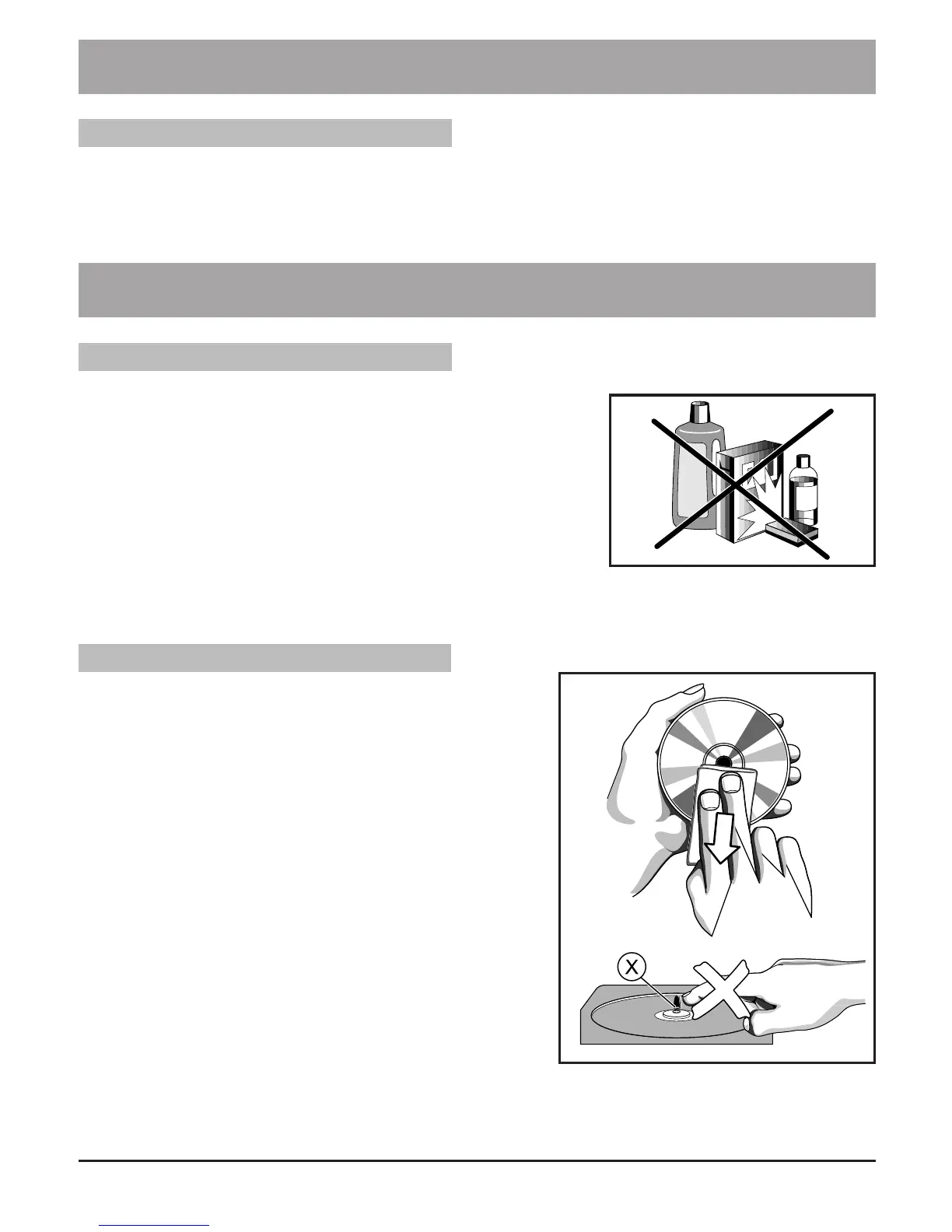
• To clean the unit, use a soft dry cloth. Do not use any cleaning agents containing alcohol,
ammonia, benzene or abrasives as these may harm the housing.
CD Player and CD Handling
• The lens of the CD player should never be touched!
• Sudden changes in the surrounding temperature can
cause condensation to form and the lens of your CD
player to cloud over. Playing a CD would not become
possible. Do not attempt to clean the lens. Instead,
leave the unit in a warm environment until the moisture
evaporates.
• Always close the CD door to keep the CD compartment
dust-free. To clean, dust the compartment with a soft dry
cloth.
• To clean the CD, wipe in a straight line from the centre
towards the edge using a soft, lint-free cloth. Do not use
cleaning agents as they may damage the disc.
• Never write on a CD or attach any stickers to it.
Other Operation
Maintenance & Safety


 To Next Page