Doc# E107754 V.1.03 QS - 5
Nexus® 1252 Meter Quickstart
Electro Industries/GaugeTech
Programming the Meter through CommunicatorPQA
TM
Software (see page QS-1 for download link):
1. From the CommunicatorPQA
TM
software’s
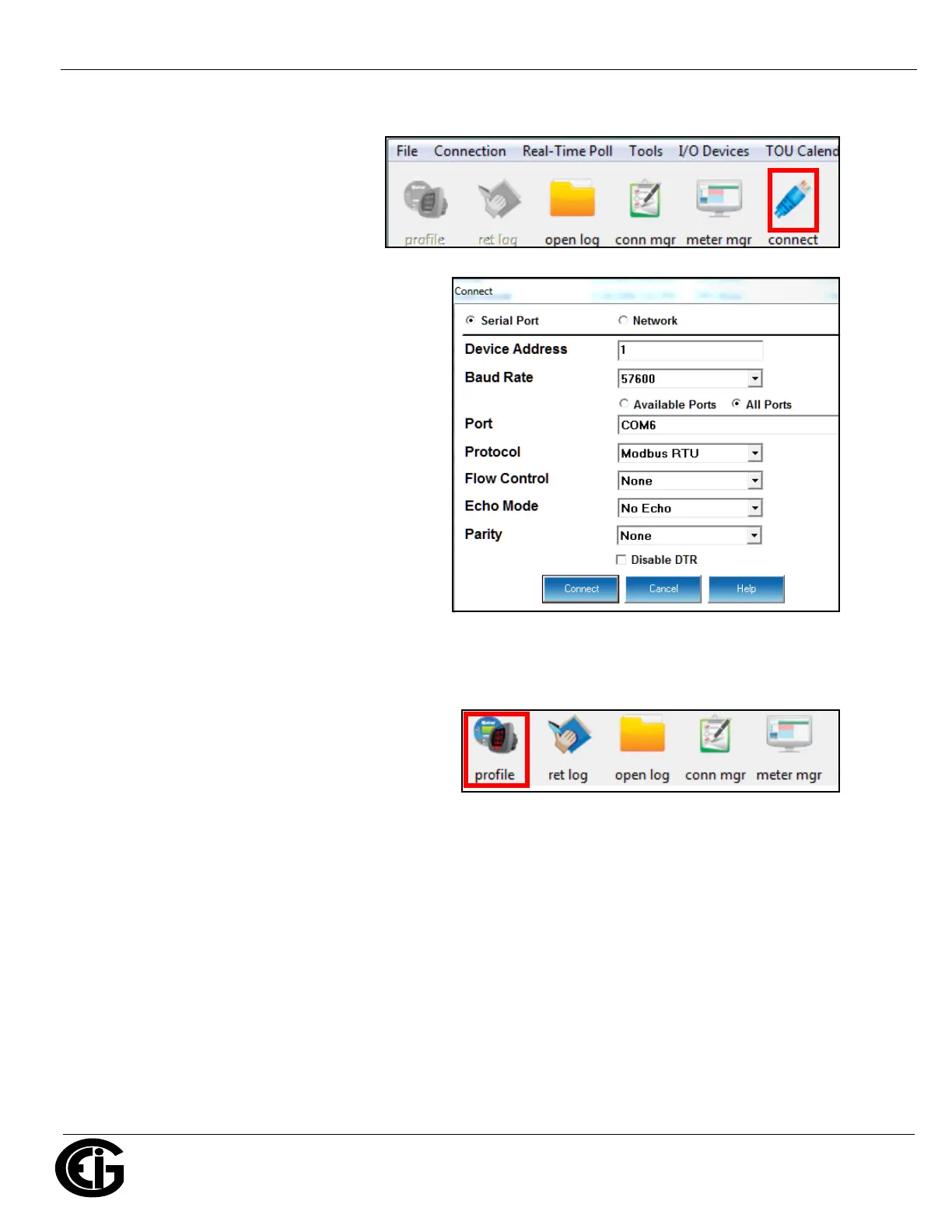
Main screen, click the Connect icon in the
Icon Bar.
• The Connect screen is shown on the right. The
settings shown here are for a Serial connection
using RS485, See the Software User Manual for
instructions on configuring a Network connection.
a. Click the Serial Port button.
b. Enter the Device Address.
c. Select Baud Rate (default for both RS485 and
RS232 ports is 9600).
d. Select communication port you are using.
e. Select protocol (default for RS485 is Modbus
RTU and for RS232 is Modbus ASCII).
f. Select parity (for RS485 - the default is
None). You can leave the other fields as they
are.
g. Click Connnect.
2. The Device Status screen opens, displaying information about the meter.
3. Click OK to close the Device Status screen,
and then click the Profile icon in the Icon Bar.
4. The meter’s Device Profile screen opens,
giving you access to the programmable
settings for the meter.
NOTE: A few basic settings are explained here. Refer to the Nexus® 1250/1252 Meter Installation and Opera-
tion Manual and the CommunicatorPQA
TM
, MeterManagerPQA
TM
, and EnergyPQA.com
TM
Software User Manual
for expanded instructions. The manuals are on the EIG website (see page QS-1 for the download link) and the
software manual is available from the CommunicatorPQA
TM
application: click Help>Contents from the Main
screen to open the manual.



 To Next Page