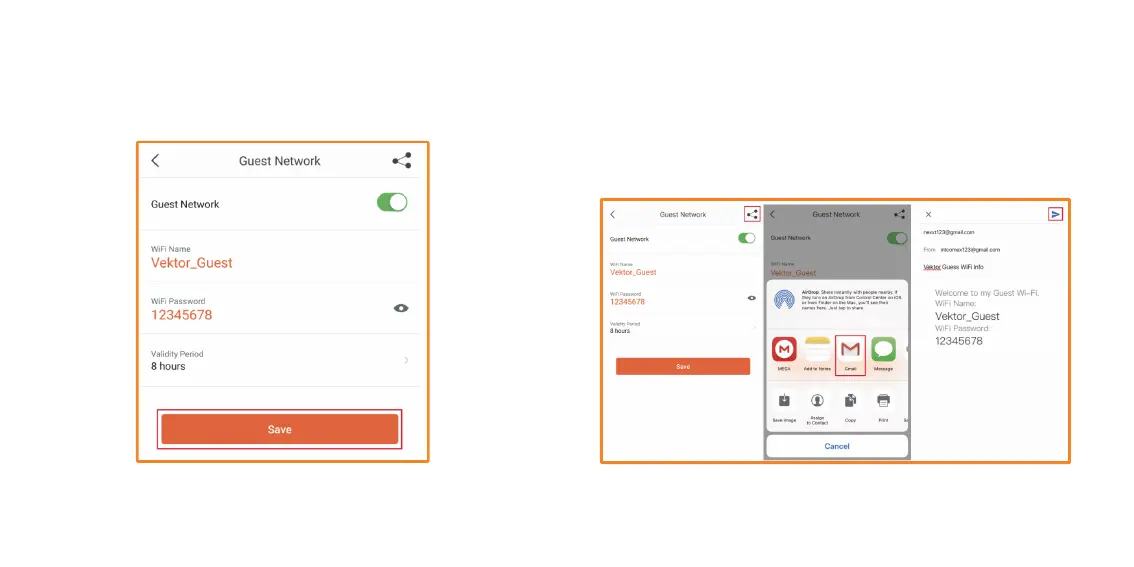
5. Tap on Save to enable the Guest network. Vektor_Guest should be
available now for your guests to enjoy your Wi-Fi.
6. You can also share the Guest Network WiFi Name and Password
information via a number of different ways. Tap on the Share icon on
the upper right-hand corner. We will use Gmail for this example.
Enter in the email address and a subject line to the person you wish
to share this info with. Then send the email.


 To Next Page