How to use Parental Control.
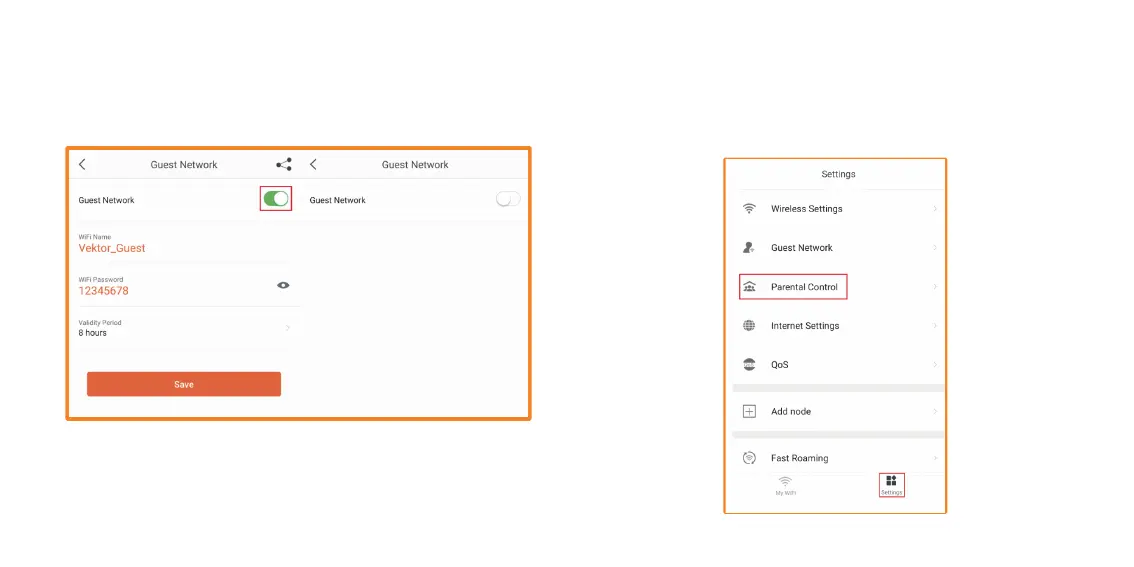
1. Open Nexxt Wireless app. Tap on Settings. Then tap on Parental
Control. This allows you to control when any device can use the
Internet.
7. To turn off the Guest network if you are not using the 4- or 8-hour
Validity Period, go back and tap on the switch again to Disable. It will
then turn off your Guest network.
Parental control – Allows you to create a group for your kids. You can
specify what times your kids can go online.


 To Next Page