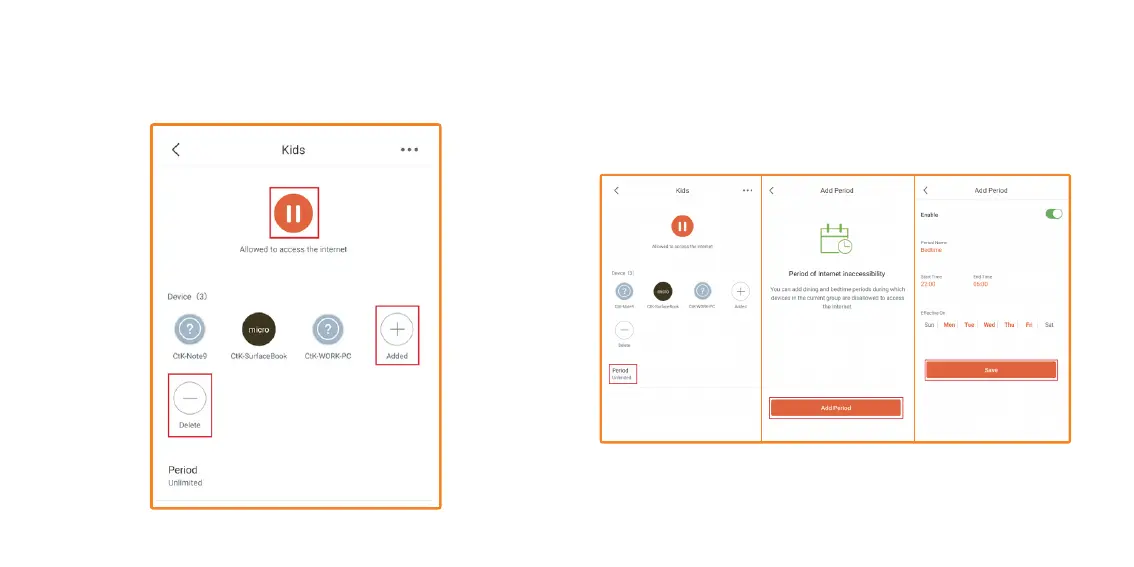
5. If you tap on the Kids group, here you can add or remove devices.
You can Enable/Disable the Internet. You can also set up a Period of
time, when the group are not allowed to use the Internet.
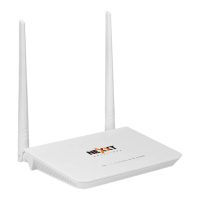
6. Tap on Add period. Give the Period a name, here we will use the
default Bedtime. Change the Start and End time, if you wish. We will
keep the default times. We will also keep the default Effective On
days. Tap on Save.


 To Next Page