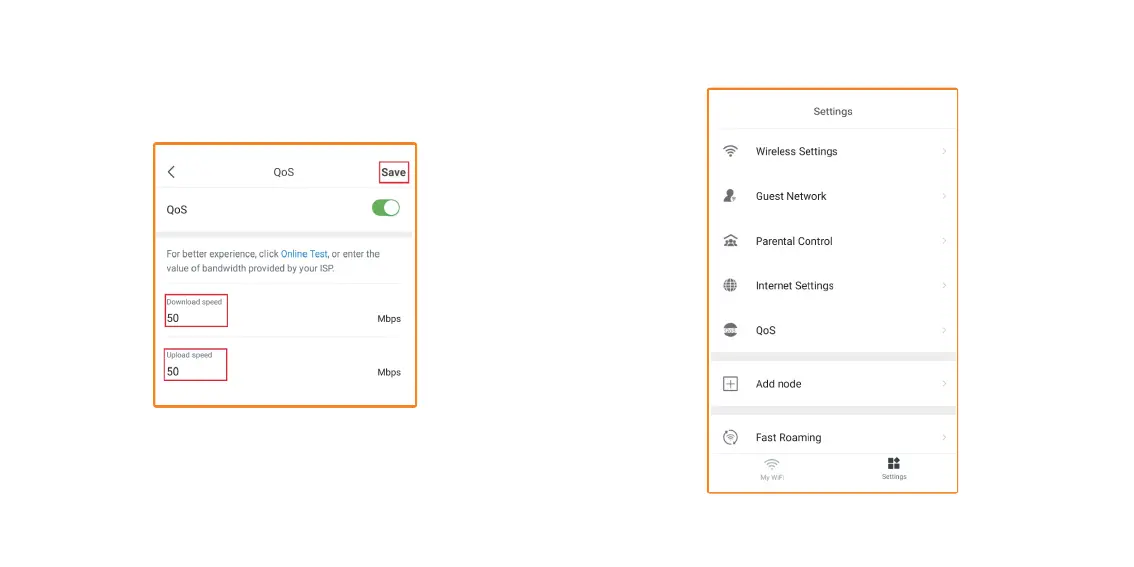
3. If you only want to allocate 50% of the bandwidth for online gaming
and web browsing. Change the values to 50 on both Download and
Upload. Tap on Save.
4. Run the Speedtest again, your bandwidth should be limited to
50Mbps down and 50Mbps up.
Add node – To add additional nodes, go to Settings.


 To Next Page