6 | ni.com | NI 9229/9239 Calibration Procedure
7. Set the calibrator to Standby mode (STBY).
8. Repeat steps 3 through 7 for each test point in Table 4.
9. Disconnect the calibrator from the device.
Gain Matching Verification
Complete the following procedure to determine the As-Found status of the NI 9229/9239.
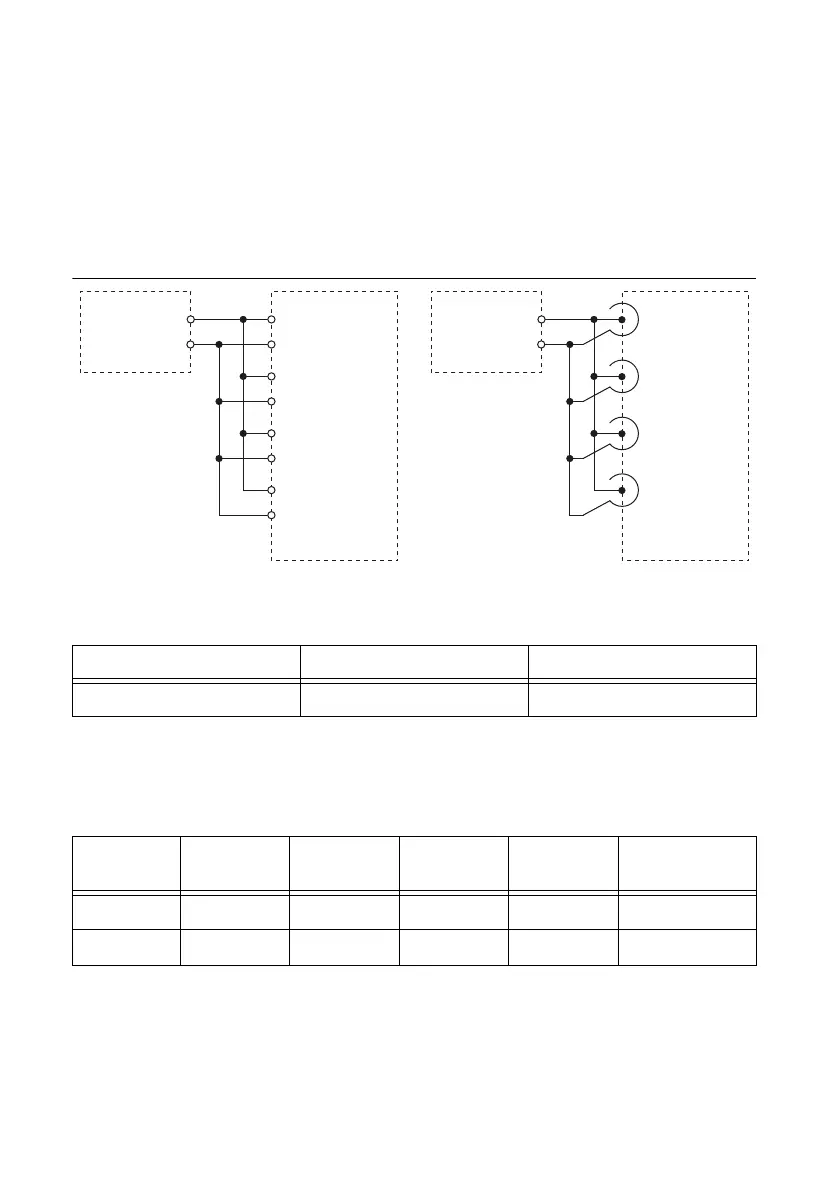
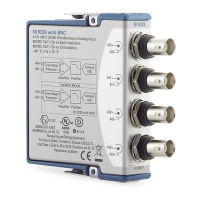
1. Connect the NI 9229/9239 to the function generator as shown in Figure 2.
Figure 2. Gain Matching Verification Connections
2. Configure function generator according to Table 6.
3. Acquire and average samples.
a. Create and configure an AI voltage task on the NI 9229/9239 according to Table 7.
Table 6. Function Generator Configuration for Gain Matching Verification
Signal Type Amplitude (V
pk
) Frequency (kHz)
Sinewave 9 20
Table 7. NI 9229/9239 Configuration for Gain Matching Verification
Module
Physical
Channels
Min (V) Max (V)
Scaled
Units
Terminal
Configuration
9229 AI0:3 -60 60 Vo l t s Differential
9239 AI0:3 -10 10 Vo l t s Differential
NI 9229/9239 with
Screw-Terminal
Function
Generator
HI
LO
AI1
–
+
AI0
–
+
AI2
–
+
AI3
–
+
NI 9229/9239
with BNC
Function
Generator
HI
LO
AI1
AI0
AI2
AI3
+
–
+
–
+
–
+
–


 To Next Page