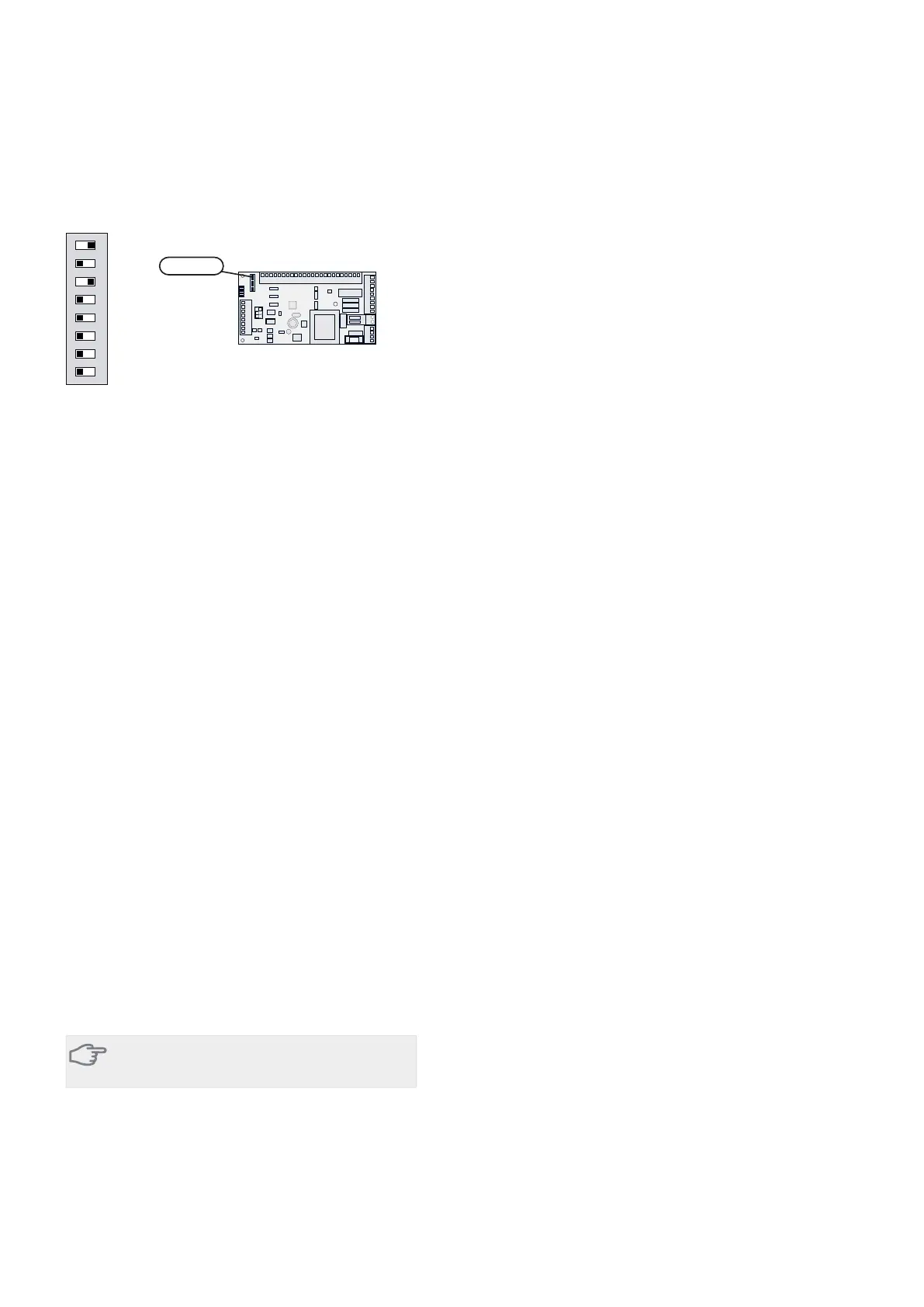
DIP switch
The DIP switch on the accessory card must be set as fol-
lows.
ON
12345678
ON
12345678
-X9
-X2
24 20212223 1516171819 1011121314 567891
1
N
L
PE
PE
1
2
3
4
5
6
7
8
2
3
4
5
6
7
8
9
234
-X8
-X4
-X10
-X1
$$6
Program settings
Program setting of AXC 50 can be performed via the start
guide or directly in the menu system.
Start guide
The start guide appears upon first start-up after heat
pump installation, but is also found in menu 5.7.
Menu system
If you do not make all settings via the start guide or need
to change any of the settings, this can be done in the
menu system.
Menu 5.2.4 - accessories
Activating/deactivating of accessories.
Select: "shunt controlled add. heat".
Menu 5.3.2 - shunt controlled add. heat
Here you can perform the following settings:
႑
Select when the addition is to start.
႑
Minimum running time.
႑
Minimum boiler temperature at which the shunt can
start control.
႑
Misc. shunt settings.
Menu 5.6 - forced control
Forced control of the different components in the heat
pump as well as in the different accessories that may be
connected.
EM1-AA5-K1: Activating the relay for extra heating.
EM1-AA5-K2: Signal (close) to mixing valve (QN11).
EM1-AA5-K3: Signal (open) to mixing valve (QN11).
EM1-AA5-K4: Activating the circulation pump (GP10).
Caution
Also see the Operating manual for F1345.
7Chapter 3 | Shunt controlled additional heatAXC 50


 To Next Page