Service actions
NOTE
Servicing should only be carried out by persons
with the necessary expertise.
When replacing components on S1255PC only
replacement parts from NIBE may be used.
EMERGENCY MODE
NOTE
Do not start the system before filling up with
water. Components in the system could be
damaged.
Emergency mode is used in event of operational inter-
ference and in conjunction with service.
You can activate the emergency mode both when
S1255PC is running and when it is switched off.
When the emergency mode is active, the status lamp
turns yellow.
To activate when S1255PC is running: press and hold
the on/off button (SF1) for 2 seconds and select "emer-
gency mode" from the shutdown menu.
To activate when S1255PC is switched off: press and
hold the on/off button (SF1) for 5 seconds. (Deactivate
the emergency mode by pressing once.)
When S1255PC is put in emergency mode, the display
is switched off and the most basic functions are active:
• The immersion heater works to maintain the calculated
supply temperature. If there is no outdoor sensor
(BT1), the immersion heater works to maintain the
maximum supply temperature, set in menu 1.30.6.
• The compressor and the brine pump are off and only
the heating medium pump and the electric additional
heat are active. The immersion heater is stepped ac-
cording to the setting in menu 7.1.8.2 - Emergency
mode.
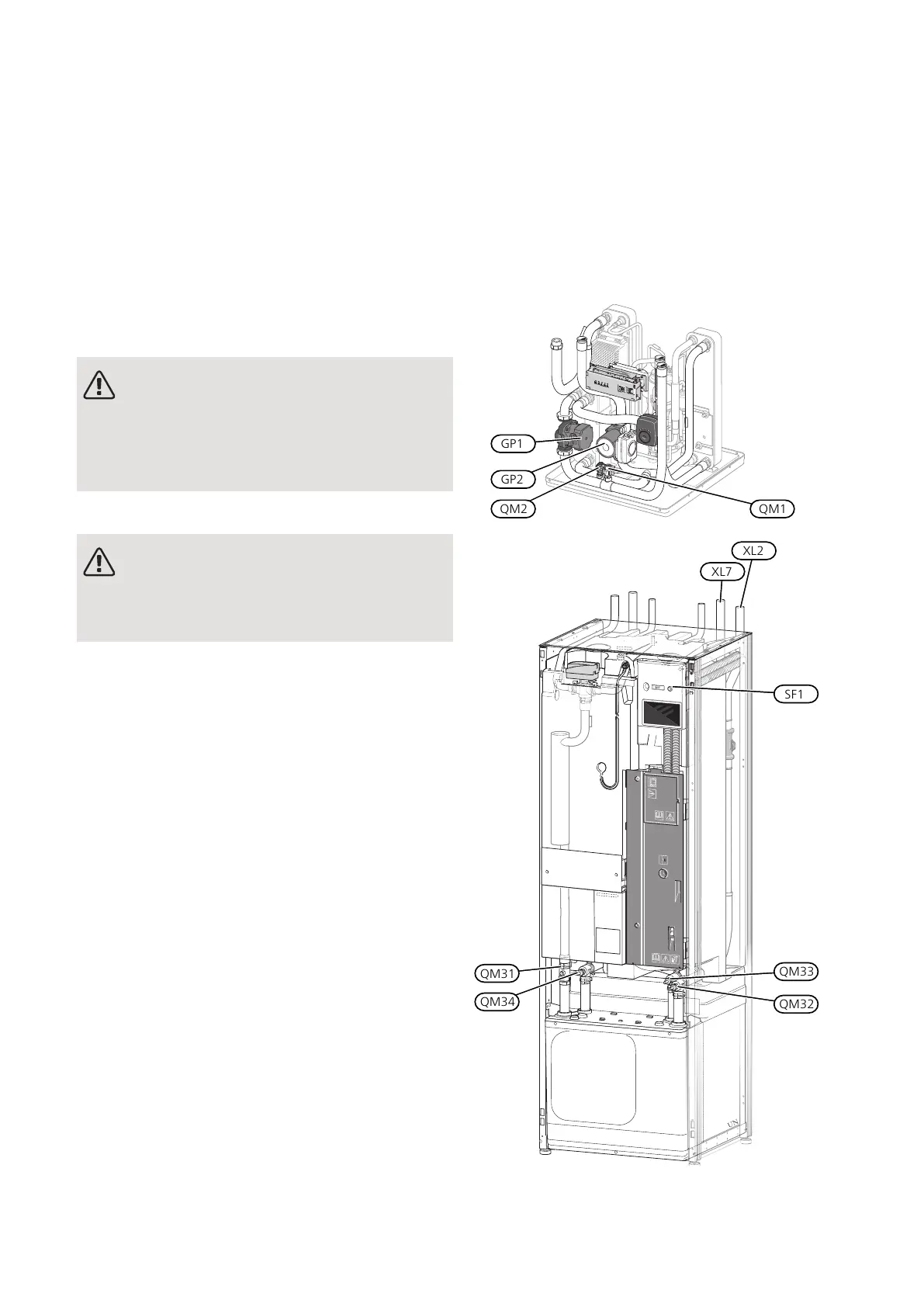
QM34
QM31
QM32
QM33
SF1
XL7
XL2
NIBE S1255PCChapter 10 | Service58
10 Service


 To Next Page