2.
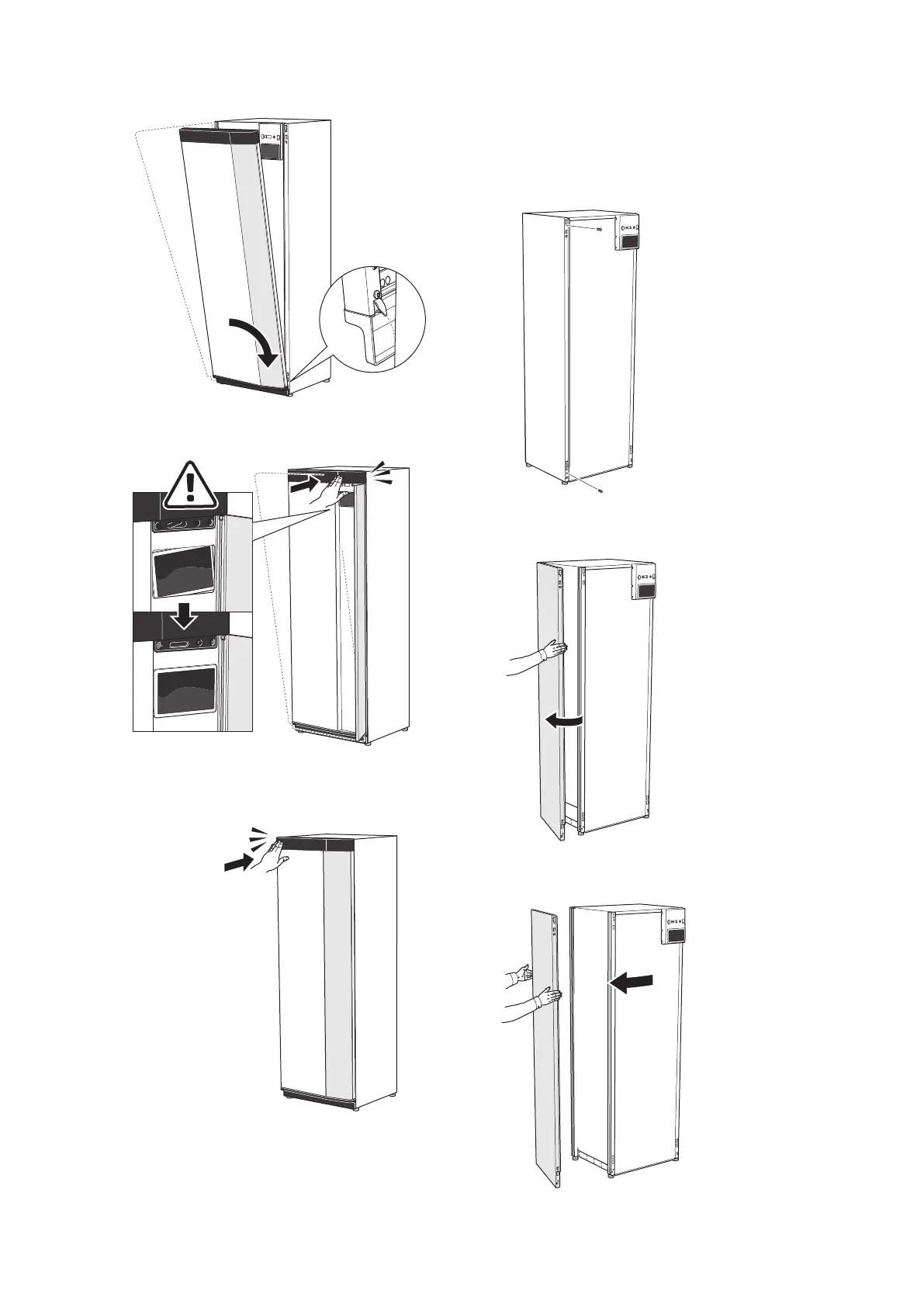
Hook the other corner in place.
3.
Check the display is straight. Adjust if necessary.
4.
Press the top of the front section against the frame
and screw it into place.
REMOVE SIDE PANEL
The side panels can be removed to facilitate the install-
ation.
1.
Remove the screws from the upper and lower
edges.
2.
Twist the panel slightly outwards.
3.
Move the panel outwards and backwards.
NIBE S1255PCChapter 2 | Delivery and handling8


 To Next Page