EasyManua.ls Logo

Nice RUN Series - User Manual

Nice RUN Series
24 pages
Print Icon
To Next Page IconTo Next Page
Loading...
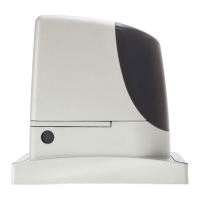
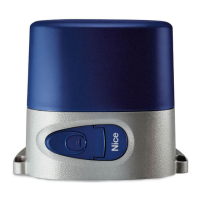
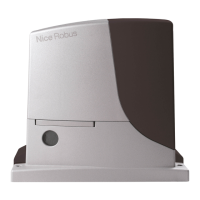
Sliding Gate Opener
RUN
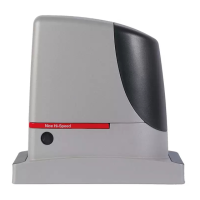
RUN1200HS
RUN1500
Instructions and warnings for installation and use
0682

Table of Contents

Questions and Answers

  • H
    heatherhammondAug 21, 2025
    How to fix a Nice RUN when the remote doesn't work and the light is off?
    • P
      Peter HuntAug 21, 2025
      If your Nice Gate Opener's radio transmitter isn't working and the LED is off, the batteries might be dead. Replace them to see if that fixes the problem.
  • P
    Patricia FrazierSep 2, 2025
    Why does my Nice RUN Gate Opener start then immediately reverse?
    • V
      vazquezkennethSep 3, 2025
      If your Nice Gate Opener starts but immediately reverses, the selected force might be too low for the gate type. Check for any obstructions and, if needed, increase the force setting.
  • L
    Larry HuffmanSep 1, 2025
    Why Nice RUN Gate Opener doesn't start and the BlueBus led doesn't flash?
    • S
      samanthafordSep 1, 2025
      If your Nice Gate Opener isn't starting and the “BlueBus” LED isn't flashing, check that RUN is powered off the mains. Also, check fuses F1, F2, and F3 to see if they're blown. If they are, find out what caused them to blow and replace them with fuses that have the same current rating and characteristics.
  • J
    Jonathan BuckAug 31, 2025
    What to do if my Nice Gate Opener has exceeded the maximum manoeuvre limit?
    • M
      mmarshAug 31, 2025
      If the maximum manoeuvre limit per hour has been exceeded on your Nice Gate Opener, wait a few minutes until the manoeuvre limiting device drops below the maximum limit.
  • R
    robertbuchananAug 29, 2025
    What should I do if my Nice RUN shows an error in the internal electric circuits?
    • B
      Brett ThomasAug 29, 2025
      If there's an error in the internal electric circuits of your Nice Gate Opener, disconnect all the power circuits for a few seconds, then try the command again. If the problem persists, it indicates a serious malfunction, and the electronic board needs replacement.
  • C
    Cynthia GilmoreAug 27, 2025
    What to do if there is an error in the internal parameters of the Nice RUN?
    • A
      Alexandra FranklinAug 28, 2025
      If there's an error in the internal parameters of your Nice Gate Opener's electronic control unit, wait at least 30 seconds and then try giving a command. If the problem continues, it means there's a malfunction, and the electronic board must be replaced.
  • M
    mrichardsonAug 27, 2025
    What to do if Nice RUN Gate Opener doesn't start and the flasher is off?
    • L
      Larry SalinasAug 27, 2025
      If your Nice Gate Opener isn't starting and the flasher is off, make sure the command is being received. If the command reaches the STEP-BY- STEP input, the corresponding “STEP-BY-STEP” led must light up; if you are using the radio transmitter, the “BlueBus” led must make two quick flashes.
  • S
    Stephanie WattsAug 25, 2025
    What to do if Nice RUN Gate Opener doesn't start and the flasher is flashing?
    • M
      michael66Aug 25, 2025
      If your Nice Gate Opener doesn't start and the flasher blinks several times, count the number of flashes. Then, check table 19 in your manual to find out what that number of flashes means.
  • W
    Whitney TerrellAug 23, 2025
    Why does my Nice RUN Gate Opener remote light up but not work?
    • B
      Barbara PhillipsAug 23, 2025
      If the LED on your Nice Gate Opener transmitter lights up but it still doesn't control the gate, the transmitter may not be correctly memorized in the radio receiver. Check the memorization to ensure it is correct.

Summary

WARNINGS AND GENERAL PRECAUTIONS

Safety Warnings

Essential safety guidelines for safe operation and installation of the automation system.

Installation Warnings

Critical warnings and precautions to be followed during the installation process.

INSTALLATION

Pre-Installation Tests

Pre-installation checks and requirements to ensure suitability and safety.

Gearmotor Mounting

Step-by-step guide for physically mounting and securing the gearmotor unit.

ELECTRICAL CONNECTIONS

Connection Terminal Descriptions

Explains the purpose and function of various electrical terminals and outputs.

FINAL CHECKS AND START UP

Selecting Gate Direction

How to set the correct opening and closing direction for the gate automation.

Power Supply Connection

Guidelines for safely connecting the automation system to the main power supply.

Device Recognition Process

Steps to enable the control unit to recognize connected BlueBus and STOP input devices.

Gate Length Recognition

Procedure for the system to learn the gate's travel length for proper operation.

Gate Movement Verification

Verifying smooth operation, speed, and safety features after setup.

TESTING AND COMMISSIONING

System Testing

Detailed tests to ensure all safety devices and system functions operate correctly.

System Commissioning

Final steps to make the automation system operational and compliant after testing.

PROGRAMMING

FURTHER DETAILS

TROUBLESHOOTING

Common Troubleshooting Steps

Step-by-step solutions for common installation and malfunction issues.

USER MANUAL (End User Version)

User Safety Precautions

Essential safety rules and warnings for end-users operating the automated gate.

Nice RUN Series Specifications

General IconGeneral
BrandNice
ModelRUN Series
CategoryGate Opener
LanguageEnglish

Related product manuals