17
Nieco Corporation - Model MPB94
FLEX SIDE CONTROLS
1. Multi-Product Control
How it works: The multi-product control is
designed to let you broil different prod-
ucts on the flex side of the broiler. The
control allows you to have different broiler
settings for each product selection but-
ton. Use a grease pen to mark the white
area with the product name.
2. Normal Operation
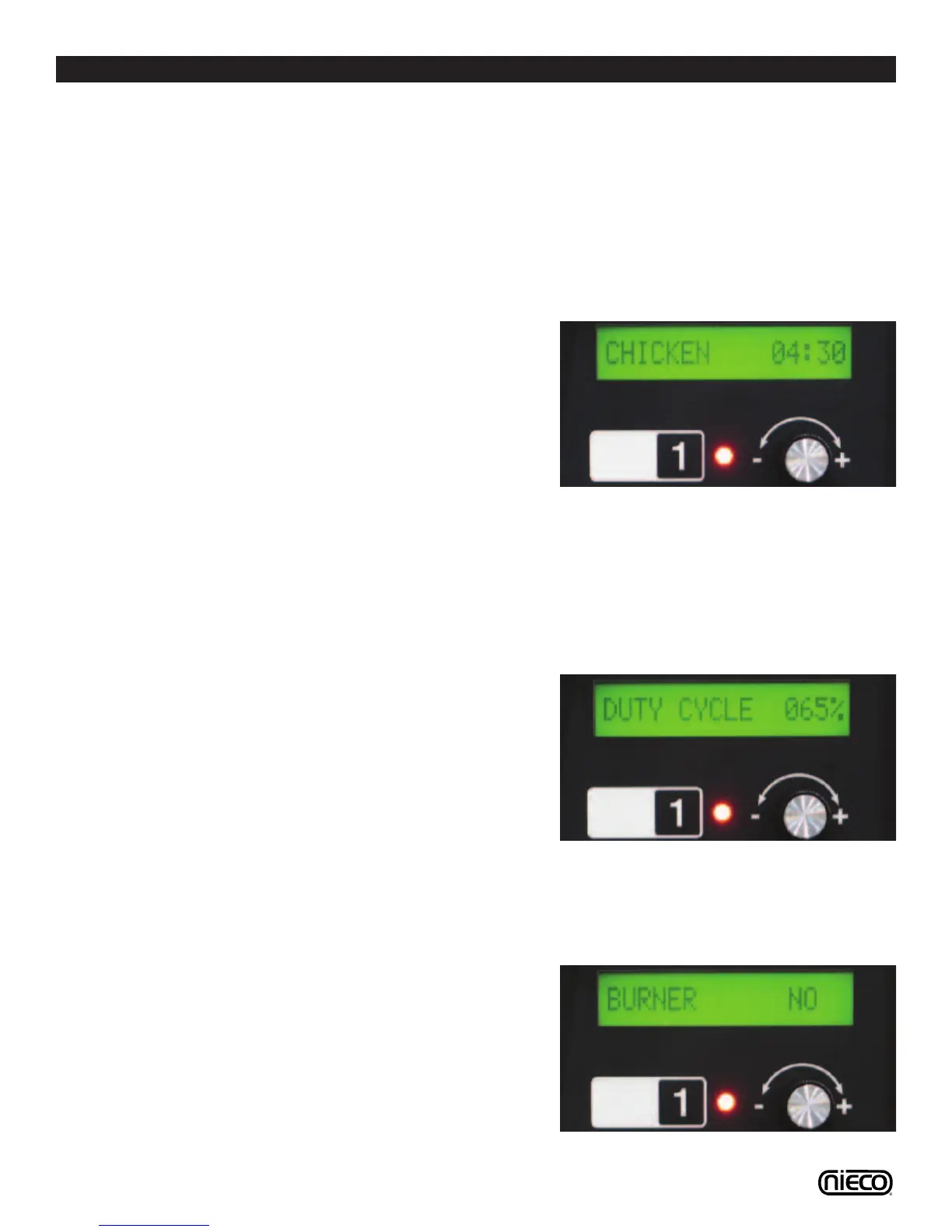
Press the product selection button (num-
ber) for the product you wish to cook. The
display will show the product name and
cook time and the light next to the prod-
uct selection button will be lit.
NOTE: Be sure the belt is clear of any
products before pressing a new product
selection button.
3. Changing Belt Speeds
Push the product selection button you
want to adjust then push and turn the
knob to the desired speed.
4. Changing Upper Heat Element
Settings
To adjust element settings press the
product selection button you wish to
change, then press the product selection
button one more time. The screen will
read Duty Cycle and show a percentage.
Turn the knob to adjust the element
power up or down (0 = off; 100% = Full
on). When you are done making
changes, the control will automatically
save your changes after 5 seconds.
5. Changing Burner Settings
Press the product selection button you
wish to change. Press the product selec-
tion button twice (2X) to get to the burner
selection screen. Turn the knob to YES or
NO. When you are done making
changes, the control will automatically
save your changes after 5 seconds.
2.
4.
5.





 To Next Page