The Night Owl THD Series Quick Setup Guide details the installation, setup, and usage of their Home & Business Security Systems, which primarily consist of a Digital Video Recorder (DVR) and associated cameras. This guide is designed to assist users in the initial configuration and remote monitoring of their security system.
Function Description:
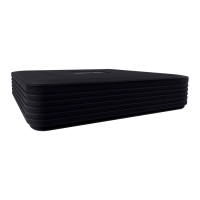
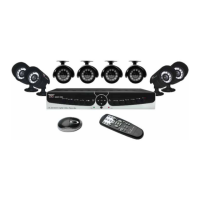
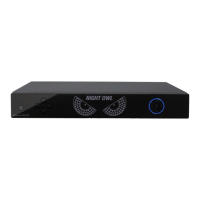
The Night Owl THD Series security system is designed for both home and business use, providing surveillance and recording capabilities. The core component is a DVR, which processes and stores video feeds from connected BNC cameras. The system allows for local viewing on a TV/monitor and remote viewing via dedicated mobile apps (Night Owl X and Night Owl X HD) or CMS (Control Management Software) on a PC/Mac. Key functions include live video viewing, video recording, motion detection, and push notifications for events. The system is intended to enhance security by providing continuous monitoring and recorded evidence.
Important Technical Specifications:
- DVR Connectivity:
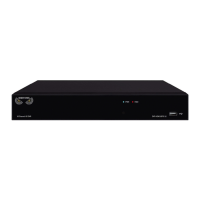
- Video Inputs: BNC ports for connecting cameras. An 8-channel model is displayed as an example, but the number of channels may vary by model.
- USB Ports: Multiple USB ports for connecting a USB mouse (included for navigation) and a USB flash drive (for downloading video files).
- HDMI Output: For connecting to a TV/monitor with an HDMI input (preferred method). An HDMI cable is included.
- VGA Output: For connecting to a TV/monitor with a VGA input (VGA cable not included).
- Audio Inputs & Outputs: Allows for the connection of audio-enabled cameras or self-powered microphones and external speakers (not included).
- RJ-45 (Ethernet) Port: For connecting the DVR to a router/modem via the included Ethernet cable, enabling network access and remote viewing.
- Power Input: 12V DC power supply connection (adapter included).
- Power Switch: An ON/OFF switch for the DVR (not all models have one).
- Camera Specifications:
- Cable Length: 60 ft. video/power cables are included (one per camera).
- Power: Cameras are powered via power splitters and camera power adapters (one per 4 cameras).
- Audio-Enabled Cameras: Optional white RCA connector for audio signal transmission.
- Infrared Sensor: If equipped, cameras work best for "side to side" movement for optimal motion detection.
- Weatherproof: Cameras are weatherproof, designed to endure minimal moisture and dirt/debris. However, placement under an eave or awning is recommended to extend lifespan.
- Software/App Compatibility:
- Mobile Apps: Night Owl X (for iOS® and Android™ phones) and Night Owl X HD (for iOS® and Android™ tablets), available on the App Store and Google Play Store.
- CMS Software: Night Owl X Control Management Software for PC/Mac, downloadable from www.NightOwlSP.com.
- Password Requirements: Alphanumeric combination between 6 and 20 characters for DVR admin password.
- Recovery Email: A valid email address is required for password recovery.
Usage Features:
- Quick Setup Wizard: Guides users through initial setup, including local camera testing, firmware upgrade, admin password creation, Night Owl X app setup, recording settings configuration, and push notification setup.
- Local Viewing: Connect the DVR to a TV/monitor via HDMI (preferred) or VGA for live viewing and initial configuration.
- Remote Viewing:
- Mobile Apps: Night Owl X and Night Owl X HD allow remote monitoring from smartphones and tablets. Features include live view, playback of recordings, saving images/videos to the phone's album, and managing custom push notifications.
- CMS Software: Night Owl X CMS provides remote viewing from a PC or Mac, including live video, PTZ control, image parameter settings, playback of recorded video, saving video/images, and configuring DVR settings (channel names, record preferences).
- Device Management: The mobile apps include a "Device" menu for adding new devices using Smart Auto Detection (if the smart device and DVR are on the same network) or QR Code Setup (by scanning the QR code on the DVR).
- Motion Detection: Users can adjust camera sensitivity and set motion detection areas during the Startup Wizard. Optimal camera placement (e.g., to the side of an entrance for front door monitoring) is recommended for effective motion detection.
- Password Reset: Instructions are provided for resetting a forgotten DVR password via a recovery email and a secure code.
- Account Creation: Separate login credentials are required for the DVR (admin password) and the Night Owl X/HD mobile apps. The app login allows access to multiple Night Owl devices.
- Push Notifications: Configurable through the Startup Wizard and manageable within the mobile apps.
Maintenance Features:
- Firmware Upgrades: The Startup Wizard includes a step for upgrading the firmware.
- Troubleshooting Guides: The manual directs users to www.NightOwlSP.com for system manuals, troubleshooting guides, FAQs, and video tutorials.
- Technical Support: Available via phone (1.866.390.1303, Live Chat 24/7), email (Support@NightOwlSP.com), and the website.
- Power Considerations: Recommendations to plug DVR and camera power adapters into a surge protector or Uninterruptible Power Supply (UPS) to protect against power fluctuations. If a camera stops working at night (e.g., LEDs for Night Vision), it may indicate insufficient power, suggesting a direct connection to the power adapter or purchasing an additional one.
- Camera Placement: Advised to place outdoor cameras under an eave or awning to protect them from overexposure to elements, which can reduce their lifespan.
- Email Confirmation: Crucial step during app account creation; users MUST confirm their email by clicking a link in the confirmation email to use the app.

 Need help?
 General



 To Next Page