15 · 16
04-4 Print Roller Cleaning and Replacement
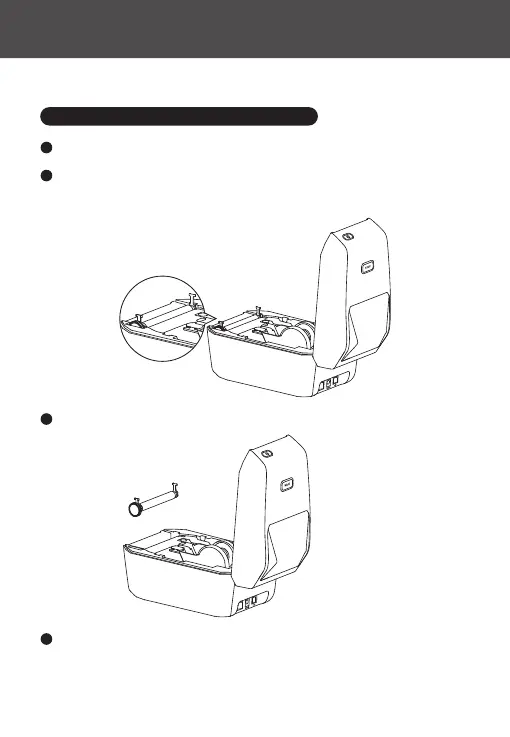
Open the cover and remove the label paper.
1
Pull the print roller bearings on the left and right sides of the front of the
printer towards you, release the wings, and rotate them upward.
2
Lift the print roller out of the printer's bottom bracket.
3
Clean the print roller with an alcohol-dipped swab or a lint-free cloth, moving
from the center outwards. Repeat as needed until the roller is clean. For stubborn
substances or label blockages, use a new swab for thorough cleaning.
4



 To Next Page