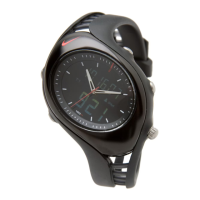
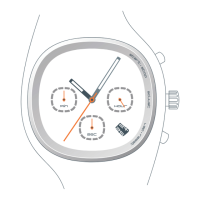
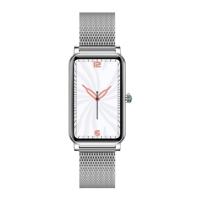
This manual describes two models of the Armored Triax watch: the Armored Triax Super and the Armored Triax Regular. Both are analog watches with several advanced features.
Function Description:
The watches primarily function as timekeeping devices, displaying the time of day when the mode is set to "TIME." Beyond basic timekeeping, they offer chronograph (stopwatch) capabilities, a calendar function (Super model only), and a timer (Regular model only).
Armored Triax Super:
This model includes a more advanced chronograph and a calendar.
- Time: Displays hours, minutes, and seconds.
- Calendar (CALEN): Displays the month and date. The hour and minute hands indicate the month, while the second hand indicates the date. It automatically adjusts for odd and even months, except for February in leap years.
- Chronograph (CHRO): Measures elapsed time up to 23 hours, 59 minutes, and 59 seconds. It can also measure lap times.
- 1/100 (.01) Second Chronograph (CHRO .01): Measures elapsed time in 1/100 second increments, with split time measurement also possible. The elapsed 1/100 seconds are indicated by the tail of the hour hand. The 1/10 second hand pauses at the 12 o'clock position while the second and minute hands move for measurements less than 10 minutes. After 10 minutes, the 1/100 second and 1/10 second hands pause at 12 o'clock while the second hand continues to move.
- Alarm (SET): Allows setting an alarm time. The alarm rings for 20 seconds and can be stopped manually. An alarm sound test feature is also available.
- Demonstration (TIME mode): Allows demonstrating the movement of the hands.
Armored Triax Regular:
This model includes a stopwatch and a timer.
- Time: Displays hours, minutes, and seconds.
- Stop Watch (STOP W.): Measures elapsed time up to 60 minutes in 0.2-second intervals. It can also measure lap times.
- Timer (TIMER): A countdown timer that can be set for up to 60 minutes. The hands move counterclockwise during the countdown. The timer continues to count down even if the mode is switched. A tone sounds for approximately 5 seconds when the set time expires.
- Alarm (SET): Allows setting an alarm time. The alarm rings for 20 seconds and can be stopped manually. An alarm sound test feature is also available.
- Demonstration (DEMO): Allows demonstrating the movement of the hands.
Important Technical Specifications:
- Chronograph/Stopwatch Limits:
- Armored Triax Super: 23 hours 59'59"59
- Armored Triax Regular: 59'59"59
- Water Resistance: 10 ATM for both models.
- Triax Materials:
- Crystal: Mineral Glass
- Case: Stainless Steel
- Caseback: Stainless Steel
- Strap: Stainless Steel
- Buckle: Stainless Steel
- Battery Type:
- Armored Triax Super: SR927W
- Armored Triax Regular: SR920W
Usage Features:
- Mode Selection: The crown (C) is used to select different modes (TIME, CALEN, CHRO.01, CHRO for Super; TIME, STOP W., DEMO, TIMER for Regular).
- Setting Time: In TIME mode, pull out the crown (C). Press button A repeatedly to set the minute hand, and button B repeatedly to set the hour hand. Push the crown back in to confirm.
- Setting Calendar (Super only): In CALEN mode, pull out the crown (C). Press button A repeatedly to set the month (holding A for 2 seconds advances quickly). Press button B repeatedly to set the date (advances one day per press). Push the crown back in.
- Using Chronograph/Stopwatch:
- Start/Stop: Button A
- Lap/Reset: Button B
- The chronograph/stopwatch continues running even if the mode is switched.
- To reset, the chronograph/stopwatch must first be stopped.
- Using Timer (Regular only): In TIMER mode, press button B repeatedly to advance the minute hand to the desired minute marker. To set for 60 minutes, set hands to the 12 o'clock position. Press button A to start/stop the timer. Press A to stop the tone when time expires, then B to reset the hands to 12 o'clock.
- Setting Alarm: In SET mode, press button A to advance the minute hand by one minute, and button B to advance the hour hand by one hour (holding A or B for 2 seconds advances quickly). Ensure the 24-hour hand is set correctly.
- Engaging/Disengaging Alarm: Turn the crown (C) to set the mode indicator to TIME to engage or disengage the alarm.
- Alarm Sound Test: In SET mode, turn the crown (C) to set the indicator to TIME, then press A and B simultaneously.
- Demonstration Mode: For Super, in TIME mode; for Regular, in DEMO mode. Press A and B simultaneously for 2 seconds to start the hand movement demonstration. Press A or B to stop it.
Maintenance Features:
- Adjusting Hand Position (Synchronization): If the hands are out of sync (not lining up at 12:00), they can be reset. This procedure is also necessary after changing the battery.
- For Super: In CHRO mode, pull out the crown (C). Press A to select the hand to be adjusted (second, minute, hour). The selected hand will move clockwise or counterclockwise and return to its original position. Press B repeatedly to reset the selected hand to the 12 o'clock position. For the hour hand, ensure the 24-hour hand indicates "24." Hands move quickly if B is held for 2 seconds. Push the crown back in.
- For Regular: In DEMO mode, pull out the crown (C). Press A repeatedly to reset the minute hand to the 12 o'clock position (holding A for 2 seconds for quick advance). Press B repeatedly to reset the hour hand to the 12 o'clock position (holding B for 2 seconds for quick advance). Push the crown back in.
- Battery Replacement Indicator: Irregular movements of the second sweep hand indicate that the battery needs to be replaced. These irregular movements do not affect the watch's accuracy.

 Need help?

 To Next Page
 General