EasyManua.ls Logo

Nikko Gamma I - Circuit Board

Default Icon
22 pages
Print Icon
To Next Page IconTo Next Page
To Previous Page IconTo Previous Page
Loading...
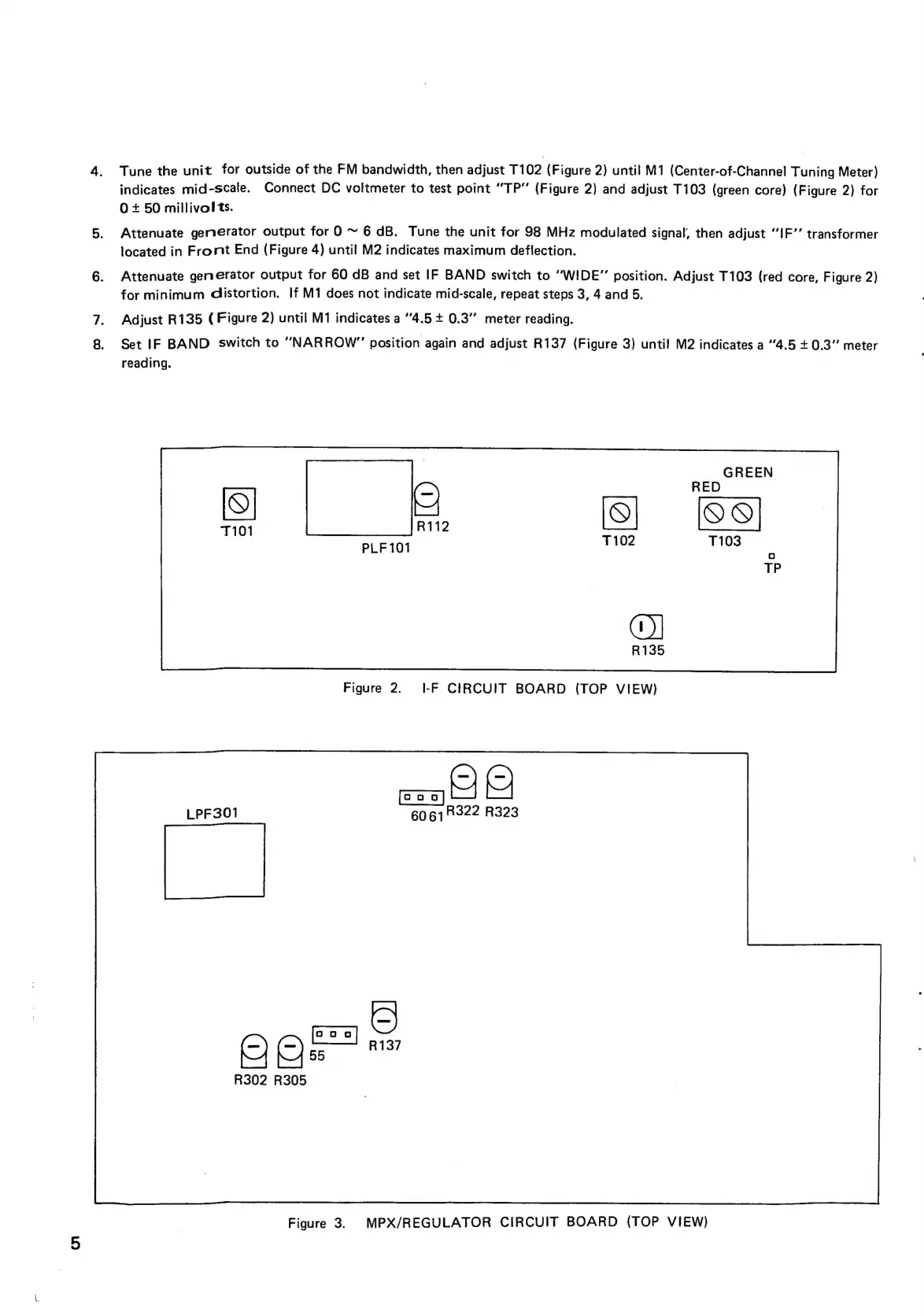
Tune
the
unit
for
outside
of
the
FM
bandwidth,
then
adjust
T102
(Figure
2)
until
M1
(Center-of-Channel
Tuning
Meter)
indicates
mid-scale.
Connect
DC
voltmeter
to
test
point
“TP’’
(Figure
2)
and
adjust
T103
(green
core)
(Figure
2)
for
0+
50
millivolts.
Attenuate
generator
output
for
O
~
6
dB.
Tune
the
unit
for
98
MHz
modulated
signal,
then
adjust
“JF’’
transformer
located
in
Front
End
(Figure
4)
until
M2
indicates
maximum
deflection.
Attenuate
generator
output
for
60
dB
and
set
IF
BAND
switch
to
“WIDE”
position.
Adjust
T103
(red
core,
Figure
2)
for
minimum
distortion.
If
M1
does
not
indicate
mid-scale,
repeat
steps
3,
4
and
5.
Adjust
R135
(Figure
2)
until
M1
indicates
a
“4.5
+
0.3
meter
reading.
Set
IF
BAND
switch
to
“NARROW”
position
again
and
adjust
R137
(Figure
3)
until!
M2
indicates
a
“4.5
+
0.3”
meter
reading.
Co}
T101
R112
PLF101
Figure
2.
I-F
CIRCUIT
BOARD
(TOP
VIEW)
=_cic
6061322
R323
OQe
R302
R305
Figure
3.
MPX/REGULATOR
CIRCUIT
BOARD
(TOP
VIEW)