EasyManua.ls Logo

Nikon 1 J1 - Page 31

Nikon 1 J1
319 pages
Print Icon
To Next Page IconTo Next Page
To Previous Page IconTo Previous Page
Loading...
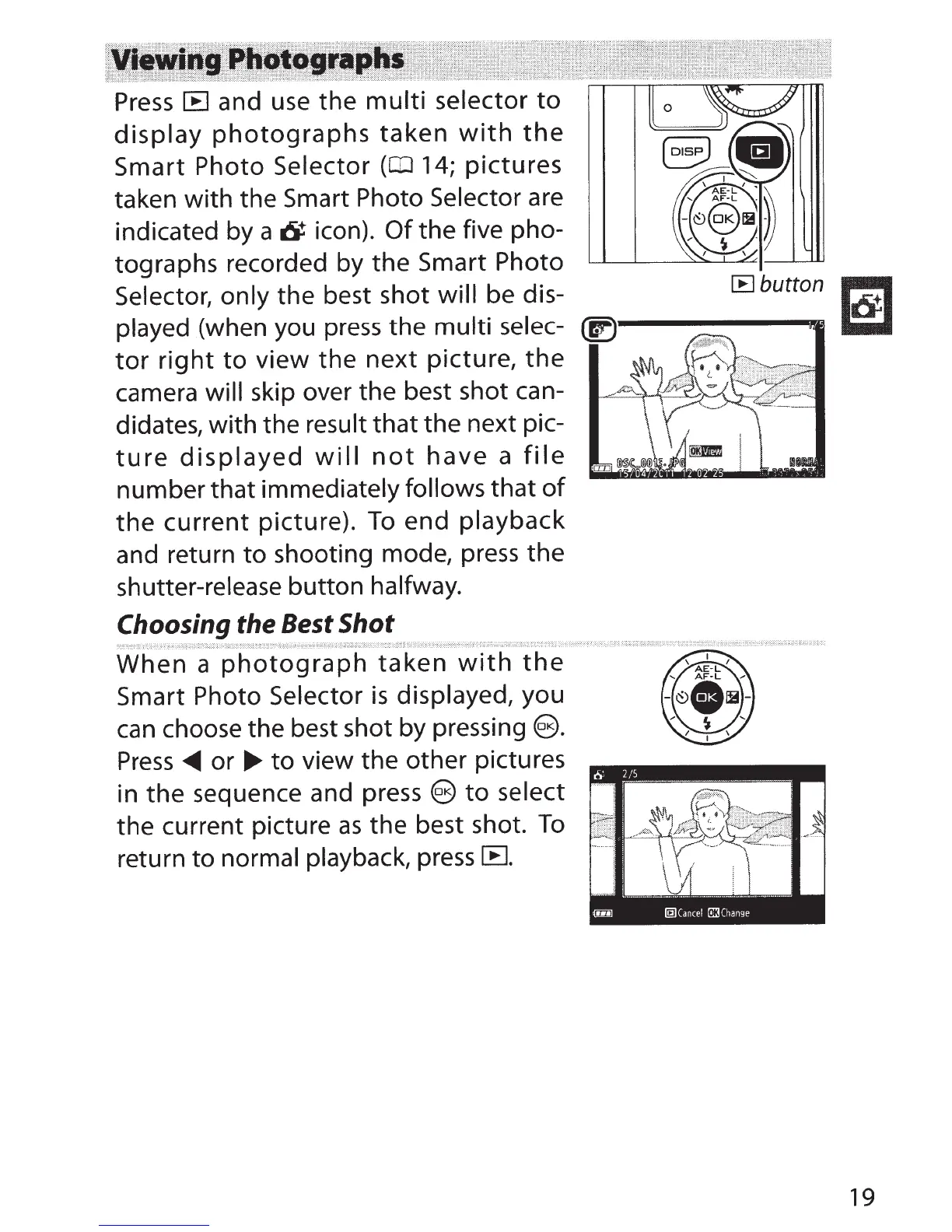
Press
lB
and use
the
multi
selector
to
display
photographs
taken
with
the
Smart
Photo
Selector
(CD
14;
pictures
taken
with
the Smart Photo
Selector
are
indicated by
a
6
icon).
Of
the
five pho-
tographs recorded by
the
Smart Photo
Selector, only
the
best shot will be dis-
played
(when you press
the
multi
selec-
tor
right
to
view
the
next
picture,
the
camera
will
skip over the best shot can-
didates,
with
the
result
that
the
next pic-
ture
displayed
will
not
have
a
file
number
that
immediately follows
that
of
the
current
picture).
To
end
playback
and return
to
shooting mode, press
the
shutter-release button
halfway.
Choosing
the
Best
Shot
When
a
photograph
taken
with
the
Smart Photo Selector
is
displayed,
you
can choose the best shot
by
pressing
e.
Press
~
or
...,.
to
view the
other
pictures
in
the
sequence and press
e
to
select
the
current picture
as
the best shot.
To
return
to
normal
playback,
press
r:B.
[Bbutton
~
~
19

Table of Contents