EasyManua.ls Logo

Nikon 1 J1 - Page 32

Nikon 1 J1
319 pages
Print Icon
To Next Page IconTo Next Page
To Previous Page IconTo Previous Page
Loading...
20
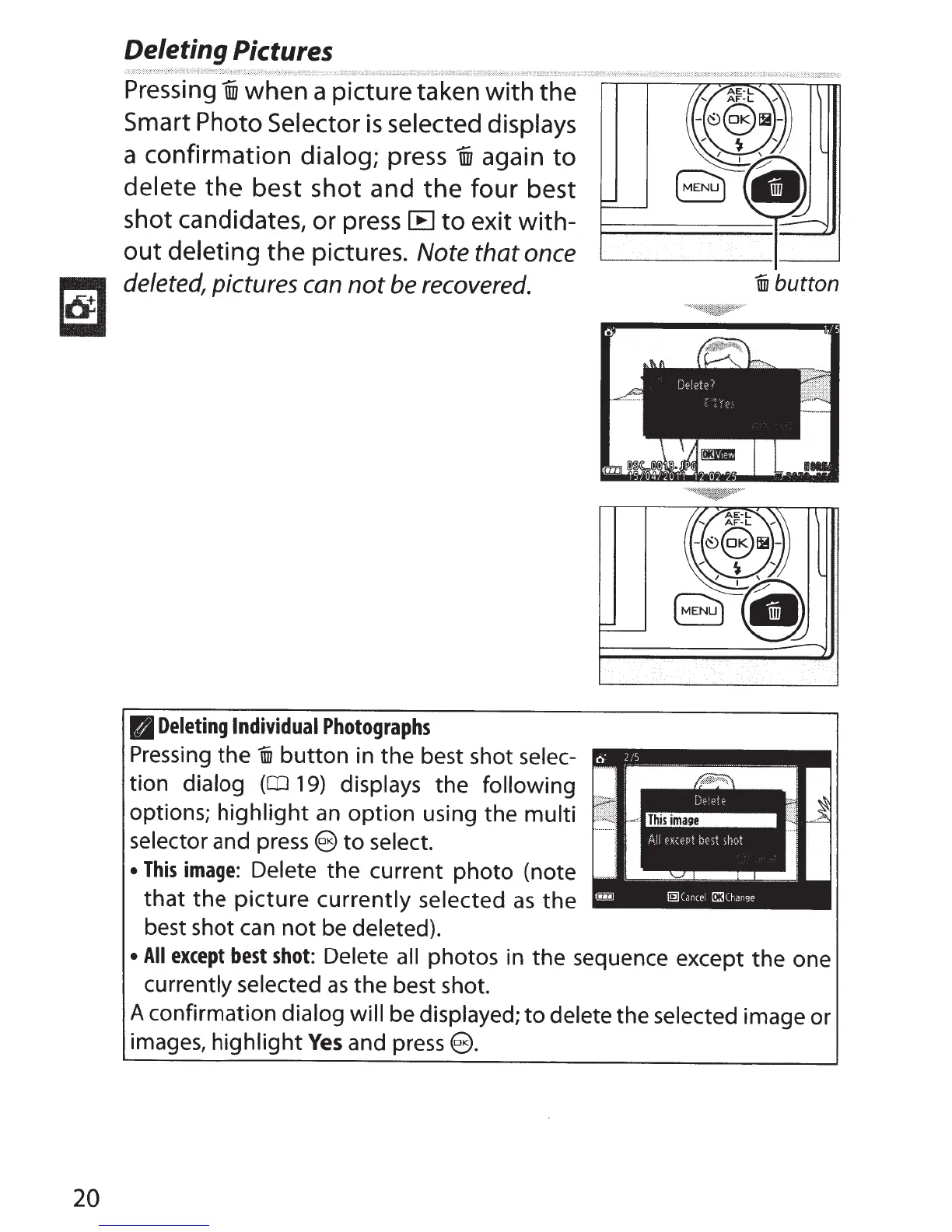
Deleting Pictures
Pressing
i when a picture taken
with
the
Smart Photo
Selector
is
selected displays
a confirmation dialog; press
un
again
to
delete
the
best shot and
the
four
best
shot candidates, or press
[B
to
exit
with-
out
deleting
the
pictures.
Note
that once
deleted,
pictures
can
not
be
recovered.
PI
Deleting
Individual
Photographs
Pressing
the
ill1
button
in the best shot selec-
tion dialog
(CD
19)
displays the following
options;
highlight
an
option using the multi
selector and press
e
to
select.
This
image:
Delete the current photo (note
that
the
picture
currently selected
as
the
best shot can
not
be deleted).
ill1
button
All
except
best
shot:
Delete
all
photos in
the
sequence except
the
one
currently selected
as
the best shot.
A confirmation dialog will be displayed;
to
delete the selected image or
images,
highlight
Yes
and press(§.

Table of Contents