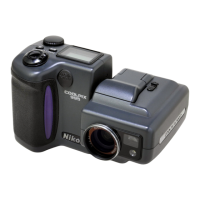
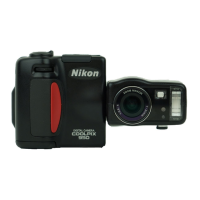
Need help?
Do you have a question about the Nikon Coolpix 990 and is the answer not in the manual?
Familiarize yourself with camera controls, displays, and menus.
Step-by-step guide for inserting batteries correctly.
Instructions for inserting memory cards and formatting them.
Instructions for setting the camera's internal clock and date.
Covers basic steps for taking photos in A-REC mode.
Explains how to review and delete photos from the memory card.
Details how to adjust flash settings for optimal lighting in various conditions.
Covers autofocus modes, macro close-up, and self-timer functions.
How to manually adjust exposure for desired results in complex lighting.
Select from Programmed Auto, Aperture-Priority, Shutter-Priority, and Manual modes.
Adjust white balance for accurate color reproduction under different lighting.
Prepare memory cards for use by formatting them.
Transfer photos to a computer for storage, editing, or viewing.
Lists common problems and their solutions for camera operation.
 General
| Image Sensor | 1/1.8" CCD |
|---|---|
| Optical Sensor Type | CCD |
| Optical Sensor Size | 1/1.8" |
| Digital Zoom | 4x |
| Connector Type | USB, Video Out |
| Lens | Nikkor 3x zoom lens |
| Aperture | f/2.5-4 |
| Focus Adjustment | Automatic, manual |
| Shooting Modes | Manual |
| Exposure Metering | Center-weighted, matrix, spot |
| Exposure Modes | Manual |
| Exposure Compensation | ±2 EV range, in 1/3 EV steps |
| White Balance | Auto, Preset |
| White Balance Presets | Daylight, Incandescent, Fluorescent |
| Flash Modes | Auto, Red-eye reduction, Off |
| Memory Card Slot | CompactFlash |
| Supported Flash Memory | CompactFlash Type I |
| Viewfinder Type | Optical |
| Screen Size | 2" |
| LCD Screen Size | 2.0 inches |
| Battery Type | AA batteries |
| Image Resolution | 3.34 MP |
| Video Recording | Yes |
| Focal Length | 8 - 24mm (equivalent to 38 - 115mm in 35mm format) |

 To Next Page