EasyManua.ls Logo

Nikon Coolpix AW130 - User Manual

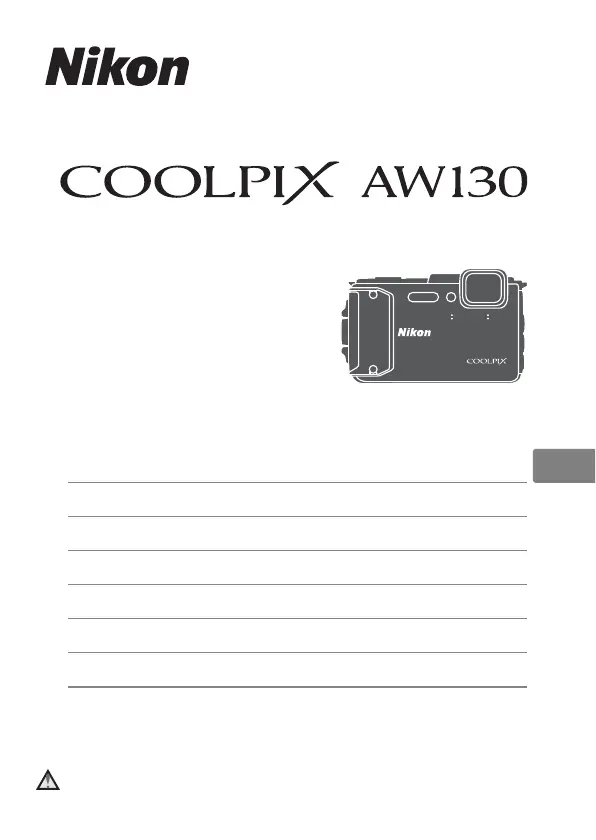
Nikon Coolpix AW130
52 pages
Print Icon
To Next Page IconTo Next Page
Loading...
DIGITAL CAMERA
Quick Start Guide
En
Introduction ii
Preparing for Shooting 1
Basic Shooting and Playback Operations 7
Using Menus 14
Using Location Data Functions/Displaying Maps
16
Using the Wi-Fi (Wireless LAN) Function 17
Technical Notes 18
Caution
: Make sure to read the important precautions regarding
waterproof performance (pages x–xv).

Other manuals for Nikon Coolpix AW130

Questions and Answers

  • S
    Scott GibbsSep 23, 2025
    Why is my Nikon Digital Camera unable to save log data?
    • D
      Donald HillSep 23, 2025
      If your Nikon Digital Camera is unable to save log data, ensure a memory card is inserted. Note that there are limits to how much log data can be recorded per day and in total. Consider deleting unnecessary log data or replacing the memory card.
  • S
    Stephanie CamposAug 23, 2025
    Why is my Nikon Digital Camera not turning on?
    • K
      Katherine BlankenshipAug 23, 2025
      If your Nikon Digital Camera isn't turning on, the battery might be exhausted. Also, the power switch may have been enabled too soon after inserting the battery. Wait a few seconds before pressing the power switch.
  • E
    Elizabeth BautistaAug 25, 2025
    Why is my Nikon Coolpix AW130 Digital Camera unable to focus?
    • G
      Gavin WolfAug 26, 2025
      If your Nikon Digital Camera is unable to focus, the subject may be too close. Try using scene auto selector mode, Close-up scene mode, or macro mode. Alternatively, the subject might be hard to focus on; in this case, set AF assist in the setup menu to Auto.
  • S
    Steven MaldonadoAug 27, 2025
    How to fix blurred images on Nikon Coolpix AW130?
    • N
      Nicole McintyreAug 27, 2025
      If your images are blurred when using the Nikon Digital Camera, consider the following: - Use the flash. - Increase the ISO sensitivity value. - Enable Photo VR for still images or Movie VR when recording movies. - Use a tripod to stabilize the camera, using the self-timer at the same time can be more effective.
  • C
    Christina WeberAug 27, 2025
    Why are my Nikon Coolpix AW130 images too dark (underexposed)?
    • L
      Lisa MelendezAug 28, 2025
      If your Nikon Digital Camera images are too dark, it could be due to the flash mode being set to off, the flash window being blocked, or the subject being beyond the flash range. Try adjusting the exposure compensation.
  • K
    Kelly MyersSep 18, 2025
    What to do for unexpected results when flash set to V (auto with red-eye reduction) on Nikon Digital Camera?
    • K
      Karen DelacruzSep 18, 2025
      If you're getting unexpected results with the flash set to auto with red-eye reduction on your Nikon Digital Camera, use any scene mode other than Night portrait, and change the flash mode to any setting other than auto with red-eye reduction and try taking the picture again.
  • R
    Ryan MccartySep 15, 2025
    Why can't I use digital zoom on my Nikon Digital Camera?
    • C
      Christine MorrisSep 15, 2025
      If you cannot use digital zoom on your Nikon Digital Camera, it may be turned off in the setup menu. Also, digital zoom is unavailable with certain shooting modes or when using specific settings in other functions.
  • T
    Thomas DiazSep 16, 2025
    Why are colors unnatural on my Nikon Coolpix AW130 Digital Camera?
    • S
      Steve WellsSep 16, 2025
      If the colors in your Nikon Digital Camera images appear unnatural, the white balance or hue may not be adjusted properly.
  • P
    Peter LoveSep 6, 2025
    What to do if my Nikon Coolpix AW130 is on but does not respond?
    • H
      Heidi ChristensenSep 6, 2025
      If your Nikon Digital Camera is on but not responding, first wait for any recording to finish. If the issue continues, try turning the camera off. If it doesn't turn off, remove and reinsert the battery. If you're using an AC adapter, disconnect and then reconnect it.
  • L
    Lori BaileySep 3, 2025
    Why are my Nikon Digital Camera images too bright (overexposed)?
    • A
      Andrea VelazquezSep 3, 2025
      If your Nikon Digital Camera images are too bright, try adjusting the exposure compensation.

Summary

Introduction to Nikon COOLPIX AW130

Read This First

Essential safety and initial setup guidance before using the camera.

Use Only Nikon Brand Electronic Accessories

Warning about using only Nikon-certified accessories to prevent damage.

For Your Safety

Critical safety warnings and precautions to prevent injury and damage.

General Safety Warnings

Critical safety warnings covering handling, environment, and usage to prevent injury.

Preparing for Shooting

Insert the Battery and Memory Card

Step-by-step guide to correctly insert the battery and memory card.

Formatting a Memory Card

Instructions on how to format a memory card before first use in the camera.

Charge the Battery

Detailed instructions on how to charge the camera's battery using the AC adapter.

Turn On and Set Display Language, Date, and Time

Initial camera setup process including language, date, and time settings.

Basic Shooting and Playback Operations

Shooting with Scene Auto Selector Mode

Guide to taking photos using the camera's automatic scene recognition feature.

Play Back Images

How to view, navigate, and zoom into captured images on the camera.

Delete Images

Steps to delete individual images or all images from the camera.

Changing the Shooting Mode

Overview of available shooting modes like Scene Auto Selector and Auto mode.

Recording Movies

Instructions on how to start, stop, and play back movie recordings.

Using Menus

Shooting Menu Options

Accessing settings for image quality, shooting modes, and more.

Using Location Data Functions and Displaying Maps

Recording Shooting Location Data to Images

How the camera records GPS coordinates with photos.

Using the Wi-Fi (Wireless LAN) Function

Take Photos Remotely

Capturing images remotely or transferring them to a smart device.

Installing the Software on the Smart Device

Guide to installing the necessary mobile application for Wi-Fi functions.

Technical Notes

Camera Care and Handling

Precautions for protecting the camera from impact, temperature, and magnetic fields.

Battery Precautions for Use

Warnings regarding battery temperature, abnormalities, and handling.

Charging the Battery

Instructions and conditions for charging the camera battery.

Troubleshooting Common Issues

Common problems and their solutions for camera malfunctions.

Camera Not Responding

Steps to take if the camera is on but unresponsive.

Camera Cannot Be Turned On

Solutions for when the camera fails to power on.

Camera Turns Off Without Warning

Reasons and fixes for unexpected camera shutdowns.

Blank Monitor Troubleshooting

Troubleshooting steps for a black or blank camera screen.

Nikon Coolpix AW130 Specifications

General IconGeneral
Image Sensor1/2.3-in. type CMOS
Optical Zoom5x
Digital Zoom Magnification4x
Aperturef/2.8-4.9
Display Size3.0 in.
DustproofYes
GPSYes
Wi-FiYes
NFCYes
Sensor Resolution16.0 megapixels
Effective Pixels16.0 MP
LensNIKKOR lens
Construction12 elements in 10 groups
Vibration ReductionLens-shift VR
ISO SensitivityISO 125-1600
MonitorOLED
Storage MediaSD, SDHC, SDXC
File SystemDCF, Exif 2.3, DPOF
File FormatsJPEG, MOV (Video: H.264/MPEG-4 AVC, Audio: LPCM stereo)
Movie Size and Frame Rate1920 x 1080/30p
WaterproofUp to 30 m (100 ft)
ShockproofYes
FreezeproofDown to -10°C (14°F)
WeightApprox. 221 g (7.8 oz) (including battery and memory card)
Battery LifeApprox. 370 shots

Related product manuals