EasyManua.ls Logo

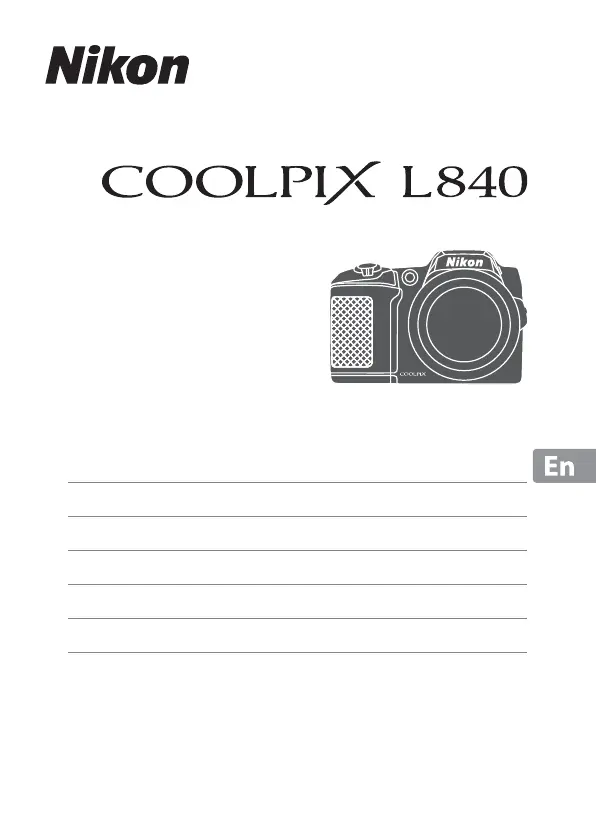
Nikon COOLPIX L840 - User Manual

Nikon COOLPIX L840
40 pages
Print Icon
To Next Page IconTo Next Page
Loading...
DIGITAL CAMERA
Quick Start Guide
Introduction ii
Preparing for Shooting 1
Basic Shooting and Playback Operations 7
Using Menus 14
Using the Wi-Fi (Wireless LAN) Function 16
Technical Notes 17

Other manuals for Nikon COOLPIX L840

Questions and Answers

  • A
    Anthony HarveySep 9, 2025
    Why can't I use digital zoom on my Nikon COOLPIX L840 Digital Camera?
    • K
      Kiara FrazierSep 9, 2025
      Digital zoom on your Nikon Digital Camera may be unavailable if it's set to Off in the setup menu, or if you're using certain shooting modes or settings that are not compatible with digital zoom.
  • M
    Mrs. Laura RamirezAug 23, 2025
    How to fix images that are too dark (underexposed) on my Nikon Digital Camera?
    • J
      Jeffrey BensonAug 23, 2025
      If your Nikon Digital Camera images appear too dark, consider these solutions: * Adjust the exposure compensation. * Increase the ISO sensitivity. * If the subject is backlit, select Backlighting scene mode or raise the flash and set the flash mode setting to fill flash.
  • D
    Dorothy JenningsAug 25, 2025
    How to fix smeared images on my Nikon COOLPIX L840 Digital Camera?
    • M
      martinezdanielleAug 25, 2025
      If the images from your Nikon Digital Camera appear smeared, the lens may be dirty. Clean the lens to resolve this issue.
  • D
    dfarmerAug 26, 2025
    How to fix blurred images on my Nikon Digital Camera?
    • M
      Mindy NguyenAug 27, 2025
      If your Nikon Digital Camera is producing images that are blurred, there are several potential solutions: * Use the flash. * Increase the ISO sensitivity value. * Enable Photo VR when shooting still images or Movie VR when recording movies. * Use a tripod to stabilize the camera; using the self-timer simultaneously can further improve stability.
  • J
    Jessica HowardAug 27, 2025
    What to do if my Nikon Digital Camera cannot focus?
    • R
      Robert WilliamsAug 27, 2025
      If your Nikon Digital Camera cannot focus, turn the camera off and then on again. Also, make sure that the subject is not too close, is easy to focus on, or set AF assist in the setup menu to Auto.
  • G
    gwendolyn01Aug 29, 2025
    Why does my Nikon COOLPIX L840 turn off without warning?
    • J
      Jay RamseyAug 29, 2025
      If your Nikon Digital Camera turns off unexpectedly, it could be due to the auto-off function, low temperatures affecting the camera and batteries, or the camera overheating. If the camera has become hot, leave it off until it cools down before trying to turn it on again.
  • K
    Kimberly HarrisSep 18, 2025
    Why can't I take pictures or record movies on my Nikon COOLPIX L840?
    • L
      Loretta ShieldsSep 18, 2025
      If you cannot take pictures or record movies with your Nikon Digital Camera, ensure the camera is not in playback mode by pressing the A button, shutter-release button, or b (e) button. Also, if menus are displayed, press the d button. Finally, check if the flash is charging or if the batteries are exhausted.
  • P
    Paul RhodesSep 18, 2025
    Why is my Nikon Digital Camera getting hot?
    • R
      Richard MunozSep 19, 2025
      Your Nikon Digital Camera may become hot when used for a long time to record movies or when used in a hot environment. This is normal and not a malfunction.
  • M
    Monica CarpenterSep 7, 2025
    Why is the monitor blank on my Nikon Digital Camera?
    • R
      Rachel GoodwinSep 8, 2025
      If the monitor on your Nikon Digital Camera is blank, it could be due to several reasons: * The camera is off. * The camera automatically turns off to save power (auto off function). * The flash lamp flashes while the flash is charging. * The camera is connected to a TV or computer. * The camera and smart device are connected using a Wi-Fi connection and the camera is being operated by remote control.
  • T
    Tyler TaylorSep 4, 2025
    Why doesn't the flash fire on my Nikon COOLPIX L840 Digital Camera?
    • P
      Patricia EverettSep 4, 2025
      If the flash on your Nikon Digital Camera isn't firing, it could be because the flash is lowered, a scene mode that restricts the flash is selected, or a function that restricts the flash is enabled.

Summary

Introduction and Support

Getting Started and Manuals

Initial setup, manual download, and software installation guides.

Package Contents and Support

Verifying package contents and accessing user support.

Product Information and Precautions

Product support, accessory warnings, and pre-shooting checks.

Manuals and Legal Notices

Manual disclaimers and copyright/reproduction restrictions.

Data Disposal and Markings

Proper data deletion and understanding conformity marks.

Safety Precautions

General Safety Warnings

Critical warnings for preventing injury and damage during operation.

Battery and Charger Safety

Guidelines for safe handling and use of batteries and chargers.

Operational Safety Guidelines

Precautions for cables, flash, lens, monitor, and personnel instructions.

Preparing for Shooting

Camera Setup and Strap Attachment

Attaching the camera strap and lens cap for use.

Inserting and Formatting Media

How to insert batteries and memory cards, and format cards.

Battery Information and Removal

Notes on battery types, usage, and safe removal procedures.

Initial Camera Configuration

Setting language, date, and time upon first use.

Finalizing Settings and Flash Operation

Completing date/time setup and controlling the camera flash.

Adjusting Settings and Flash

Changing language/time and raising/lowering the flash.

Basic Shooting and Playback Operations

Shooting with Scene Auto Selector

Holding the camera and framing the picture in auto mode.

Capturing and Saving Images

Taking photos, saving images, auto-off, and tripod use.

Monitor Angle Adjustment

How to adjust the camera monitor angle safely.

Viewing and Deleting Images

Navigating playback mode and viewing captured images.

Image Deletion Procedures

Step-by-step guide for deleting images.

Changing Shooting Modes

Guide to selecting different shooting modes.

Flash, Timer, and Movie Recording

Using flash, self-timer, exposure compensation, and recording movies.

Using Menus

Accessing Camera Menus

How to open and navigate the camera's menu system.

Configuring Menu Settings

Selecting menu options and applying settings.

Using the Wi-Fi (Wireless LAN) Function

Wi-Fi Functions Overview

Capabilities of Wi-Fi for remote capture and viewing.

Software Installation for Wi-Fi

Installing the Wireless Mobile Utility on smart devices.

Technical Notes

Product Care and Camera Handling

Guidelines for caring for the camera and avoiding damage.

Monitor and Battery Precautions

Notes on monitor quality and battery usage/charging.

Battery Performance and Recycling

Battery performance in cold, cleaning terminals, and recycling.

Cleaning and Storing the Camera

Procedures for cleaning and storing the camera.

Troubleshooting Common Issues

Solutions for common camera problems and malfunctions.

Approved Memory Cards and Trademarks

List of approved memory cards and trademark information.

Software Licenses and Patents

Licensing information for included software components.

Nikon COOLPIX L840 Specifications

General IconGeneral
TypeCompact digital camera
Sensor TypeCMOS
Effective Pixels16.0 million
Optical Zoom38x
Digital Zoom4x
Lens Focal Length4.0-152mm (angle of view equivalent to that of 22.5-855mm lens in 35mm [135] format)
Aperturef/3.0-6.5
Display Resolution921, 000 dots
Video Resolution1920 x 1080 (Full HD)
Vibration ReductionLens-shift VR
AutofocusContrast-detect AF
MonitorTFT LCD with anti-reflection coating
Shutter TypeMechanical and CMOS electronic shutter
Built-in FlashYes
Display Size3.0 inches
Battery TypeFour LR6/L40 (AA-size) alkaline batteries
Weight538g (with battery and memory card)
Dimensions113.5 x 78.3 x 96.0 mm
Lens Construction12 elements in 9 groups
Focus Range50cm to infinity (W), 2m to infinity (T)
Storage MediaSD, SDHC, SDXC
File FormatsJPEG
Shutter Speed1/1500 to 1 s
Aperture Rangef/3.0 (W) - f/6.5 (T)
Shooting ModesAuto, Scene, Smart Portrait, Special Effects
Movie RecordingFull HD (1920x1080)
ConnectivityWi-Fi, NFC

Related product manuals