56
Button Tips: Checking Focus
If Zoom on/off is assigned to the center of the multi selec-
tor, you can press the center of the multi selector to zoom in
on the active focus point and check focus during playback
or live view.
Press the center of the multi selector again to
cancel zoom.
1
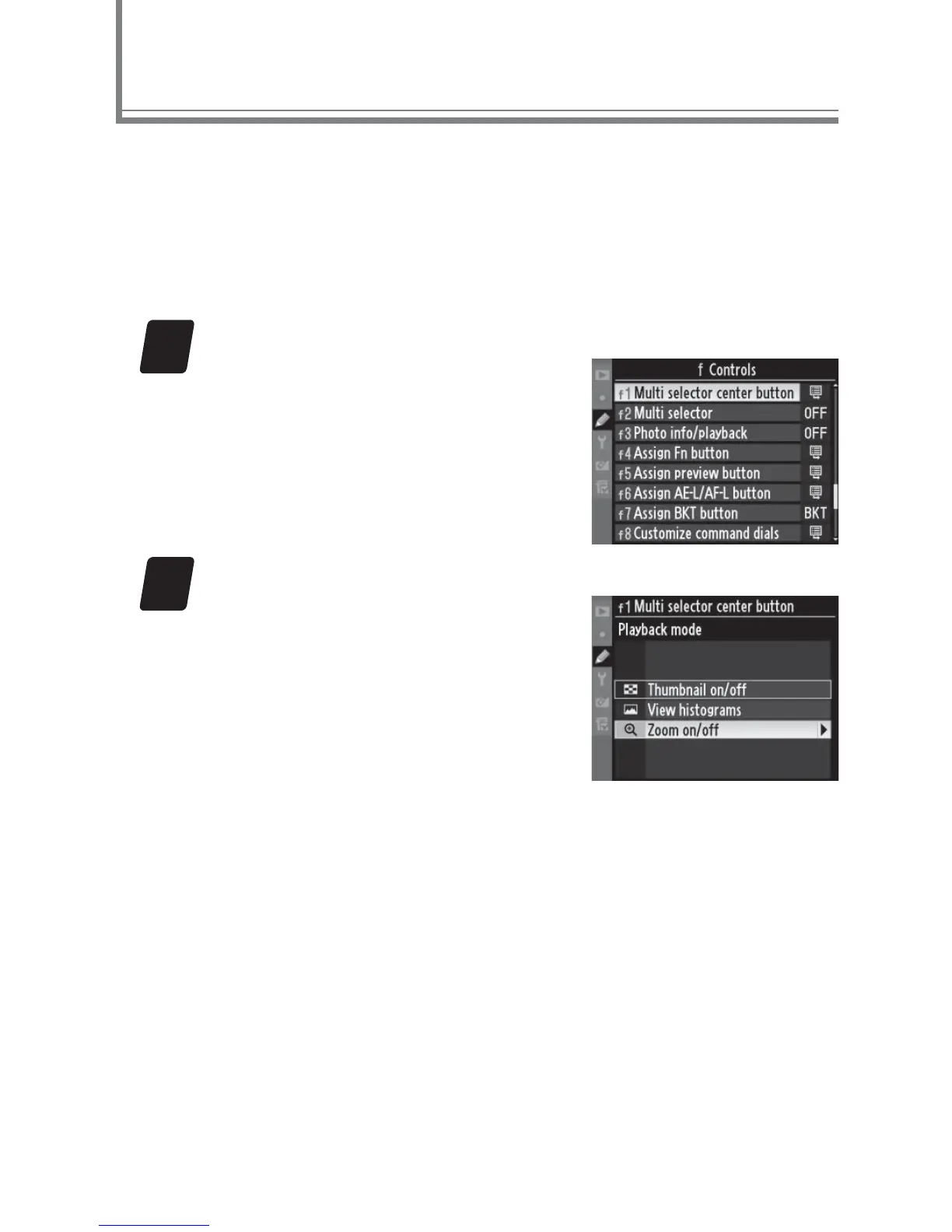
Select Custom Setting f1.
Highlight Custom Setting f1
(Multi selector center button)
in the Custom Settings menu
and press
2.
2
Select Zoom on/off .
Select Live view > Zoom on/
off to use the center of the
multi selector to zoom in on
the active focus point during
live view, Playback mode >
Zoom on/off to use the center
of the multi selector to zoom in on the active focus
point during playback (including thumbnail play-
back).
To choose from low, medium, and high zoom
ratios, highlight Zoom on/off and press 2.



 To Next Page