39
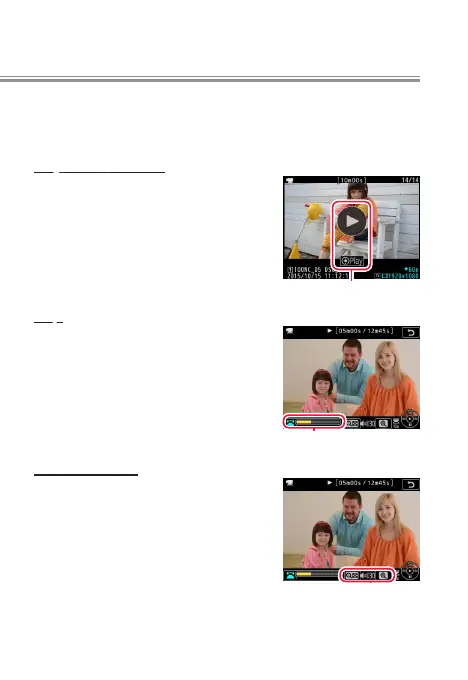
Using the Touch Screen
The touch screen oers the following movie playback con-
trols:
Play/Pause/Resume
Tap the a icon to start playback and
tap the monitor to pause or resume.
a icon
Skip
Tap the progress bar to skip to the
selected position and pause play-
back. You may nd this useful when
attempting to nd a specic scene
in a long movie.
Progress bar
Volume Control
Tap the W or X icon during play-
back to adjust the volume.
Volume control
l



 To Next Page