18
Custom Control Assignments
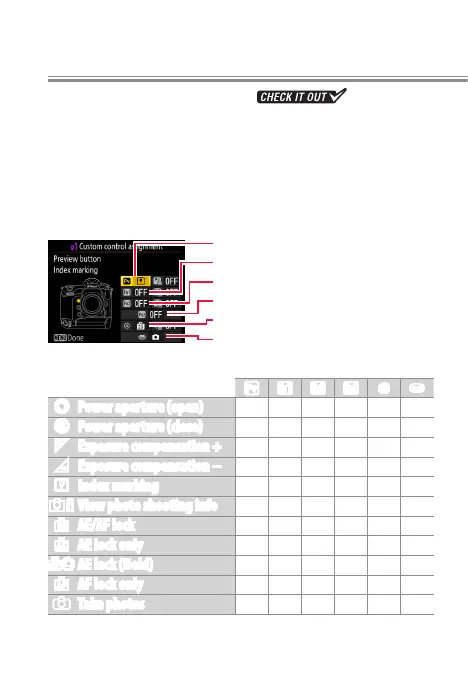
Use Custom Setting g1 (Custom control assignment) to
choose the roles played by camera controls during movie
recording.
Press
To choose the roles played by the following controls, high-
light an option and press the center of the multi selector:
0
Pv button
v
Fn1 button
x
Fn2 button
z
Fn3 button
8
Center of sub-selector
G
Shutter-release button
The functions that can be assigned to these controls are:
0 v x z 8 G
t
Power aperture (open)
4
— — — — —
q
Power aperture (close) —
4
— — — —
i
Exposure compensation +
4
— — — — —
h
Exposure compensation − —
4
— — — —
r
Index marking
4 4 4 4 4
—
s
View photo shooting info
4 4 4 4 4
—
B
AE/AF lock — — — —
4
—
C
AE lock only — — — —
4
—
E
AE lock (Hold) — — — —
4
—
F
AF lock only — — — —
4
—
C
Take photos — — — — —
4
l



 To Next Page