EasyManua.ls Logo

Nikon D5500 - Page 109

Nikon D5500
583 pages
Print Icon
To Next Page IconTo Next Page
To Previous Page IconTo Previous Page
Loading...
II
V
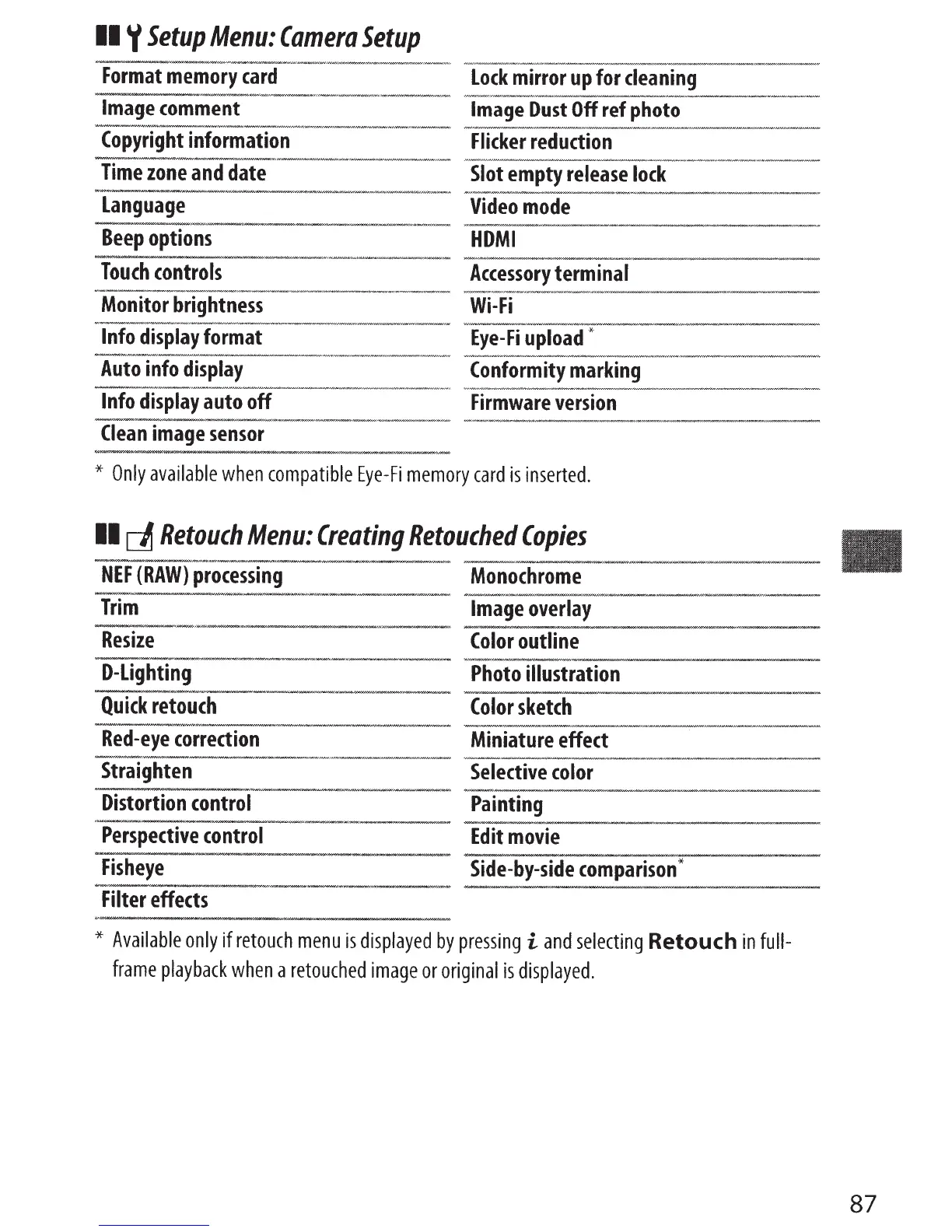
Setup
Menu:
Camera
Setup
-·--------·--·--~--·-~~--·----
-~---·
-----
·-----
Format
memory
card
Lock
mirror
up
for
cleaning
-·---"--------
____
,
_·~-
------··--
Image
comment
Image
Dust
Off
ref
photo
-------·-·-·-·-·-·
··--
Copyright
information
Flicker
reduction
h-N',N.W......,..
____
_
,_
_..
,_~....,-~
,.,._,..._,.,.
________
_
......,...,.._v~--'
NNJ'_.-.,__..
__
_
Time
zone
and
date
Slot
empty
release
lock
---~
-~
~----·--·-
-.
~~
~-
---~
·-
~-
Language
Video
mode
Beep
options
HDMI
Touch
controls
Accessory
terminal
~-~-#~
-~B----.
-.-
.
---w
Monitor
brightness
Wi-Fi
Info
display
format
--
--·--------··
Eye-Fi
upload
"*--
..
--
··-
-----~--
Auto
info
display
Info
display
auto
off
Clean
image
sensor
Conformity
marking
Firmware
version
*
Only
available
when
compatible
Eye-Fi
memory
card
is
inserted.
II
~
Retouch
Menu:
Creating
Retouched
Copies
----
·
-
~--··--~-
NEF
(RAW)
processing
Monochrome
·--
Trim
Image
overlay
--------
-
·-·
---
------------------~-~-----
Resize
Color
outline
-·---
--
----
-----
-
D-Lighting
Photo
illustration
Quick
retouch
Color
sketch
Red-eye
correction
Miniature
effect
---.,~---------
·
~-·-
..
------------
-
-~----~~
-----
---
Straighten
Selective
color
·---------·
Distortion
control
Painting
·-
--------------
Perspective
control
Edit
movie
Fisheye
Side-by-side
comparison
*
Filter
effects
*
Available
only
if
retouch
menu
is
displayed
by
pressing
i
and
selecting
Retouch
in
full-
frame
playback
when
a
retouched
image
or
original
is
displayed.
87

Table of Contents

Other manuals for Nikon D5500

Related product manuals