32 Introduction
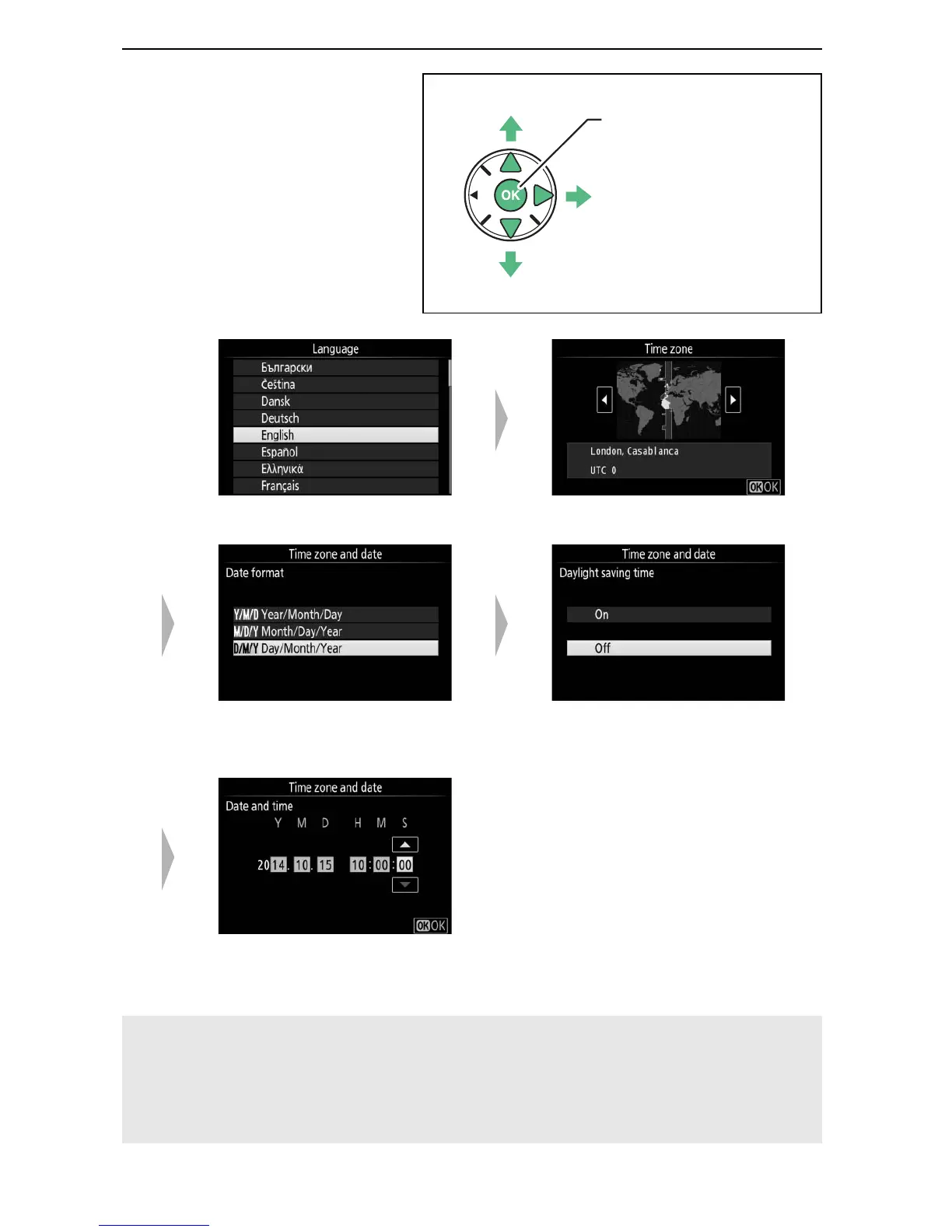
7 Choose a language
and set the camera
clock.
Use the multi selector
and J button to
select a language and
set the camera clock.
qw
Select language Select time zone
er
Select date format Select daylight saving time
option
t
Set time and date (note that the
camera uses a 24-hour clock)
A The Camera Clock
The camera clock is less accurate than most watches and household
clocks.
Check the clock regularly against more accurate time pieces
and reset as necessary.



 To Next Page