112
--
----·-mnn
---
--------·
"""'
iliCiicai<J
.,
---------------
·--m--
-
----
..
··-
---
-:r
·-··-
·----
--
----:··-------·----·---------·--·--·-
..
·---·-----·------------·-----~----·----·----------·----------
·--~-~"-~~
----~:~
~~~--~
~!~!!~
-
~
~-
-
~~
"~~----~~~~~~~~
-
I--~~-
!~~~
:
~~!~
~~~]
__
___
;
____
_
_____
"
______
..
_____
;
_______
___
__
_
~
-
~-"-~!!!~--
---"'----
·-·
-
--
··
..
--
--
-·
-
-----·
·
-"
_.
...
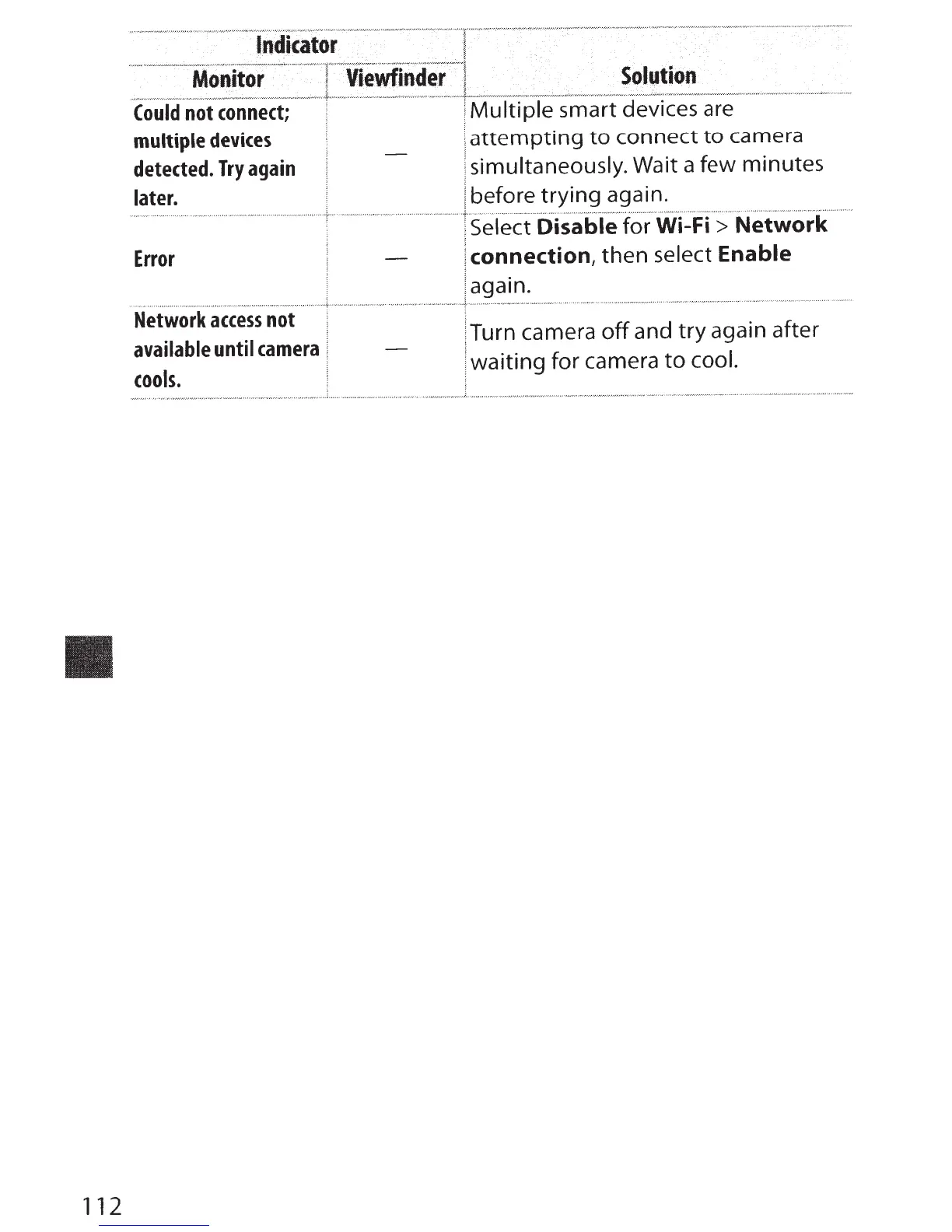
Could
not
connect;
!
Multiple
smart devices are
multiple
devices
,
attempting
to
connect
to
camera
detected.
Try
again
;
simultaneously. Wait a few minutes
later.
I before
trying
again.
······
···
···-
········
··
-t·
···
..
·-··--··t·
selec
-
i
-·
ot5ailie
'
to
·
r
··
wi~Fi'
·
;
··
Networl<
····
Error
.
....
..
...................
.,
..............................
_.
............................
1-·······
Network
access
not
available
until
camera
cools.
I
connection,
then select
Enable
I
again .
'"''"~-··--?---··••'•'-'""-""-"'''"'"W''''"'"""
I
Turn camera
off
and
try
again after
:
waiting
for camera
to
cool.



 To Next Page