EasyManua.ls Logo

Nikon D5500 - Page 27

Nikon D5500
583 pages
Print Icon
To Next Page IconTo Next Page
To Previous Page IconTo Previous Page
Loading...
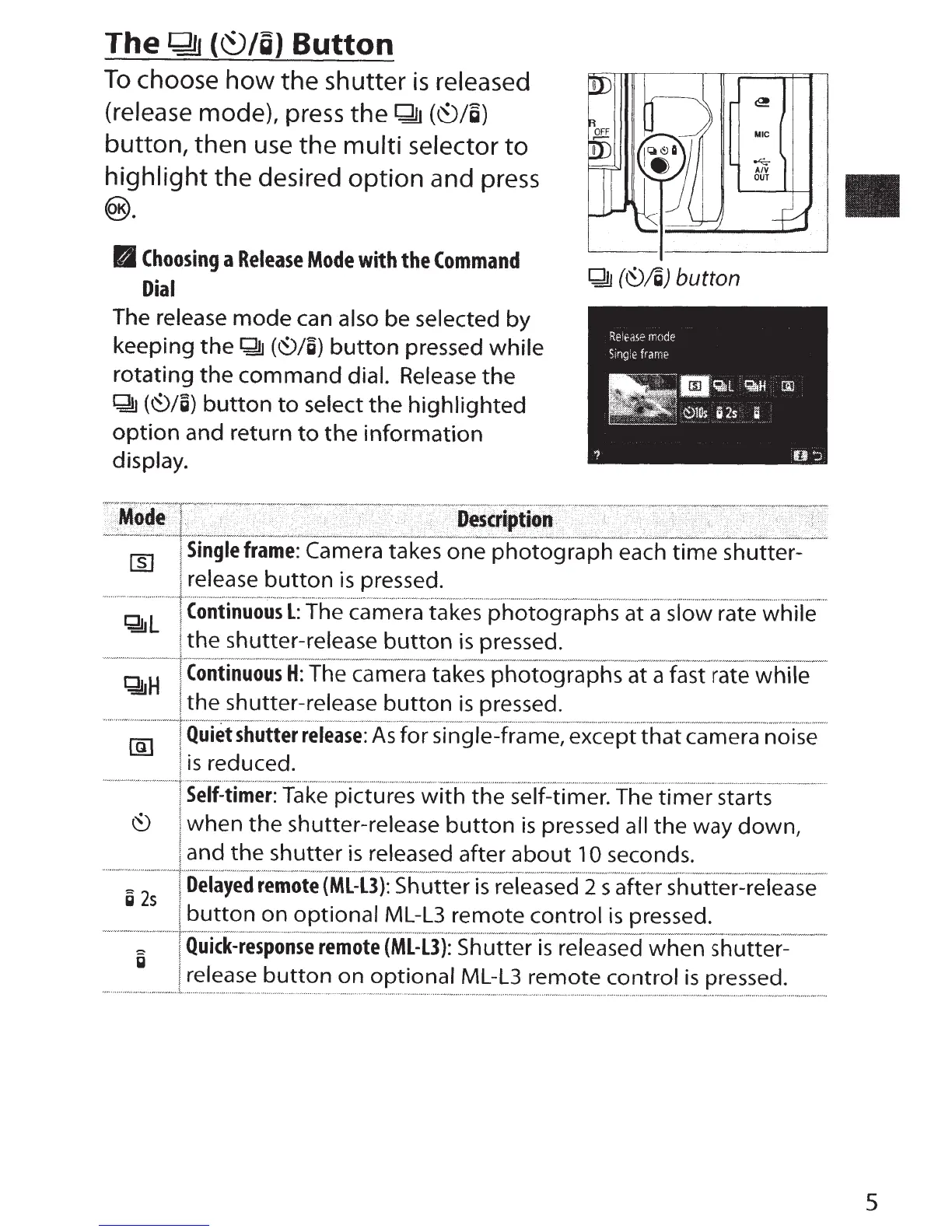
The~
{~/g)
Button
To
choose
how
the shutter
is
released
(release mode), press
the~
(\'E)/g)
button,
then
use
the
multi selector
to
highlight
the desired
option
and press
@).
B
Choosing
a
Release
Mode
with
the
Command
QlJ
(~jg)
button
Dial
The release
mode
can also
be
selected
by
keeping
the~
(~/g)
button
pressed
while
rotating
the
command
dial. Release
the
gn
(~/g)
button
to
select
the
highlighted
option
and
return
to
the
information
display.
~L
~H
g
2s
Single
frame:
Camera takes
one
photograph
each
time shutter-
release
button
is
pressed.
Continuous
L:
The
camera
takes
photographs
at
a slow
rate while
the
shutter-release
button
is
pressed.
Continuous
H:
The
camera
takes
photographs
at
a rate while
the
shutter-release
button
is
pressed.
Quiet
shutter
release:
As
for sing me,
except
that
camera
noise
is
reduced.
Self-timer:
Take pictures with
the
self-timer. The
timer
starts
when
the
shutter-release
button
is
pressed
all
the
way down,
and
the
shutter
is
released after
about
1
0 seconds.
Delayed
remote
(ML-L3):
Shutter
is
released
2
s after shutter-release
button
on
optional
ML-L3
remote
control
is
pressed.
Quick-response
remote
(ML-L3):
Shutter
is
released
when
shutter-
release
button
on
optional
ML-L3
remote
control
is
pressed.
5

Table of Contents

Other manuals for Nikon D5500

Related product manuals