EasyManua.ls Logo

Nikon D5500 - Page 44

Nikon D5500
583 pages
Print Icon
To Next Page IconTo Next Page
To Previous Page IconTo Previous Page
Loading...
22
Viewing Pictures
The touch screen can be used for
the
following
playback
operations
(OJ
39,
52).
View
other
images
Zoom
in
(photos
only)
View
thumbnails
View
movies
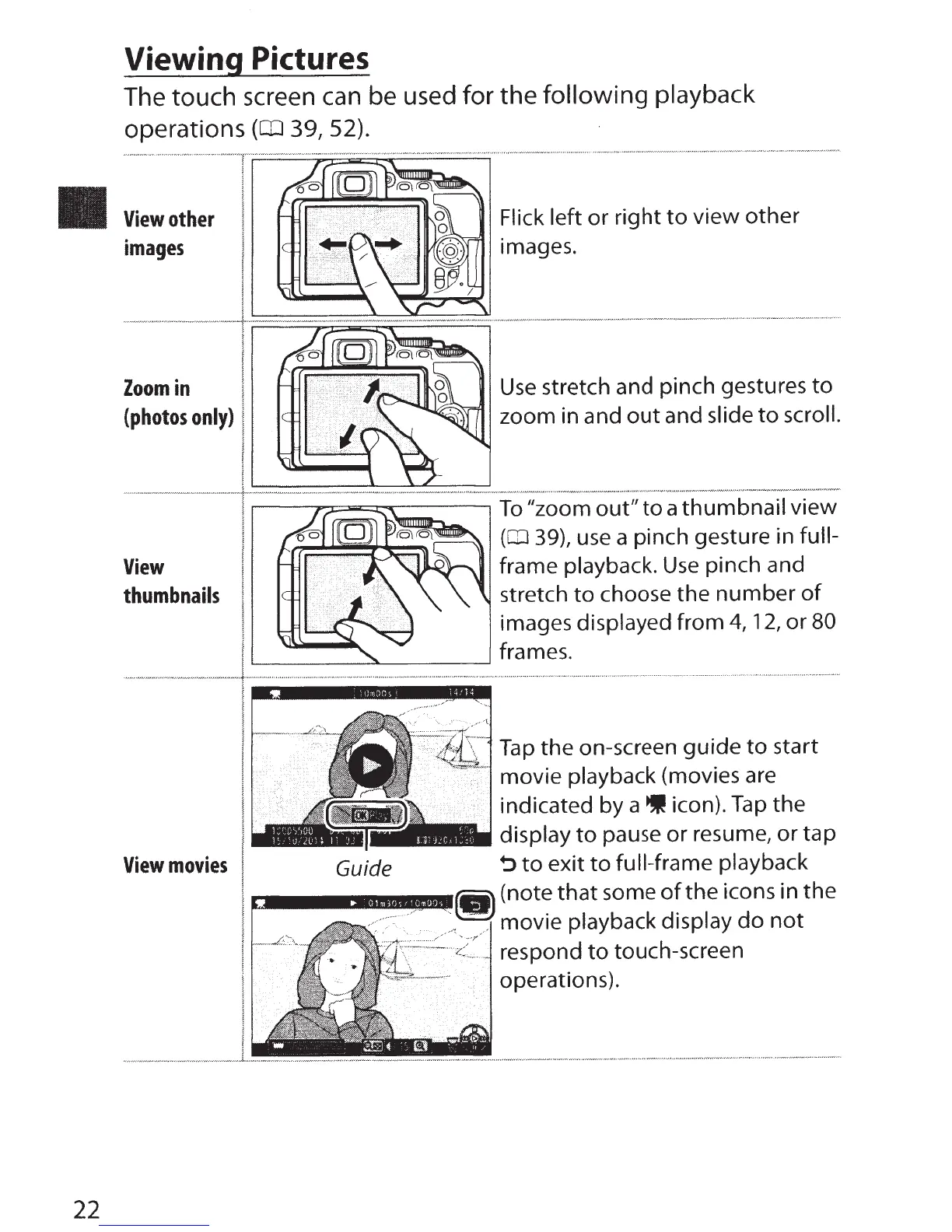
Flick left
or
right
to
view
other
images.
Use
stretch and pinch gestures
to
zoom in and
out
and
slide
to
scroll.
r---r;I.=--~r---~
To
"zoom
out"
to
a
thumbnail
view
~---~------~
Guide
{CD
39), use a pinch gesture in
full-
frame playback.
Use
pinch and
stretch
to
choose the
number
of
images displayed from
4,
12,
or 80
frames.
Tap
the
on-screen
guide
to
start
movie playback (movies are
indicated by a icon).
Tap
the
display
to
pause
or
resume, or
tap
~to
exit
to
full-frame
playback
(note
that
some
of
the
icons in
the
movie playback
display
do
not
respond
to
touch-screen
operations).

Table of Contents

Other manuals for Nikon D5500

Related product manuals