32
II
Removing
the
Battery
and
Memory
Cards
Removing
the
Battery
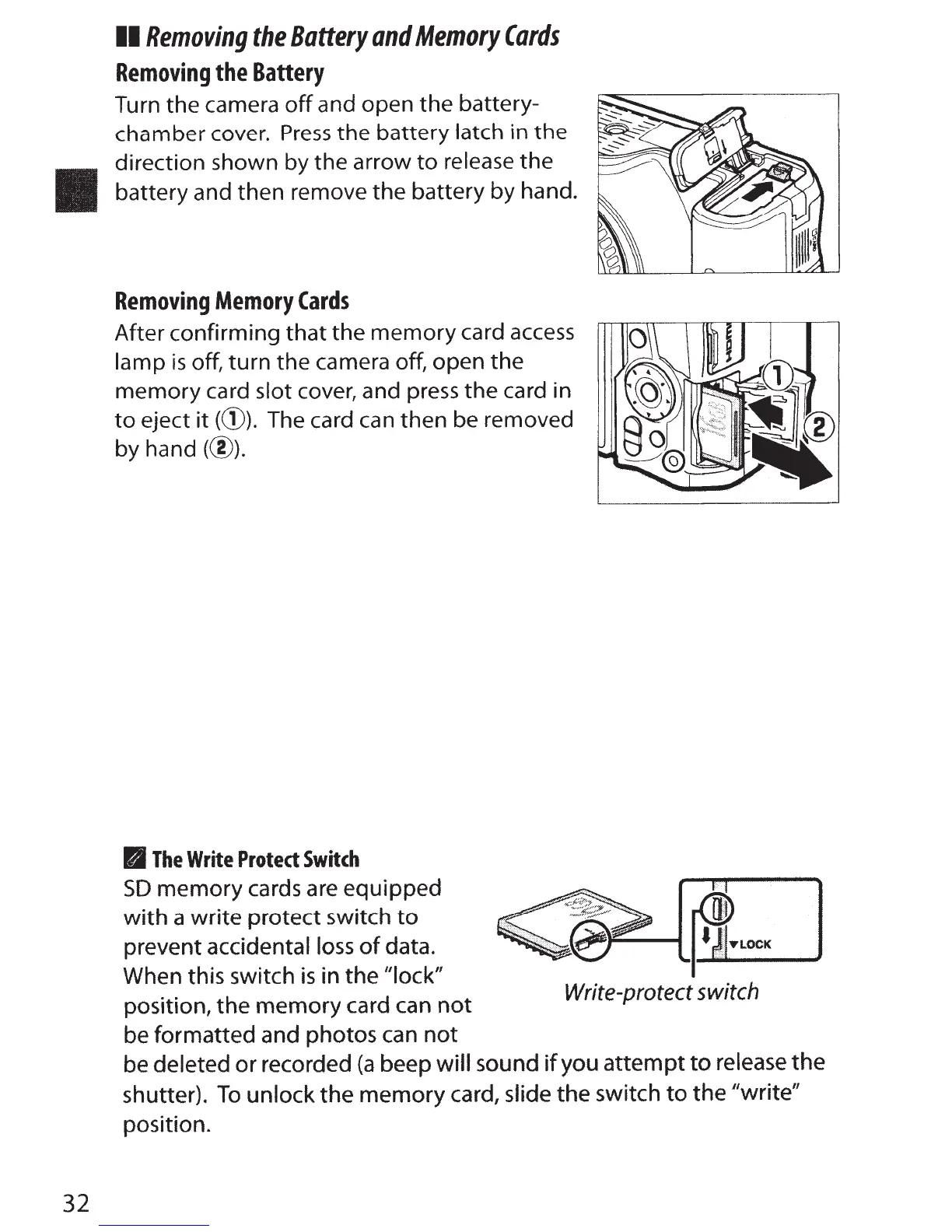
Turn the camera
off
and open the battery-
chamber
cover.
Press
the
battery
latch
in
the
direction shown by the arrow
to
release the
battery and then remove the battery by hand.
Removing
Memory
Cards
After confirming
that
the memory card
access
lamp
is
off, turn the camera off, open the
memory card
slot cover, and
press
the card in
to
eject
it
((D).
The
card
can
then be removed
by hand(@).
II
The
Write
Protect
Switch
SO
memory cards are equipped
with
a write protect switch
to
prevent accidental
loss
of
data.
When this switch
is
in the
"lock"
position,
the
memory card can
not
be formatted and photos
can
not
•J'"-----t
PJ_Loc_K
___,
Write-protect
switch
be deleted or recorded
(a
beep
will
sound
if
you
attempt
to
release
the
shutter).
To
unlock the memory card, slide the switch
to
the
"write"
position.



 To Next Page