EasyManua.ls Logo

Nikon D5500 - Page 56

Nikon D5500
583 pages
Print Icon
To Next Page IconTo Next Page
To Previous Page IconTo Previous Page
Loading...
34
II
Detaching
the
lens
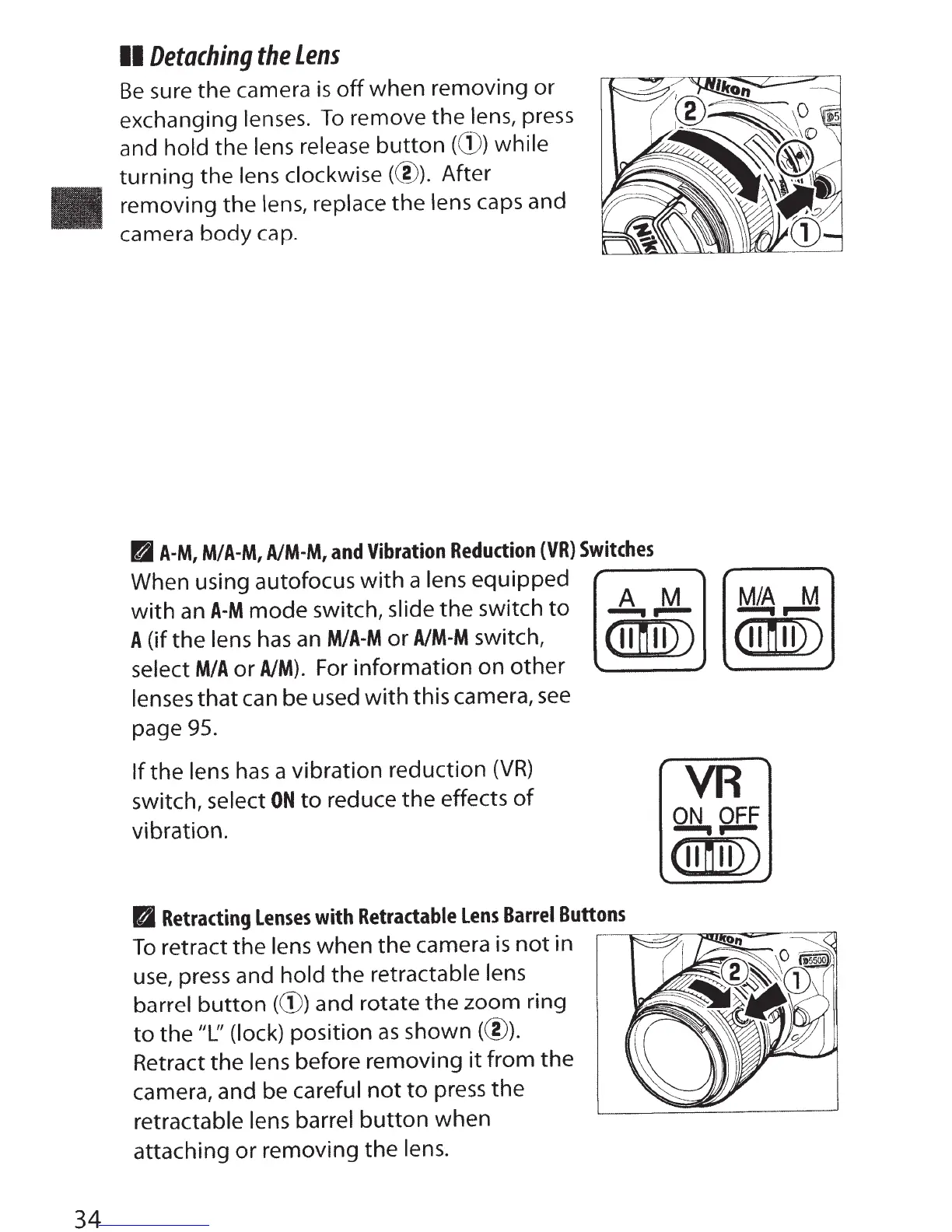
Be
sure the camera
is
off
when removing or
exchanging lenses.
To
remove the lens, press
and hold the lens release
button
((D) while
turning
the lens clockwise(@). After
removing the lens, replace
the
lens caps and
camera
body
cap.
BA-M,
M/A-M,
A/M-M,
and
Vibration
Reduction
(VR)
Switches
When using autofocus
with
a lens equipped
with
an
A-M
mode switch, slide
the
switch
to
A
(if the lens
has
an
M/A-M
or
A/M-M
switch,
select
M/A
or
AIM).
For information
on
other
lenses
that
can be used
with
this camera,
see
page
95.
If
the
lens
has
a vibration reduction
(VR)
switch, select
ON
to
reduce
the
effects
of
vibration.
A M
M/A
M
---..--
---..--
(II
n
II))
(II
n
II))
VR
ON
OFF
......
.....
(II
n
II))
II
Retracting
Lenses
with
Retractable
Lens
Barrel
Buttons
To
retract the lens when the camera
is
not
in
~~~~~n=-
:::::::::::
:<J
use,
press and
hold
the retractable lens
barrel
button
(G))
and rotate the zoom ring
to
the
"L''
(lock) position
as
shown
(@).
Retract the lens before removing
it
from
the
camera, and be careful
not
to
press
the
retractable lens
barrel
button
when
attaching
or
removing the lens.

Table of Contents

Other manuals for Nikon D5500

Related product manuals