EasyManua.ls Logo

Nikon F4S - Manual Film Speed Setting

Nikon F4S
111 pages
Print Icon
To Next Page IconTo Next Page
To Previous Page IconTo Previous Page
Loading...
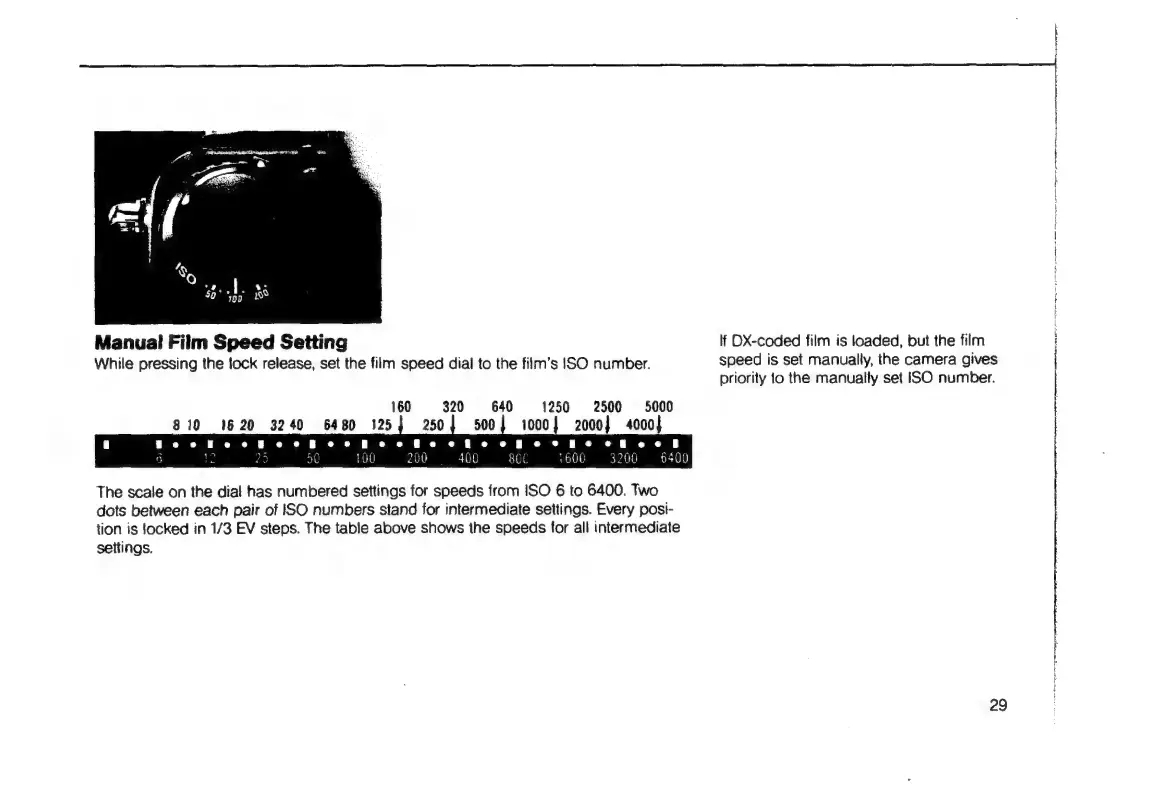
Manual
Film
Speed
Setting
lf
DX-coded
film
is
loaded,
but the
film
While
pressing
the
tock
release,
set
the
film
speed
dial
to
the
film's
ISO
number.
speed
is
set
manually,
the
camera
gives
priority
lo
the
manually
set
ISO
number.
160
320 640
1250
2500
5000
810
1620
3240
6480
125}
250]
500]
1000)
2000}
4000}
|
i
re
O
A
O
O
O
er
ee ee
|
p
de
ba
5
le
29
50
100
200
400 gal
1600
3200
6400
The
scale
on
the
dial
has
numbered
settings
for
speeds
from
ISO
6
to
6400.
Two
dots
between
each
pair
of
ISO
numbers
stand
for
intermediate
settings.
Every
posi-
tion
is
locked
in
1/3
EV
steps.
The
table
above
shows
the
speeds
for
all
intermediate
settings.
29
Rs
ten
ee
a
a
a
a
eet
er
an
fe
nr
reir
ea
E
E
te

Table of Contents

Related product manuals