EasyManua.ls Logo

Nikon F4S - Exposure Compensation Dial

Nikon F4S
111 pages
Print Icon
To Next Page IconTo Next Page
To Previous Page IconTo Previous Page
Loading...
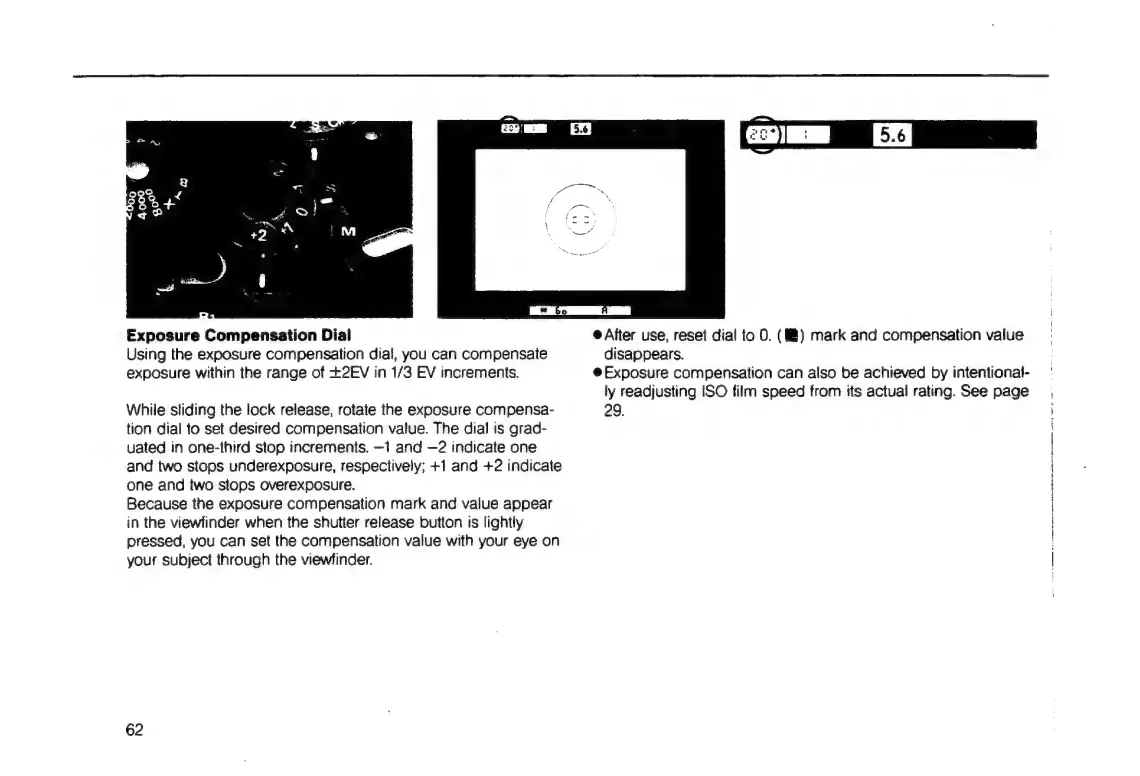
Exposure
Compensation
Dial
Using
the
exposure
compensation
dial,
you
can
compensate
exposure
within
the
range
of
+2EV
in
1/3
EV
increments.
While
sliding
the
lock
release,
rotate
the
exposure
compensa-
tion
dial
to
set
desired
compensation
value.
The
dial
is
grad-
uated
in
one-third
stop
increments.
—1
and
—2
indicate
one
and
two
stops
underexposure,
respectively;
+1
and
+2
indicate
one
and
two
stops
overexposure.
Because
the
exposure
compensation
mark
and
value
appear
in
the
viewfinder
when
the
shutter
release
button
ts
lightly
pressed,
you
can
set
the
compensation
value
with
your
eye
on
your
subject
through
the
viewfinder.
62
e
After
use,
reset
dial
to
O.
(MM)
mark
and
compensation
value
disappears.
e
Exposure
compensation
can
also
be
achieved
by
intentional-
ly
readjusting
ISO
film
speed
from
its
actual
rating.
See
page
29.
!
Oe
AA
EP
a
RO
pwi

Table of Contents

Related product manuals