EasyManua.ls Logo

Nikon F4S - Focus Modes; Manual Focus with Electronic Rangefinder

Nikon F4S
111 pages
Print Icon
To Next Page IconTo Next Page
To Previous Page IconTo Previous Page
Loading...
a
————
FOCUS
MODES
The
advanced
autofocus
system
of
the
F4
works
even
under
extremely
low-light
conditions
as
low
as
EV
minus
1.
The
Electronic
Rangefinder
operates
for
both
autofocus
and
manual!
focusing.
Manual
focusing
can
also
be
accomplished
using
the
clear
matte
screen
or
any
optional
screen
with
an
optical
rangefinder.
Normally,
the
Electronic
Rangefinder's
abil-
ity
to
detect
focus
is
superior
to
the
human
eye.
However,
there
are
certain
subjects
that
cannot
be
focused
upon
in
any
way
such
as
shiny
metallic
subjects,
blank
walls,
etc.
In
this
case,
X
appears
and
autofocus
with
an
alternate
subject
at
the
same
distance
or
manual
adjustment
by
estimating
the
distance
is
recommended.
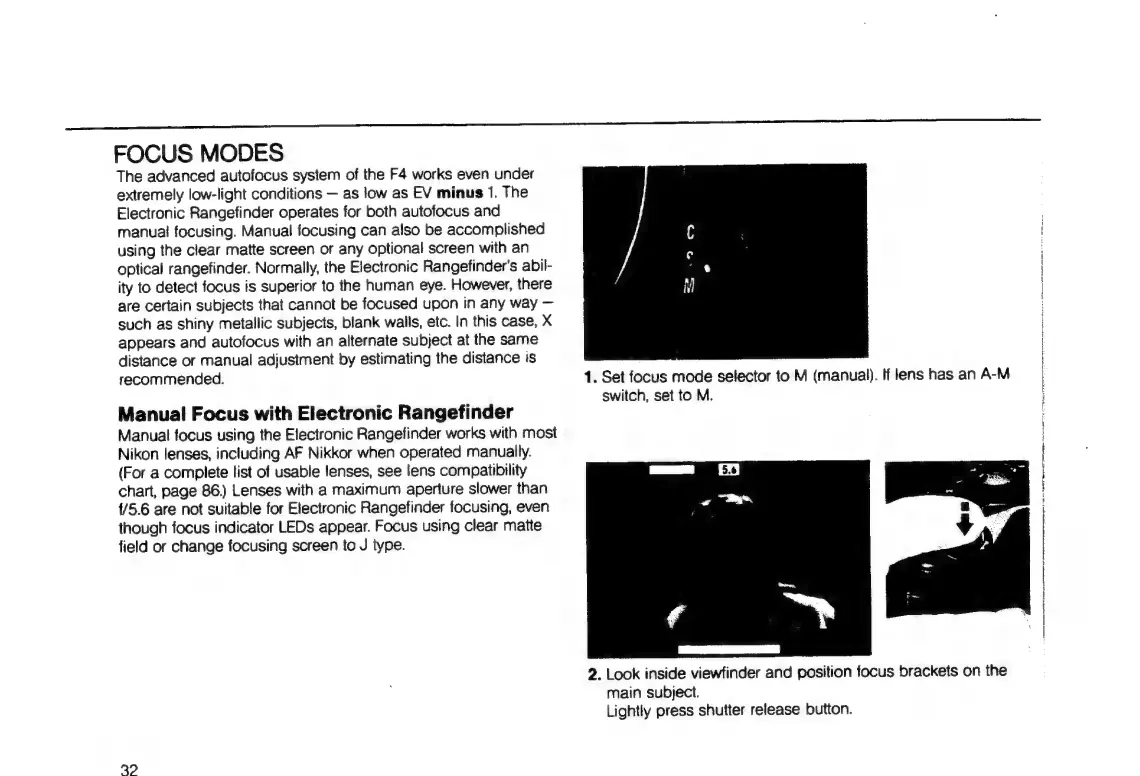
1.
Set
focus
mode
selector
to
M
(manual).
If
lens
has
an
A-M
switch,
set
to
M.
AA
iy
Manual
Focus
with
Electronic
Rangefinder
Manual
focus
using
the
Electronic
Rangefinder
works
with
most
Nikon
lenses,
including
AF
Nikkor
when
operated
manually.
(For
a
complete
list
of
usable
lenses,
see
lens
compatibility
chart,
page
86.)
Lenses
with
a
maximum
aperture
slower
than
{/5.6
are
not
suitable
for
Electronic
Rangefinder
focusing,
even
though
focus
indicator
LEDs
appear.
Focus
using
clear
matte
field
or
change
focusing
screen
to
J
type.
2.
Look
inside
viewfinder
and
position
focus
brackets
on
the
main
subject.
Lightly
press
shutter
release
button.
32

Table of Contents

Related product manuals