EasyManua.ls Logo

Nikon F4S - Page 52

Nikon F4S
111 pages
Print Icon
To Next Page IconTo Next Page
To Previous Page IconTo Previous Page
Loading...
E
Pasa!
:
2
`
PACA
Mate
a!
:
sere
BO
ence
gree
Setar
a
oe
est
Soa
apse
I
veyed
Edis
cit
ca
added
cae
ett
a
Pat
SS
Daas
oy
Rave
teens
asada
iin
ear
SUS
ei
re
Ua
EA
A
Sg
RS
AR
Tans
Be
AT
ASAE
a
Dak
E
ers
Cals
lee
eed
es
aaa!
ANE
t
idi
=
iy
A
Coen
18564“
aa
DA
LS
IM
arar:
AND
AENA
ANITA
RR
A
ar
"am
Ro
Ed
E
a
4
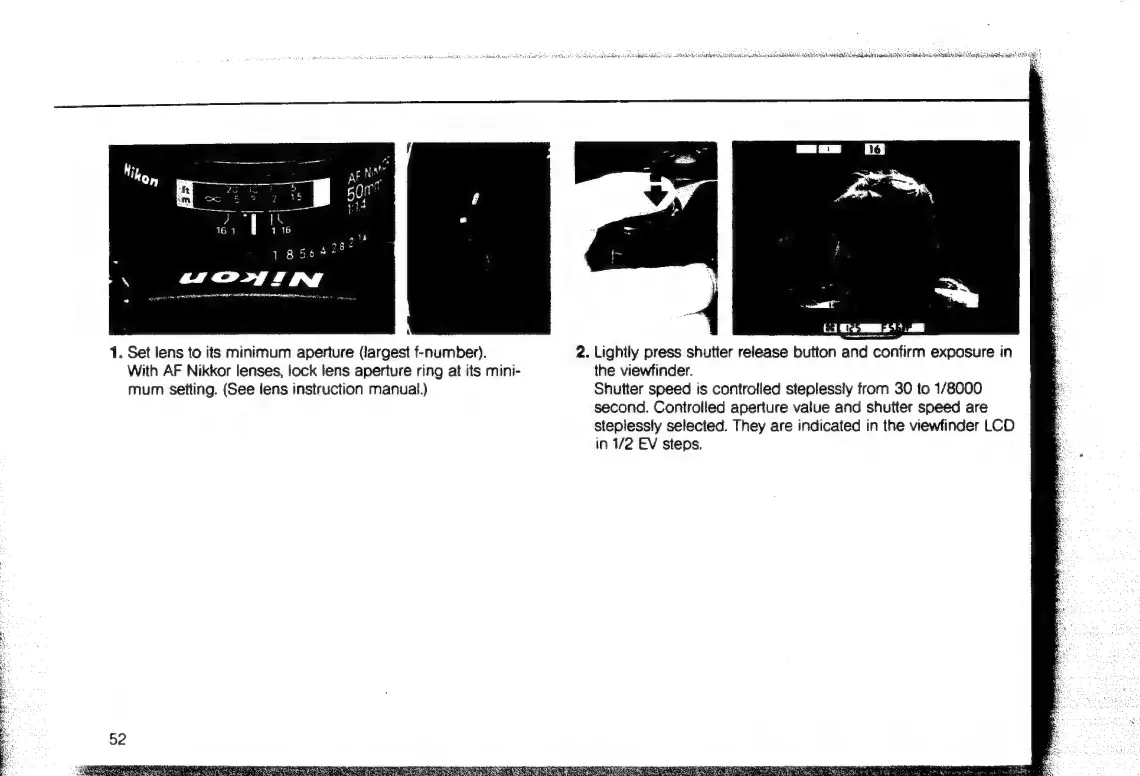
1.
Set
lens
to
its
minimum
aperture
(largest
f-number).
2.
Lightly
press
shutter
release
button
and
confirm
exposure
in
With
AF
Nikkor
lenses,
lock
lens
aperture
ring
at
its
mini-
the
viewfinder.
mum
setting.
(See
lens
instruction
manual.)
Shutter
speed
is
controlled
steplessly
from
30
to
1/8000
second.
Controlled
aperture
value
and
shutter
speed
are
a
steplessly
selected.
They
are
indicated
in
the
viewfinder
LCD
E
in
1/2
EV
steps.
Eo

Table of Contents

Related product manuals