30
BASIC OPERATION continued
M (MANUAL) MODE
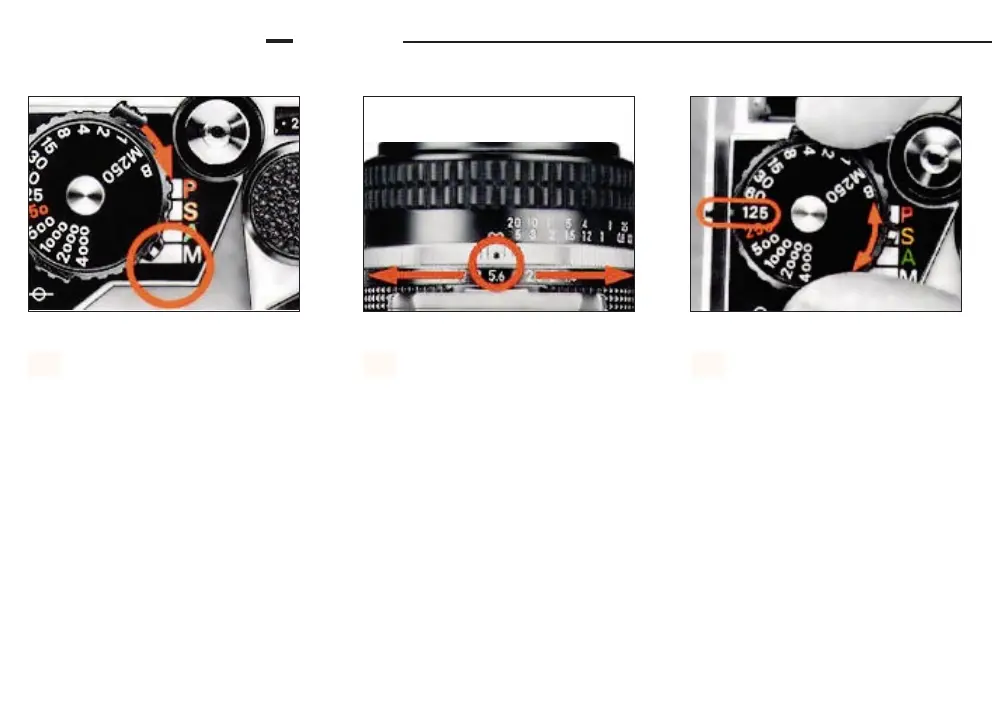
Set the mode selector to M.
1.
Set the lens to the desired f-
number. Although each number
on the lens aperture ring has a click
stop, you can also set the ring to inter-
mediate settings.
2.
Set the shutter speed dial to
the desired shutter speed. The
numbers on the dial are reciprocals,
e.g., 4000 means 1/4000sec. The 250
engraved in red indicates the fastest
sync speed for an electronic flash unit.
Each setting has a click stop.
Shutter speeds from 1 to 1/4000sec.
are electromagnetically controlled
while the FA’s shutter is mechanicall
controlled at M250 and B.
• The shuter speed dial should not
be set between click stops. Fine
adjustment of the exposure should be
performed by adjusting the aperture
ring.
3.













 To Next Page