EasyManua.ls Logo

Nikon L35 AF - Flash Shooting; Focus Lock

Nikon L35 AF
19 pages
Print Icon
To Next Page IconTo Next Page
To Previous Page IconTo Previous Page
Loading...
FLASH
SHOOTING'
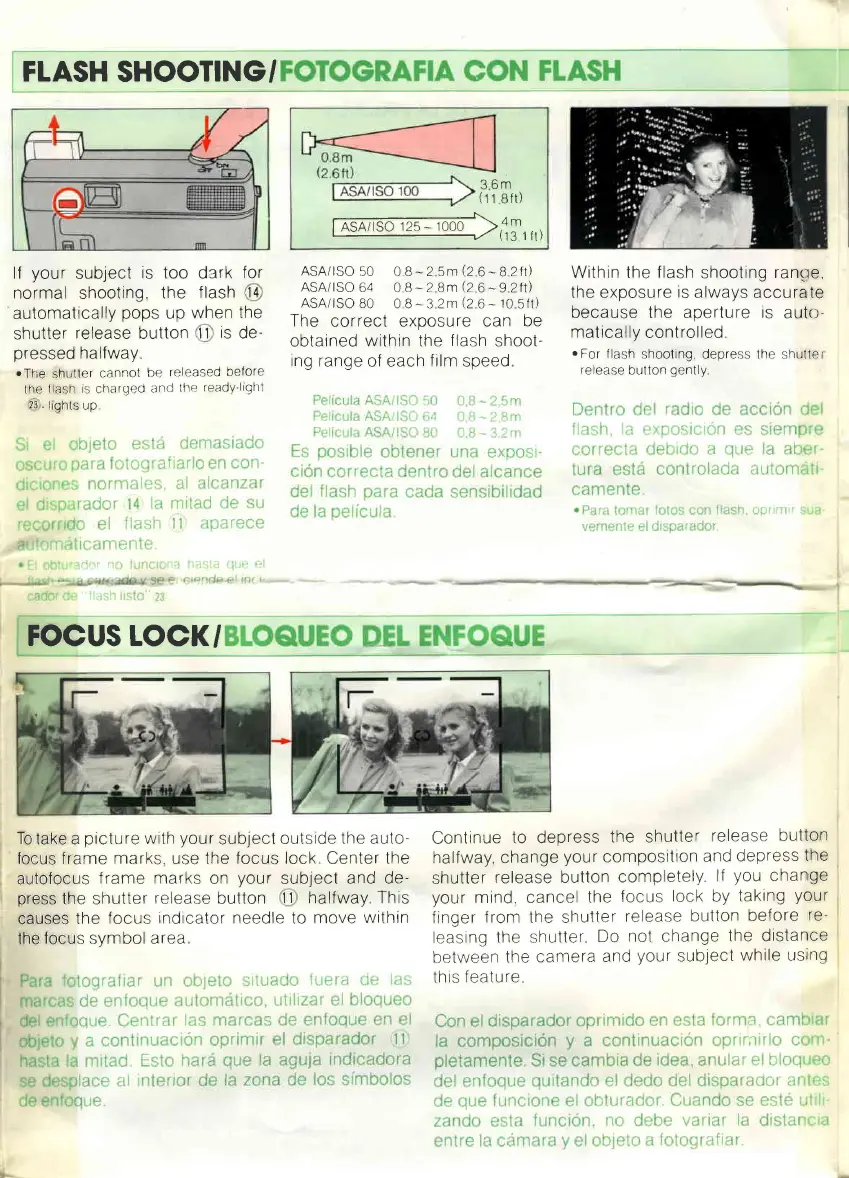
lf
your
subject
is too
dark
for
normal shooting,
the
flash
l4
automatically
pops
up
when
the
shutter
release
button
ll
ls
de-
pressed
halfway
rThe
shuller
cannot
be
released
belore
the
lash
s charqed
and
the
ready'lrqht
23
.
lrghts up
ASA/lSO
50 0 B-2 5m
(2
6
._821t)
ASA/lSO
64 OB-2
8m
(2
6
-9Ztt)
ASA/lSO
B0
0 B-3 2mQ6-
10
sfl)
Thc cnrrpr:t PYnoSUfe
Can
be
obtarned
within the
flash
shoot-
ing range
of each
frlm
speed
Within the
flash
shooting
ranoe,
the exposure
rs
always accurate
her:arrsp thp anprture
ls
autr_r
matically
controlled
oFor
llash
shooting depress lhe shulte
release
button
gently
36m
(11
8fr)
FOCUS LOCK/
To
take a
picture
wrth
your
sub1ect
outsrde
the auto
focus f rame
marks.
use the
focus lock
Center
the
autofocus
frame marks
on
your
sub1ect
and de-
press
the shutter
release
button
ll
halfway This
causes
the
focus
rndicator needle
to
move
withtn
the
focus
svmbol
area
Continue
to depress
the shutter
release
button
halfway, change
your
composition
and
depress
the
shutter
release button
completely
lf
you
change
your
mind, cancel
the
focus
lock by
taktng
your
finger
from the shutter
release
button
before
re-
leasing
the
shutter
Do
not change
the distance
between
the
camera
and
your
sublect
while using
thrs
feature

Related product manuals