REWINDING
FILM
1
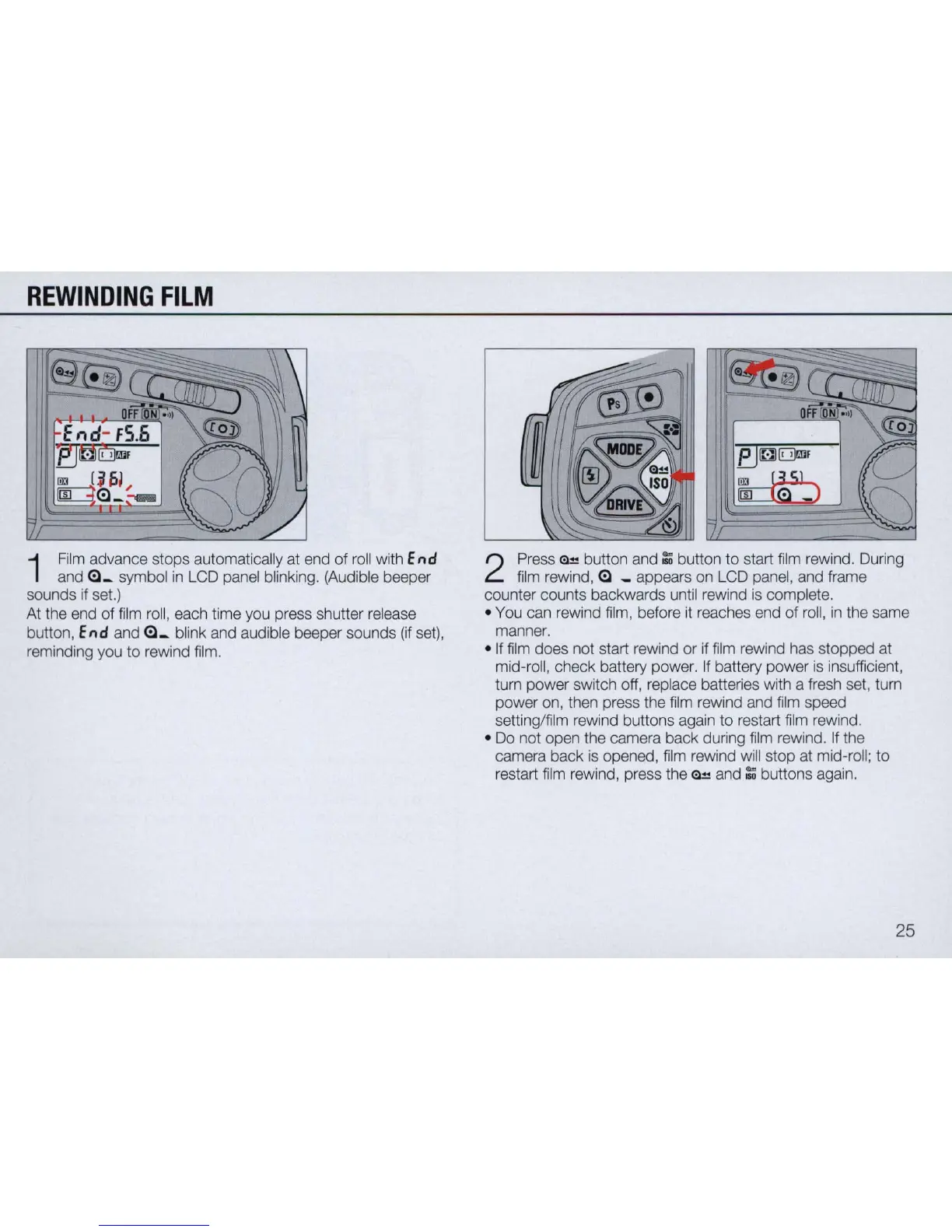
Film
advance stops automatically at end
of
rol
l with
End
and
Gl_
symbol
in
LCD panel blinking. (Audible beeper
sounds if set.)
At the end of
fi
lm roll, each time you press shutter release
button,
End
and
Gl_
blink and audible beeper sounds
(if
set),
reminding you
to
rewind film.
eJ
~
O
r!lF
~
2
Press
~
button and
~
button
to
start
fi
lm rewind. During
film rewind,
Gl
_ appears on LCD panel, and frame
counter counts backwards until rewind is
comp
lete.
• You can rewind film, before
it
reaches end of roll,
in
the same
manner .
• If film does not start rewind or if film rewind has stopped at
mid-roll, check battery power.
If
battery power is insufficien
t,
tum power switch off, replace batteries with a fresh set, tum
power on, then press the
fi
lm rewind and film speed
setting/film rewind buttons again to restart
fi
lm rewind.
•
Do
not open the camera back during film rewind. If the
camera back is opened, film rewind will stop at mid-roll;
to
restart film rewind, press the
<il
-"!
and
~
buttons again.
25



 To Next Page